2550 Video Phone User Manual IMT
Page - 77 -
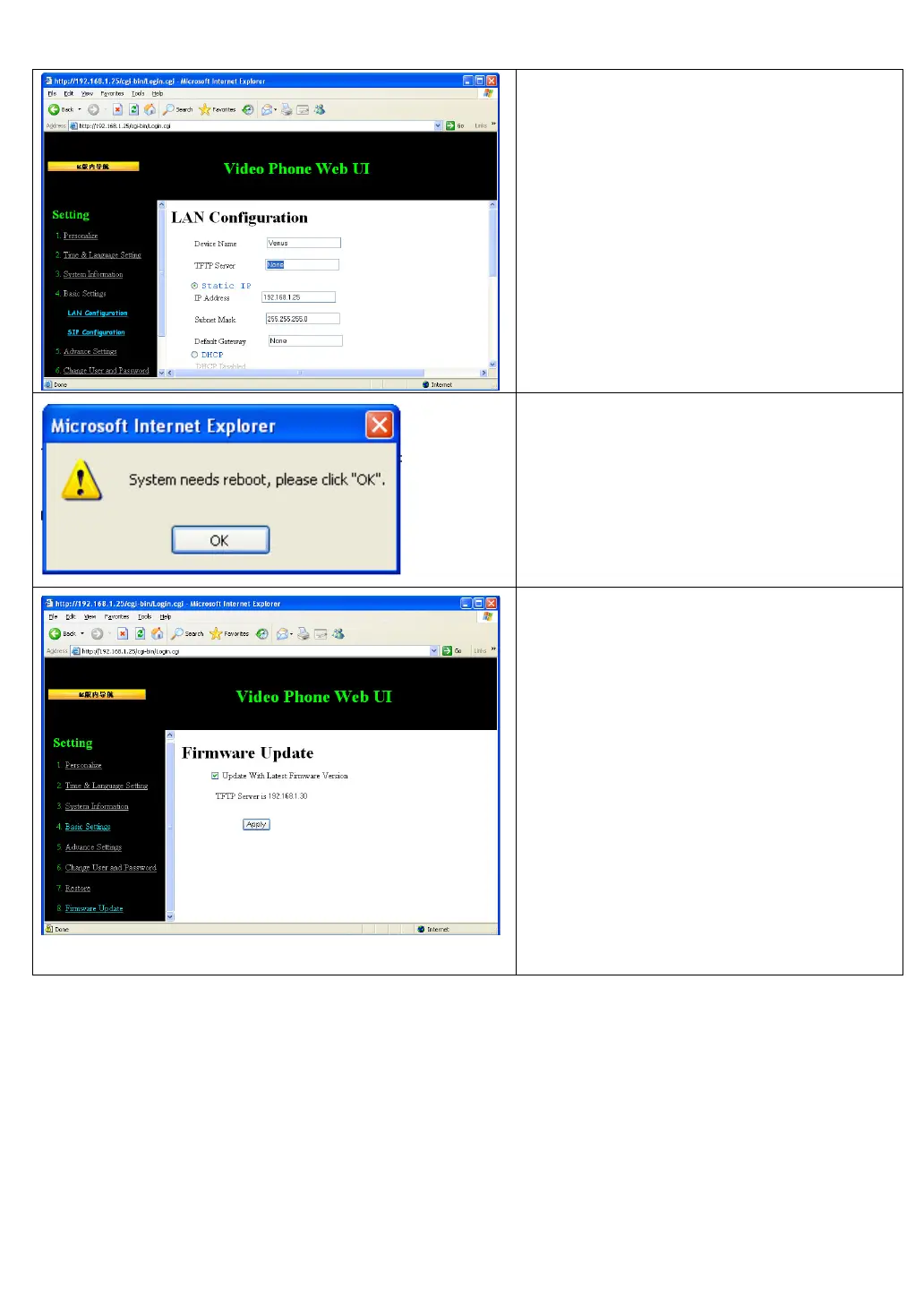
Please fill the TFTP address (provided
by service provider) in “TFTP Server”
field, then click “Apply”.
Press “OK” when you see this popup
window, and your phone will reboot.
Please connect to your 2550 VoIP
phone by the web browser again,
click “Firmware Update” link on the
left, then check “Update With Latest
Firmware Version” box, and press
“Apply”.
Note: Do not remove network cable or
power adapter during upgrade, or
firmware upgrade may fail, and cause
malfunction.
After the firmware is upgraded, the phone will reboot. You can refer to the
instructions given in chapter 3-7 to check the new firmware version.



 To Previous Page