21
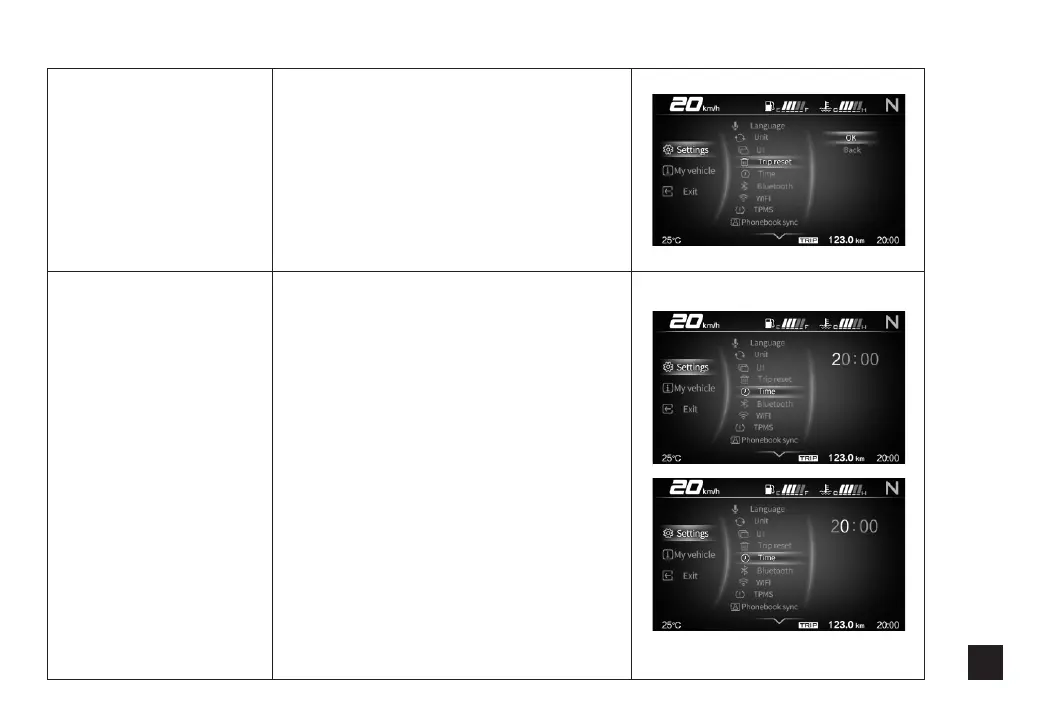
trip reset
Press Up and Down to select Trip
reset, and then press Confirm to
enter. Use Up and Down button to
switch between Confirm and Exit,
and short press Confirm button to
select. Then long press Confirm
button to confirm and return to the
leve1 2 menu.
clock setting
Press Up and Down to select Clock
setting, and then press Confirm to
enter. Use Up and Down button to
switch to Tens of hours, and short
press Confirm button to enter, use
Up and Down button to set up
parameter. Then short press Confirm
button to return to setting page.
Repeat the steps above to set the
Units of Hours and Minutes. Long
press Confirm button to return to
level 2 menu when the setting is
done.



 To Next Page