VOLLMER WERKE
Operating instructions
Issue: 01
MAP 200 / 400
Page: 8-5
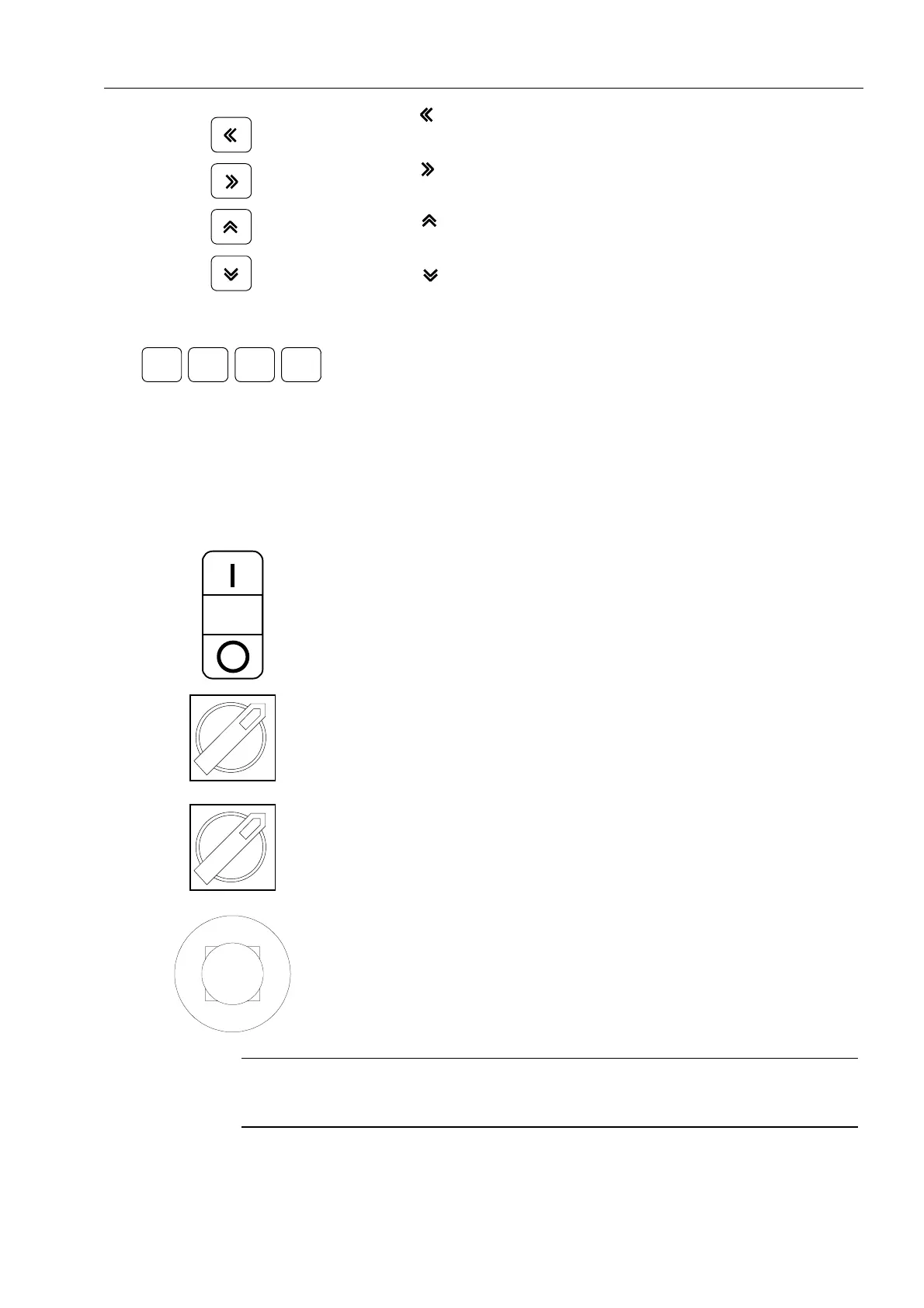
Key
Cursor moving to the left
Key
Cursor moving to the right
Key
Cursor moving up
Key
Cursor moving down
F1 F2
F3 F4
Function keys
The functions of the keys are indicated in the
display
The function key F1 and F2 are described in
chapter « Program description »
The F3 key enables to move to the "Following
page".
The F4 key enables to move to the "Previous
page".
On / Off
Automatic levelling cycle of the machine On/Off
Switch ON / OFF
This switch enables the power supply to be
turned on or off.
Switch bladeclamping (only on MAP400)
For clamping / freeing the bandsaw blade
EMERGENCY STOP
The machine immediately stops.
The EMERGENCY STOP key must be pressed
only in situations presenting a danger.
To eliminate an EMERGENCY STOP situation,
unlock the key by withdrawing the button stop.
Note
When the emergency stop has been activated, all the reference points and the
levels of the meters are lost.



 To Next Page