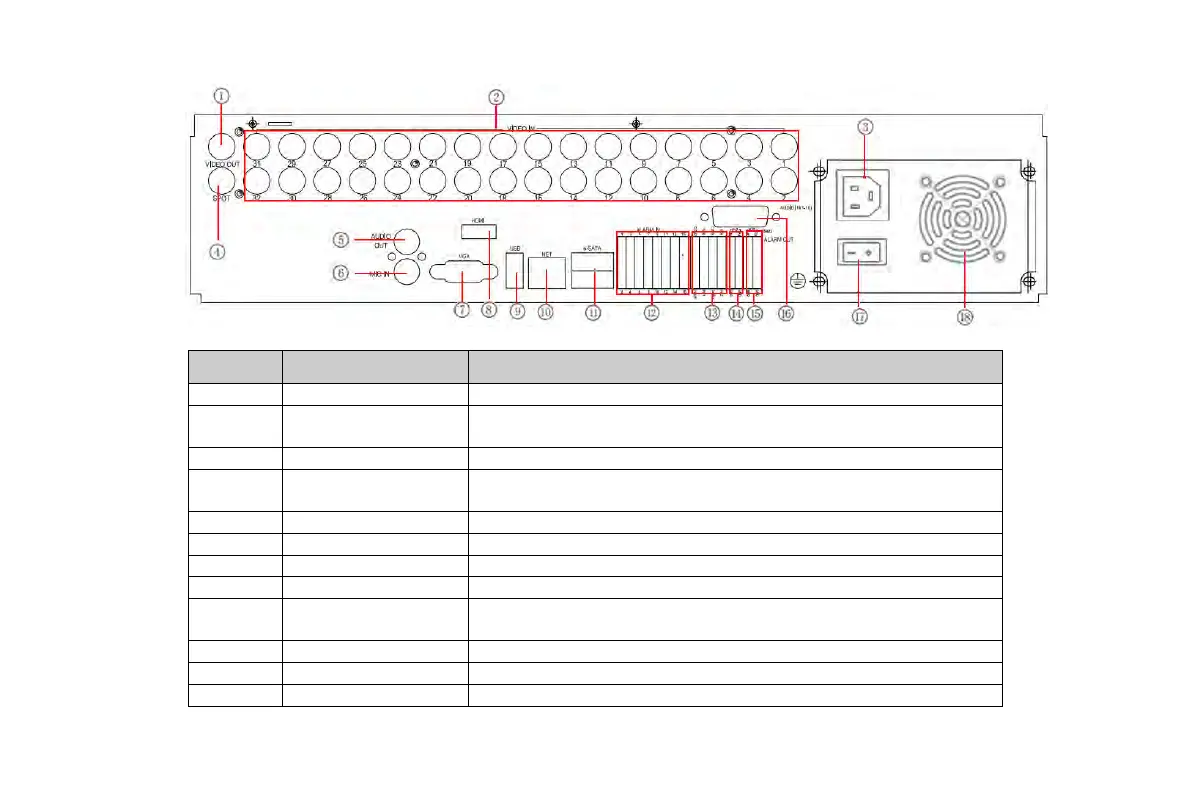
Fig 2.2 Rear Panel for 32-Channel
Item Name Description
2 Video in
Video input channels(from 1-24 for 24-ch DVR/ 1-32 for
32-ch DVR)
4 Spot
Connect to monitor as an AUX output channel by channel.
Only video display, no menu show
Audio output, connect to the sound box
VGA output, connect to monitor
Connect to high-definition display device
9 USB port
To connect external USB devices like USB flash, USB HDD
for backup or update firmware; or connect to USB mouse
11 E-SATA Connect to HDD for backup
Connect to external sensor1-16
VOOK professional monitoring



 To Next Page