7.2 Remote Surveillance through Apple PC
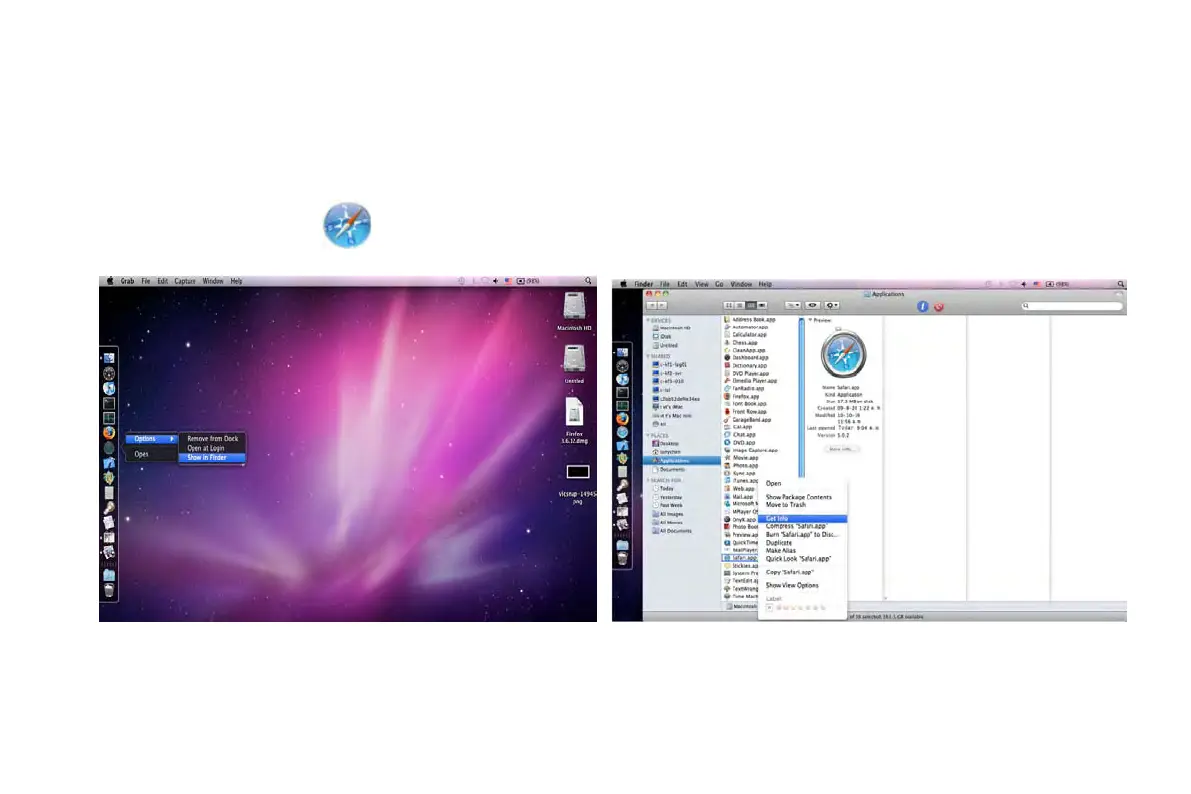
Note: Because the current plug-in version of client end just only supports 32-bit mode, so the safari browser shall start 32-bit mode.
If the browser is the earlier MACOS version, the default setting is 32-bit mode and the setting can be skipped.
The Setting steps are as follows:
First: Right click safari icon
and select “Show in Finder”.
Second: Select ApplicationsRight click “Safari. App”Select “Get Info”.
Third: Select “open in 32- bit mode”.
VOOK professional monitoring



 To Next Page