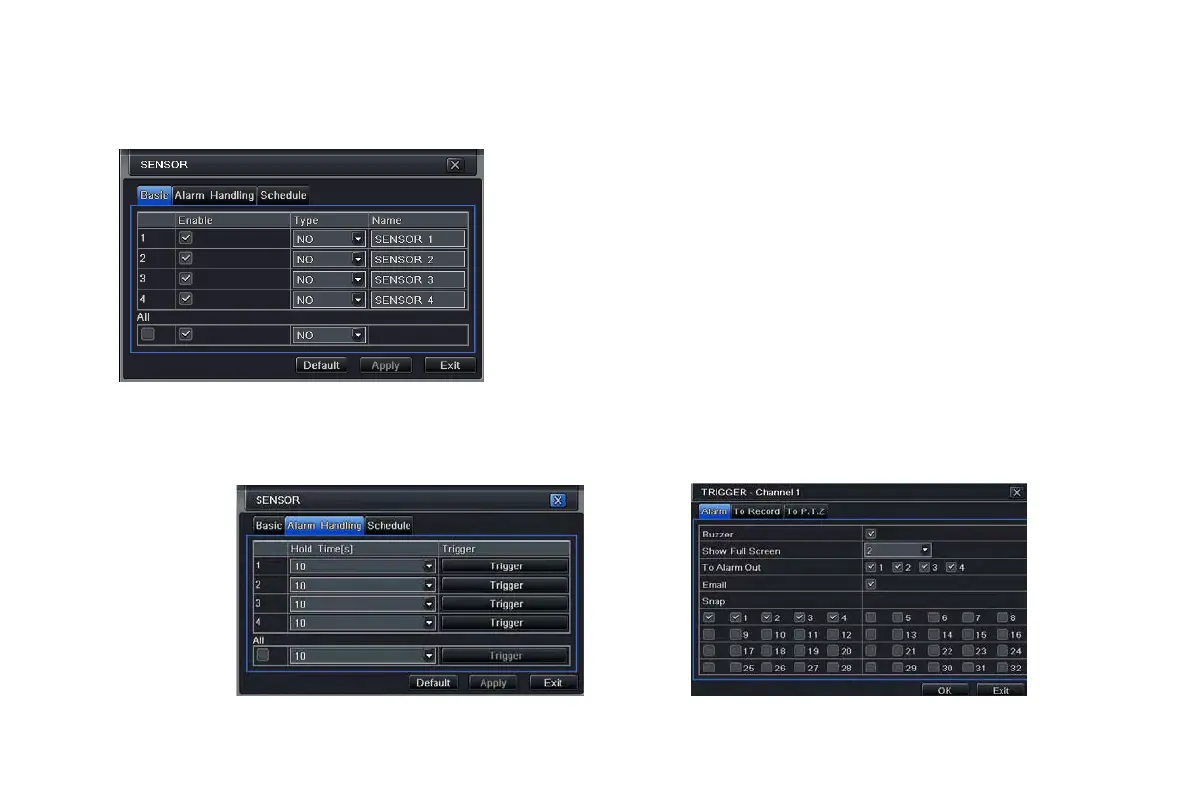
4.5.1 Sensor
Sensor includes three sub menus: basic, alarm handling and schedule.
① Basic
Step1: enter into system configurationalarm
configurationsensorbasic; refer to Fig 4-19:
Step2: enable sensor alarm and then set the alarm type
according to triggered alarm type. Two option: NO and
NC.
Step3: user can setup all channels with same parameters,
tick off “all” to do relevant setup.
Fig 4-19 alarm configuration-sensor-basic
② Alarm handling
Step1: enter into system configurationalarm configurationsensoralarm handling; referring to Fig 4-20:
Step2: select hold time and click Trigger to display a screen as shown in Fig 4-21:
Fig 4-20 alarm configuration-sensor-alarm handling Fig 4-21 alarm handling-trigger
VOOK professional monitoring



 To Next Page