Password check: If enabled, the user would need to input the user name and the password for performing corresponding
operations.
Show time: display time in live.
Show wizard: if this item is selected, there will display an opening wizard with time zone and time setup information
Max network uses: set the max user amount of network connection
VGA resolution: the resolution of live display interface, range from: VGA800*600, VGA1024*768, VGA1280*1024 and CVBS
Note:When switch between VGA and CVBS will change the menu output mode, please connect to relevant monitor.
Language: setup the menu language.
Note: After changed the language and video output, the device needs to login again.
4.1.2 Time & date
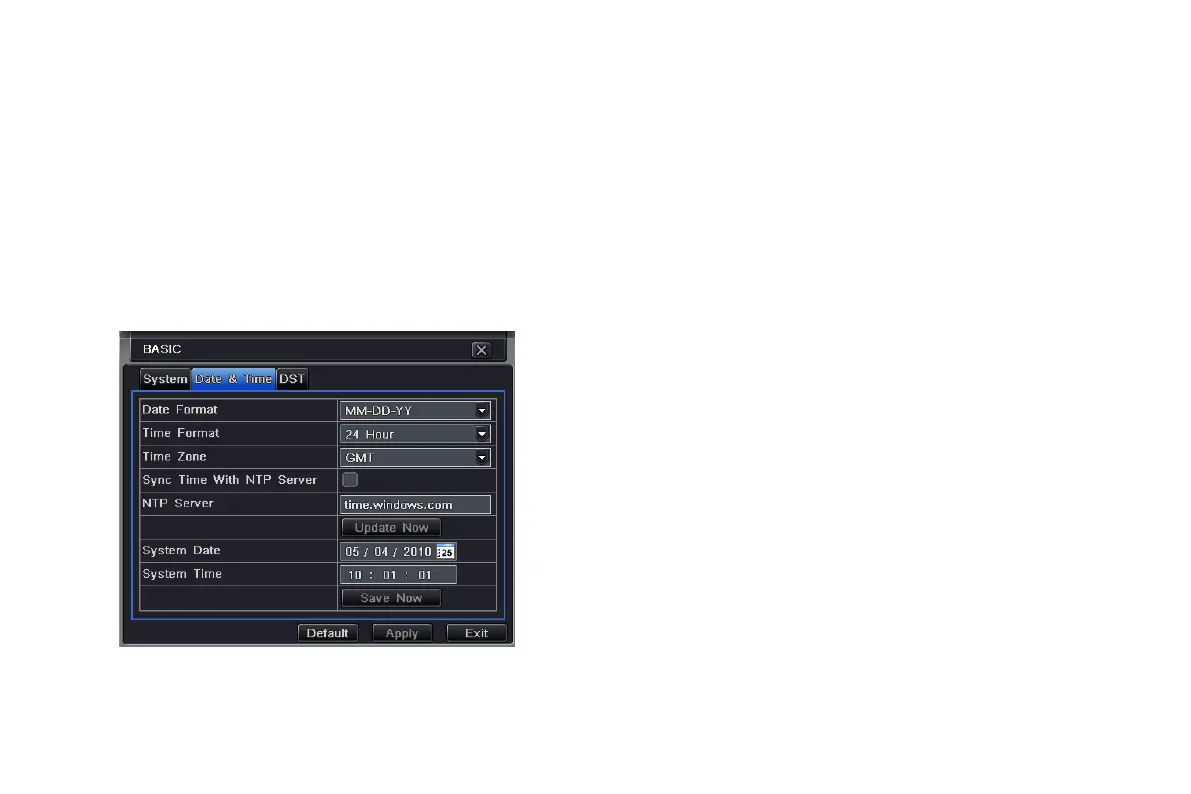
Step1: enter into system configurationbasic
configurationtime & date; refer to Fig 4-4:
Step2: set the date format, time format, time zone in this
interface; tick off “sync time with NTP server” to refresh
NTP server date; user also can adjust system date
manually
Fig 4-4 basic configuration-time & date
VOOK professional monitoring



 To Next Page