Item
Name
Function
Function
button
Enter backup mode in live
Rewind
Record manually
Play/Pause
/ Esc
Stop/Esc
10
Control rewind/fast forward/frame when playing the image.
11 USB port
To connect external USB devices like USB flash, USB HDD for
backup or update firmware; or connect to USB mouse
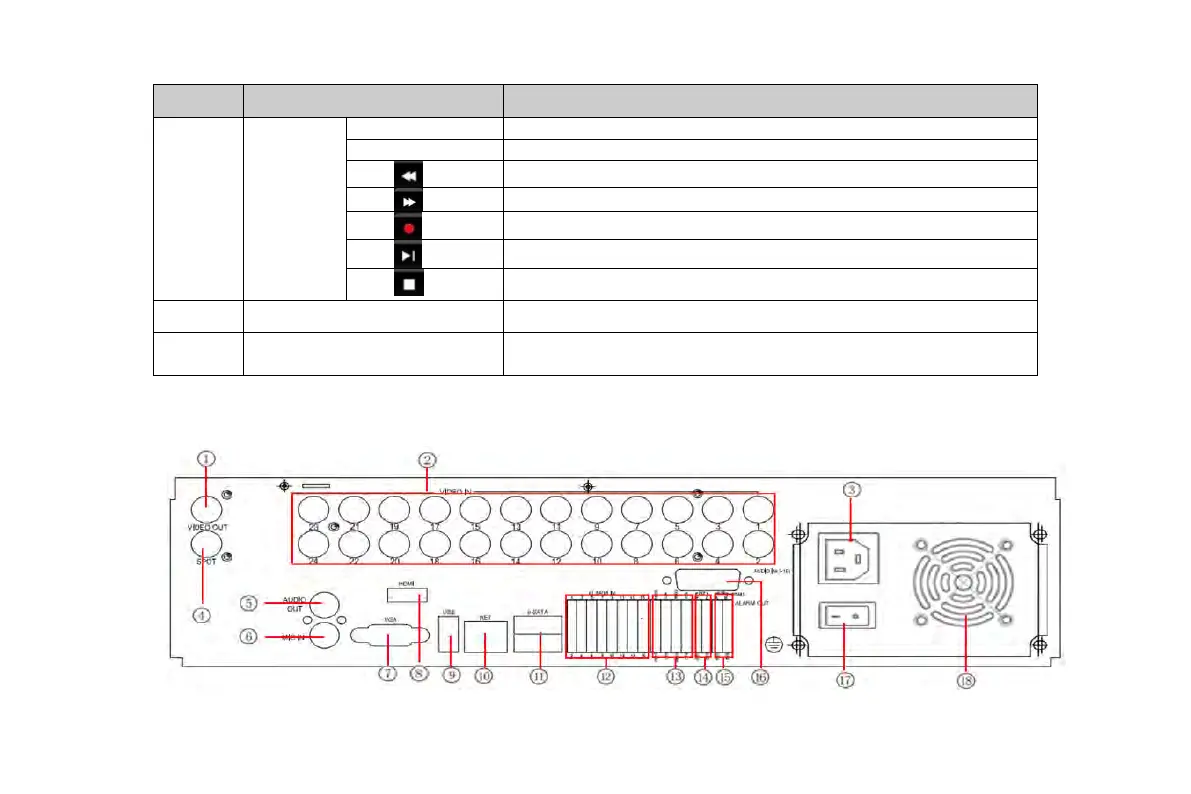
2.3 Rear Panel Instructions
Fig2.1 Rear Panel for 24-Channel
VOOK professional monitoring



 To Next Page