4.8 P.T.Z configuration
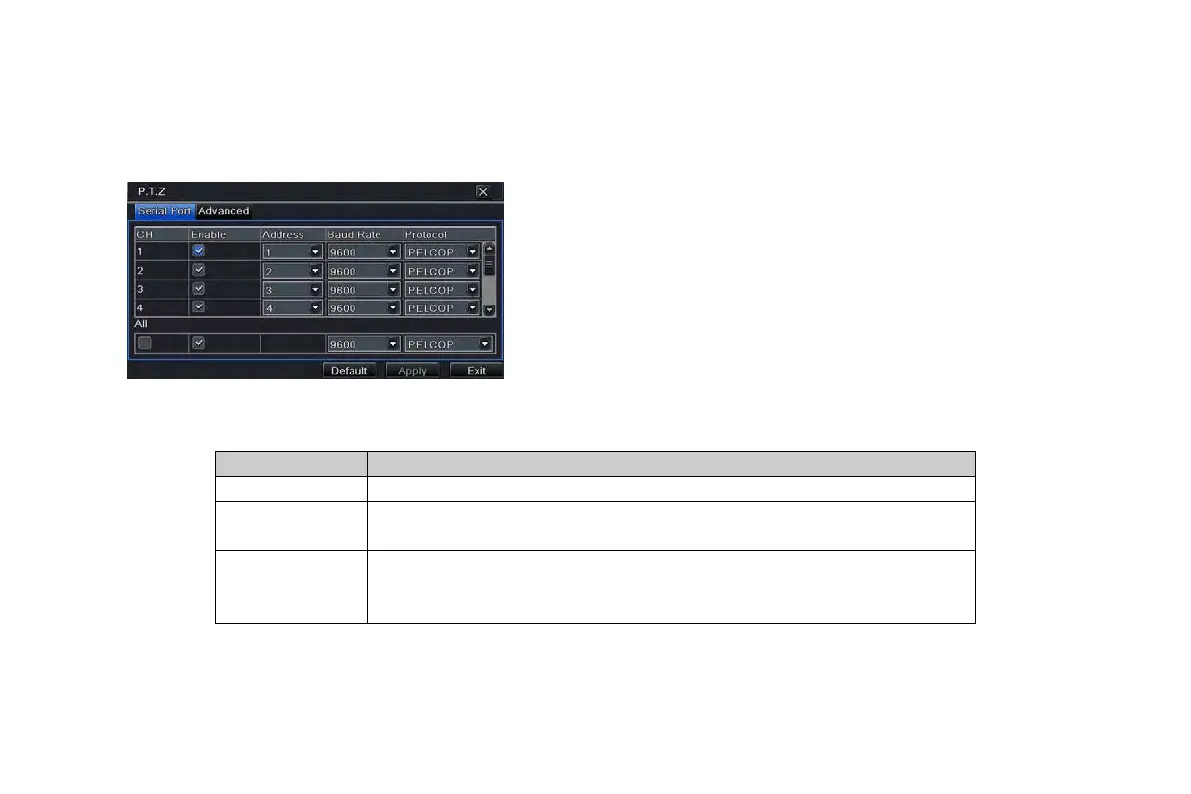
P.T.Z configuration includes two submenus: serial port and advance
① Serial port
Step 1: enter into system configuration P.T.Z
configurationserial port; refer to Fig 4-36:
Step 2: tick off Enable and then setup the value of
address, baud rate and protocol according to the
settings of the speed dome.
Step 3: user can setup all channels with same
parameters.
Fig 4-36 P.T.Z configuration-serial port
Definitions and descriptions of network stream:
③ Advance
Step 1: enter into system configuration P.T.Z configurationadvance; refer to Fig 4-37:
Step 2: in the Advance interface, click preset “Setting” button to see a dialog box as Fig 4-38:
The address of the PTZ device
Baud rate Baud rate of the PTZ device. Range form: 110, 300, 600, 1200, 2400,
4800, 9600, 19200, 34800, 57600, 115200, 230400, 460800, 921600.
Protocol Communication protocol of the PTZ device. Range from: NULL, PELCOP,
PELCOD, LILIN, MINKING, NEON, STAR, VIDO, DSCP, VISCA,
SAMSUNG, RM110, HY, N-control.
VOOK professional monitoring



 To Next Page