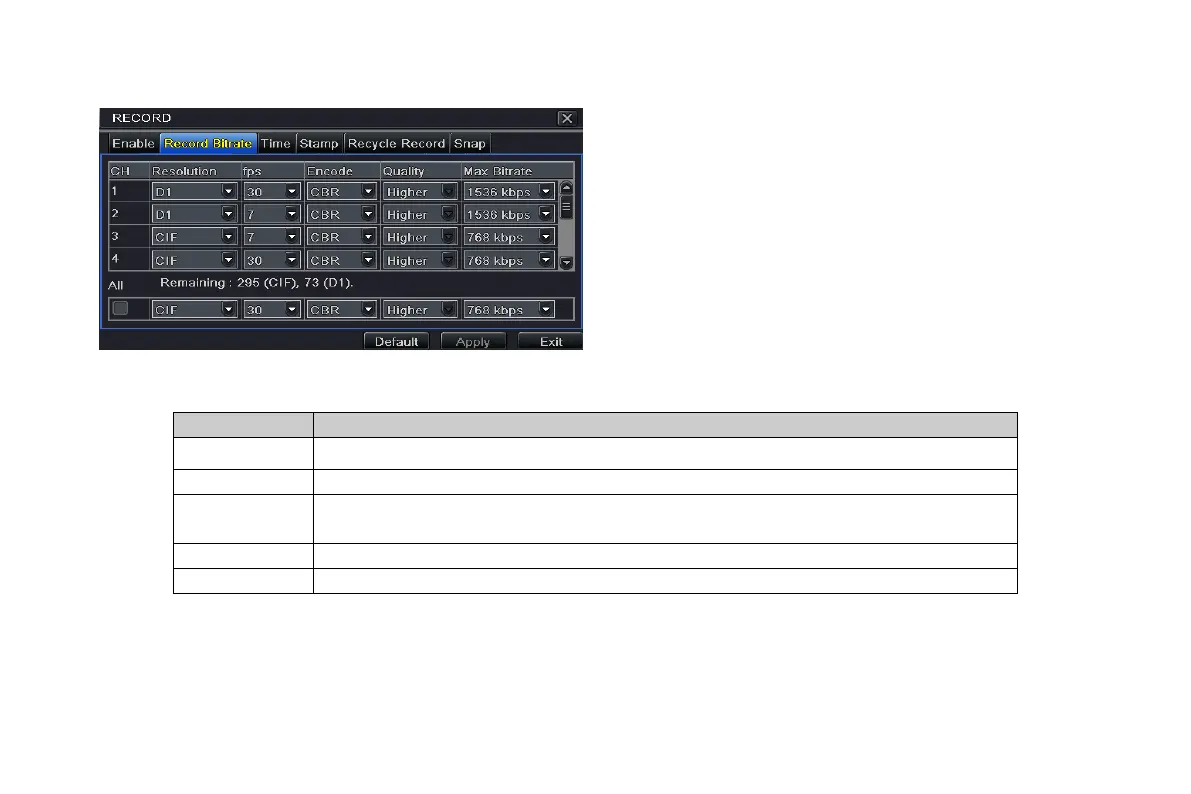
4.3.2 Record stream
Step1: enter into system configurationrecord
configurationrecord bit rate; refer to Fig 4-12:
Step2: setup rate, resolution, quality, encode and max bit
stream
Step3: user can setup all channels with same parameters,
tick off “All”, then to do relevant setup.
Note: if the rate value set is over high the maximum
resources of the device, the value will be adjusted
automatically.
Fig 4-12 record configuration-record bit rate
Definitions and descriptions of Record stream:
Rate
Range from: 1-30(NTSC)1-25(PAL)
Quality The higher the value is, the clearer the recorded image is. Six options: lowest, lower,
low, medium, higher and highest.
Range from: 64 Kbps, 128 Kbps, 256 Kbps, 512 Kbps, 768 Kbps, 1Mbps, 2 Mbps
4.3.3 Time
Step1: enter into system configurationrecord configuration time; refer to Fig 4-13:
Pre-alarm record time: the record time before event happen i.e. record time before motion detection or sensor alarm is
triggered.
VOOK professional monitoring



 To Next Page