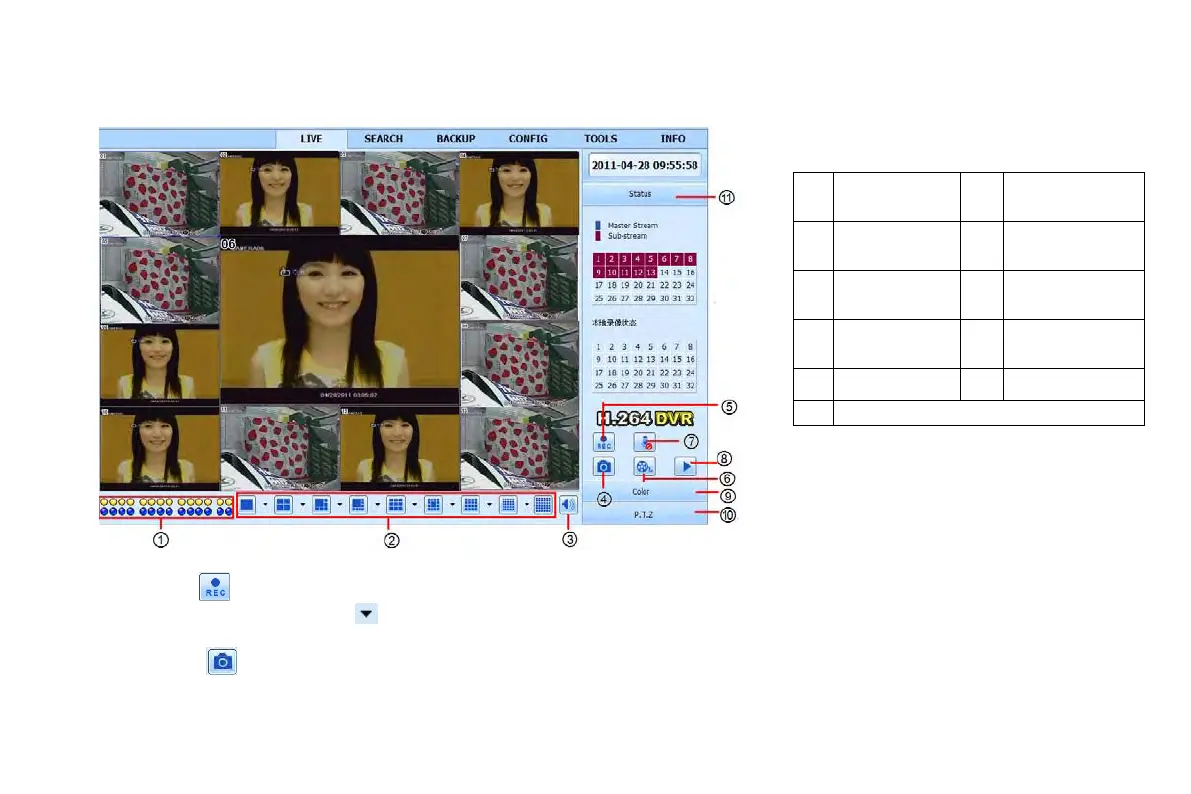
7.3 The remote live preview interface
Fig 7-2 Remote live preview interface
Note: click button to record manual and the record file will be saved in user’s PC.
Screen display mode: Click the icon beside the screen display mode to see the channel select box.
Snap pictures
Click “Snap” icon, the system will automatically capture pictures and save those pictures in the computer.
User should set up the save path for those picture in the Remote Preview interfaceConfigurationLocal configuration.
Color adjustment:
①
Channel
②
Screen display
③
Volume
④
Snapping
⑤
Start manual
⑥
Start IE record
⑦
Bidirectional
⑧
Playback
⑨
Color
⑩
PTZ control
⑪
VOOK professional monitoring



 To Next Page