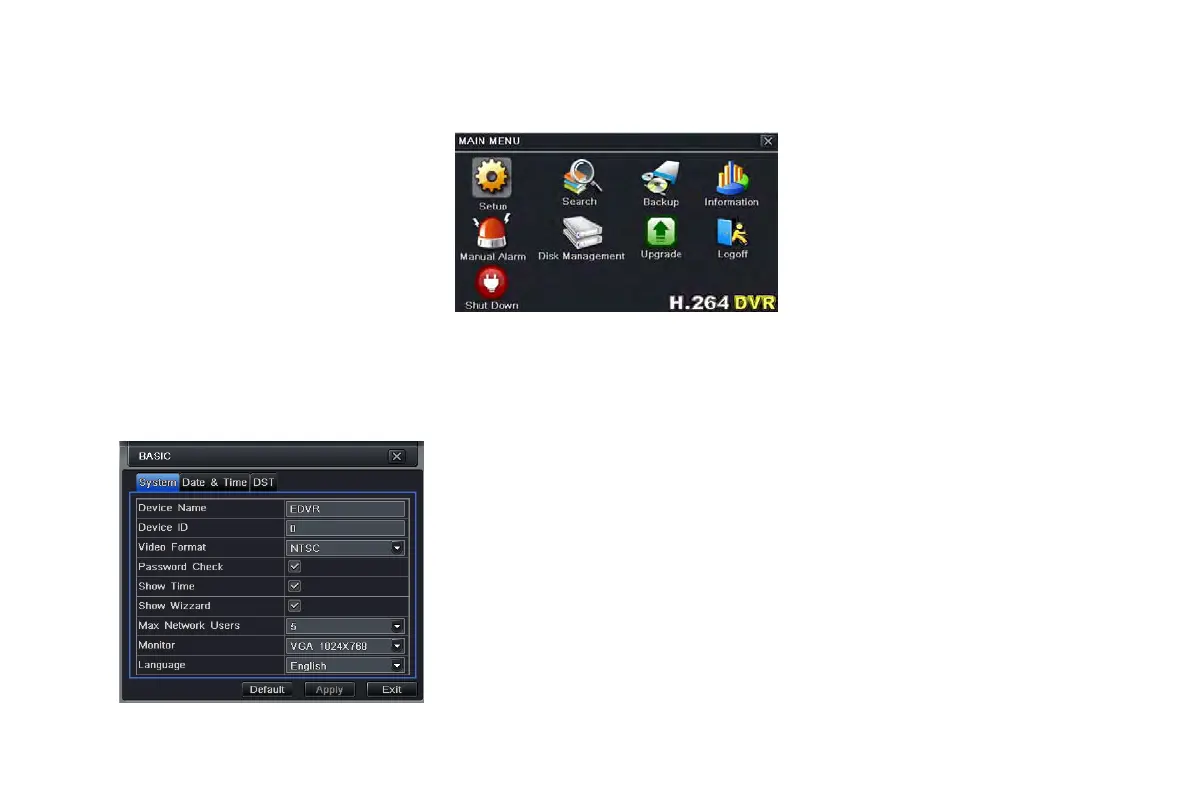
display Login window. Input the user name and password to logon the system interface as shown in Fig 4-2. To see the main menu,
press MENU button on the front panel or operate with remote controller. Clicking Setup icon will pop-up the configuration menu:
Fig 4-2 system setup
4.1 Basic configuration
Basic configuration includes three sub menus: system、date& time and DST.
4.1.1 System
Step1: enter into system configurationbasic
configurationsystem; refer to Fig 4-3:
Step2: in this interface user can setup the device name,
device ID, video format, max network users, VGA
resolution and language. The definitions for every
parameters display as below:
Device name: the name of the device. It may display on
the client end or CMS that help user to recognize the
device remotely.
Video format: two modes: PAL and NTSC. User can
select the video format according to the camera.
Fig 4-3 basic configuration-basic
VOOK professional monitoring



 To Next Page