Definitions and descriptions of Sub stream:
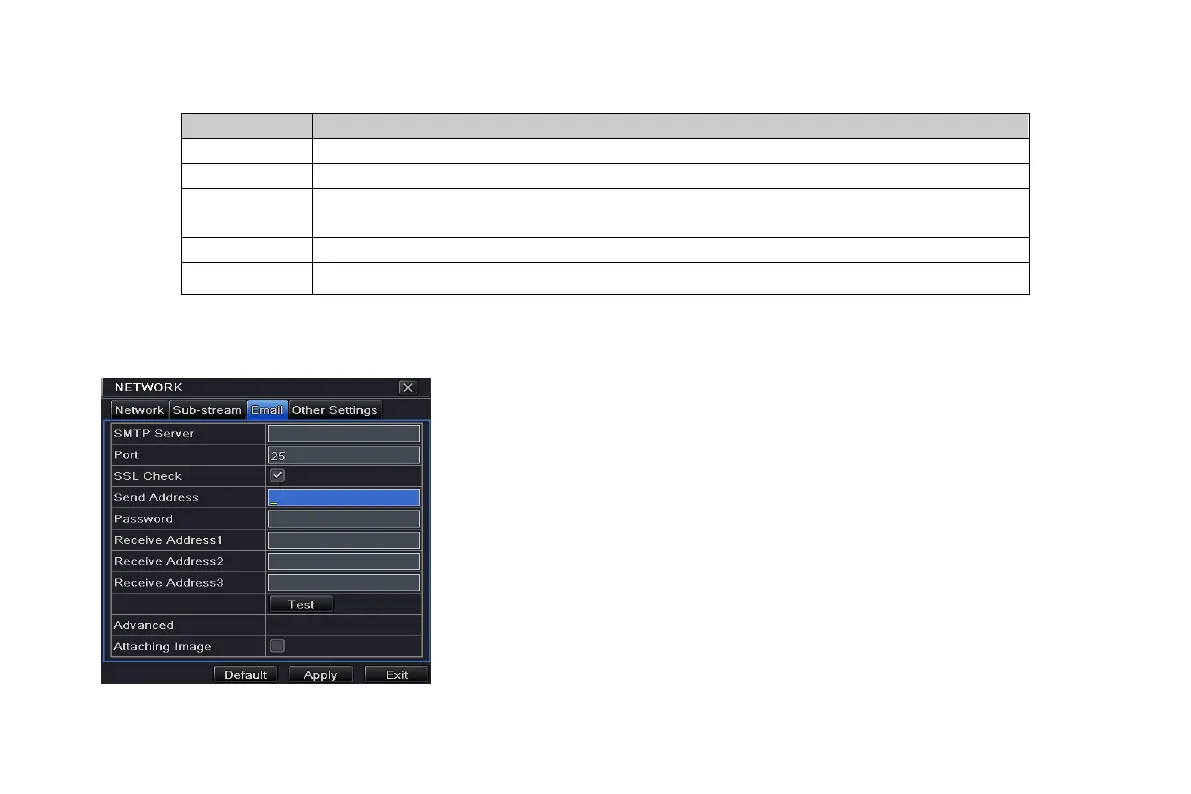
4.6.3 Email
Step 1: enter into system configurationnetwork configurationemail; refer to Fig 4-31:
SMTP Server/Port: the name and port number of SMTP
server. After selecting “This server requires a secure
connection (SSL)”, user can setup mail servers (such as
Gmail) according to actual needs.
Send address/password: sender’s email
address/password
Receive address: receiver’s email address. Here user can
add at least three mail addresses.
Click TEST button to test the validity of the mailbox.
Attaching image: After selecting it, the system will attach
images when sending the emails.
Fig 4-31 network configuration-email
Quality
The quality of the clients’ image. The higher the value is, the clearer the record image.
Six options: lowest, lower, low, medium, higher and highest.
Max bit rate
Range from: 64 Kbps、128 Kbps、256 Kbps、512 Kbps、768 Kbps、1Mbps、2 Mbps
VOOK professional monitoring



 To Next Page