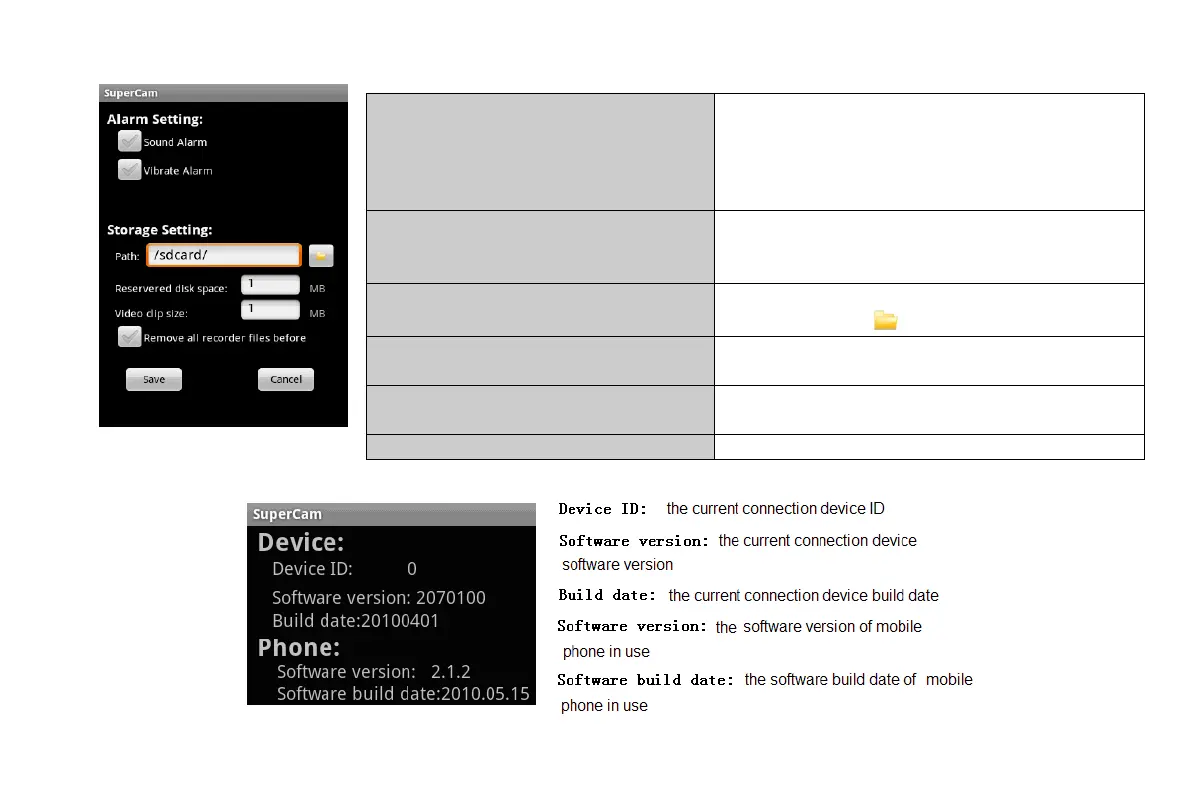
Information view
Alarm setting
Tick off Sound Alarm ,
Loss/Sensor/Motion happen,trigger sound alarm;
Tick off Vibrate Alarm, when Video
Loss/Sensor/Motion happen,trigger vibrate alarm
Storage setting
User can setup the relevant parameters of mobile
video. This function can be valid only insert SD
Path
Save path for mobile video files, the default catalog
is /SDCard/. Click button to change path.
Reserved disk space
reserved SDCard disk space, when the disk space
is less than setup value, the video will be stopped
Video clip size
Single video size. When the video size is greater
than setup value, change another video files
Remove all recorder files before
delete all current video files
VOOK professional monitoring



 To Next Page