English
15 - Eng
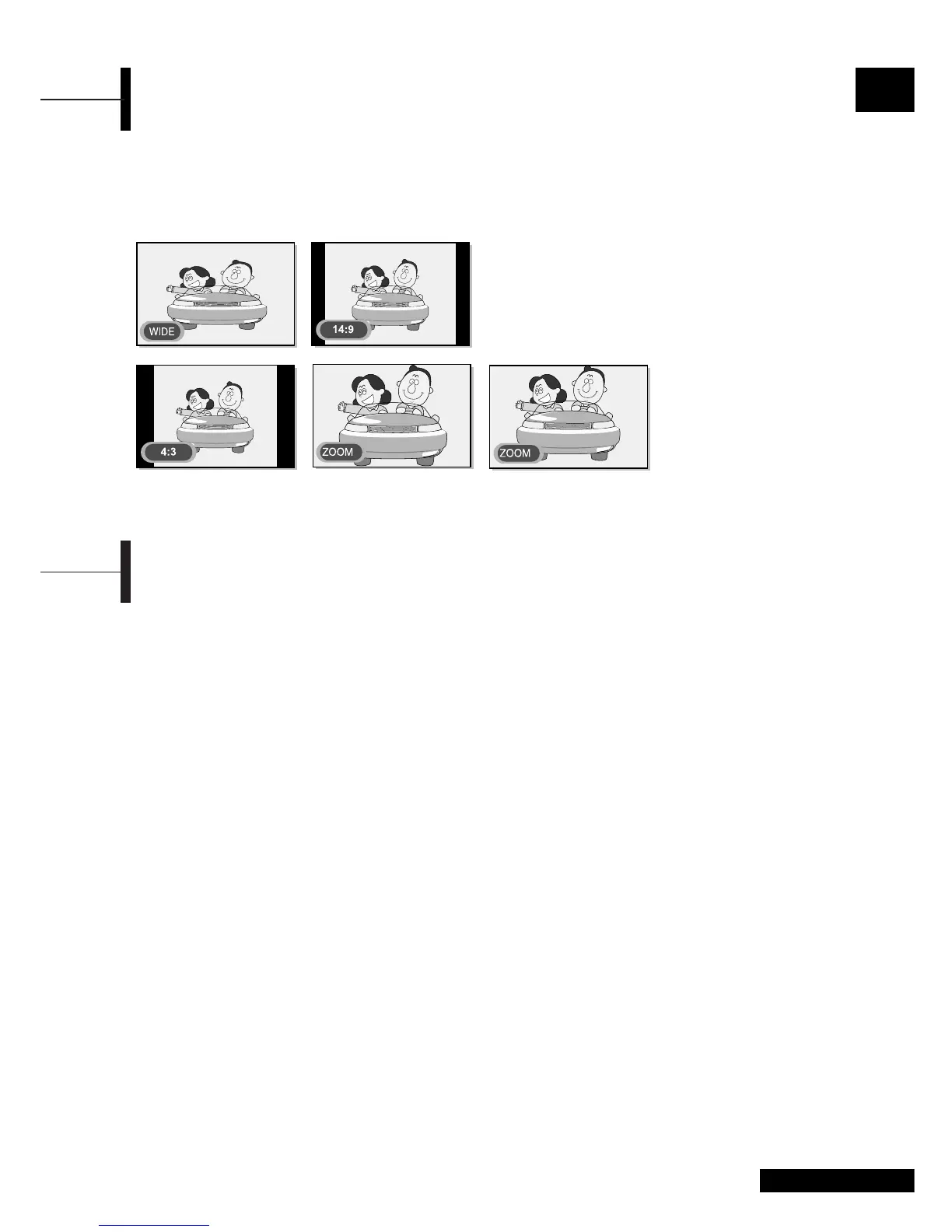
Changing the Screen Size
You can select a desired screen size for each video.
Press the P.SIZE button.
Whenever you press the
P.SIZE button, the screen
size changes to WIDE
➞ 14:9 ➞ 4:3 ➞ ZOOM1 ➞
ZOOM2, in this order.
Screen Size Menu
• AUTO : Auto Screen size Control (only TV mode).
• WIDE
: Set the picture to 16:9 wide mode (default).
• 14:9 : Sets the picture to 14:9 mode (only TV mode).
• 4:3 : Sets the picture to 4:3 normal mode.
This is a standard TV screen size.
• ZOOM1: Magnifies the size of the picture on the screen.
• ZOOM2: Magnifies the size of the picture on the screen
leaving the subtitles visible.
Note
•You can select only WIDE, 4:3 screen size in the PC Mode.
Freezing the Picture
You can freeze a moving picture on the screen.
Press the STILL button.
Whenever you press this button, the freezing
function is turned on or off.
Note
• Even if the picture has been frozen, the audio sound continues
normally.
•The freezing function will not work for the PIP window in PIP
mode.



 To Next Page