5 Operation
5.1 Connections and Interfaces
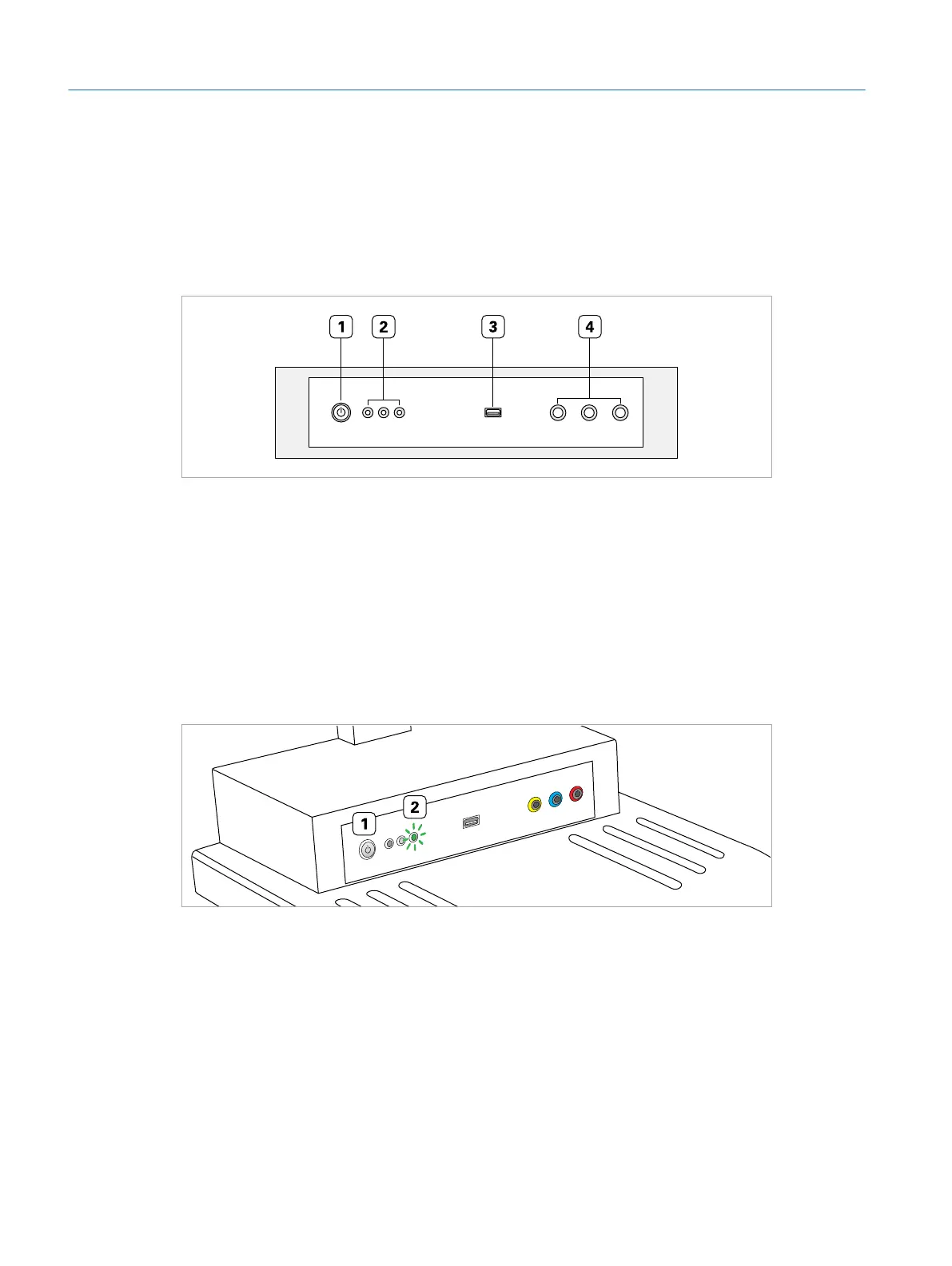
Fig. 28: Front view of the simulator PC
1 Power button
2 Status LEDs
3 USB port for surgical interface head
4 Ports for surgical handpieces
5.2 Switching the Simulator On
Fig. 29: Switching the simulator on
Switching the simulator on:
1. To start the surgical simulator, press the power button (1).
2. Wait for the green LED (2) to go on.
▷ After some time, the login screen appears on the touch screen.
Eyesi Surgical Simulator – Installation and Operating Guide
38
Operation



 To Next Page