6 Disassembly, Storage, and Transport
6.1 Disassembly
NOTICE
Possible damage to simulator when unplugging the
VRx or DisplayPort plugs without unlocking
VRx and DisplayPort plugs have locking mechanisms that prevent them from
being unplugged accidentally. Without unlocking the plugs, you may cause
damage to the plugs or the simulator PC connectors.
f Make sure to unlock the plugs while unplugging them.
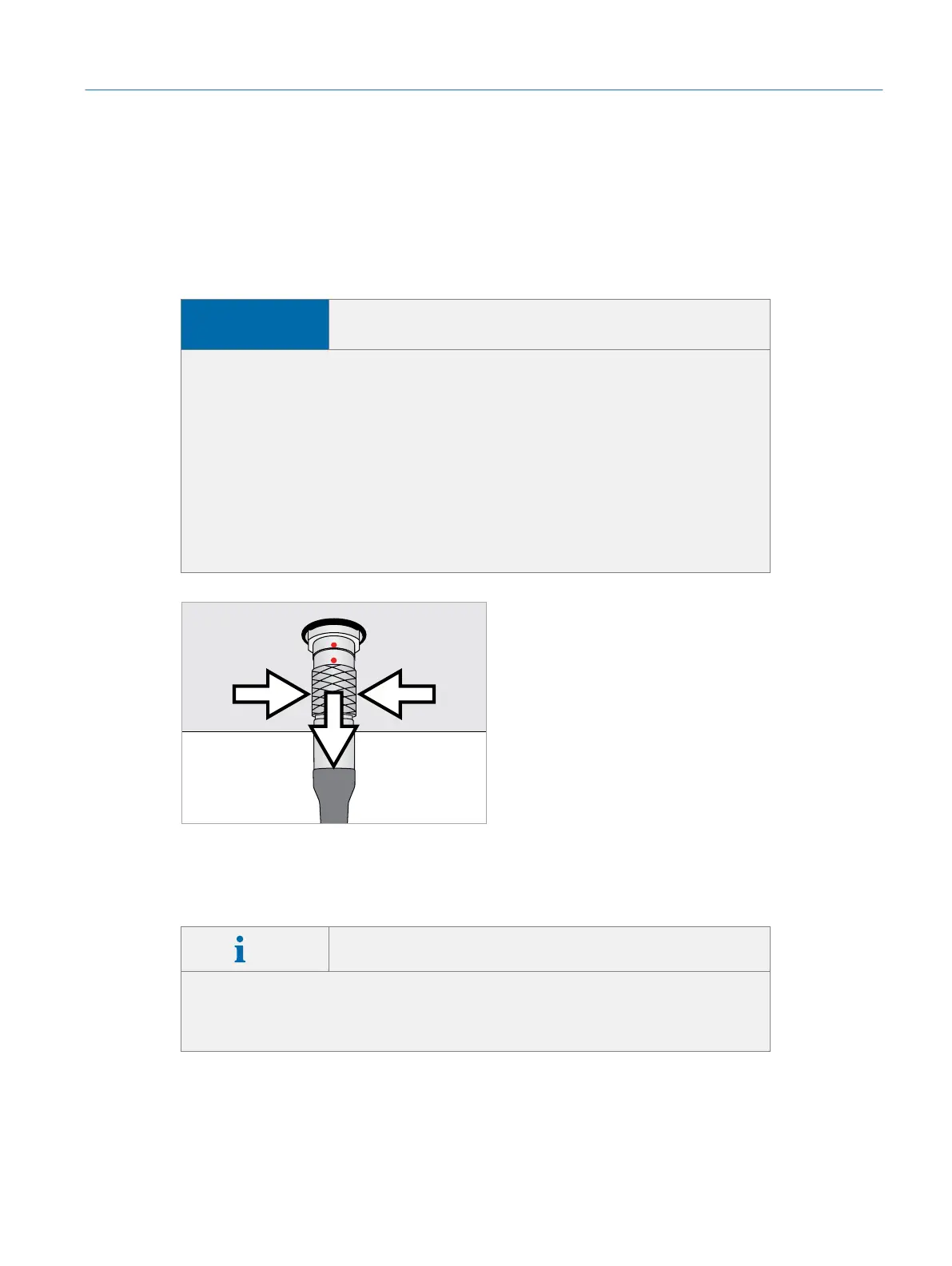
f Take special care when unplugging the VRx plugs: Hold the VRx plug on
the rippled part of the plug housing to unplug it (ÂFig. 42 on page49).
f Take special care when disconnecting the DisplayPort plug: The plug has a
release button on one side that is marked with a triangle. Push down this
button firmly while unplugging the plug.
Fig. 42: Disconnecting the VRx plug
You will need both supplied hexagon keys to disassemble the simulator. Make sure
these tools are within reach before you begin.
Info Keep original packaging
Always use the original packaging for storage and transport. Place the trans-
port boxes within easy reach so that you can place the parts into the boxes
after disassembly.
Please refer to Âsection10 on page67 for instructions on packing the parts into
the transport boxes after disassembly.
49
Disassembly, Storage, and Transport
Eyesi Surgical Simulator – Installation and Operating Guide



 To Next Page