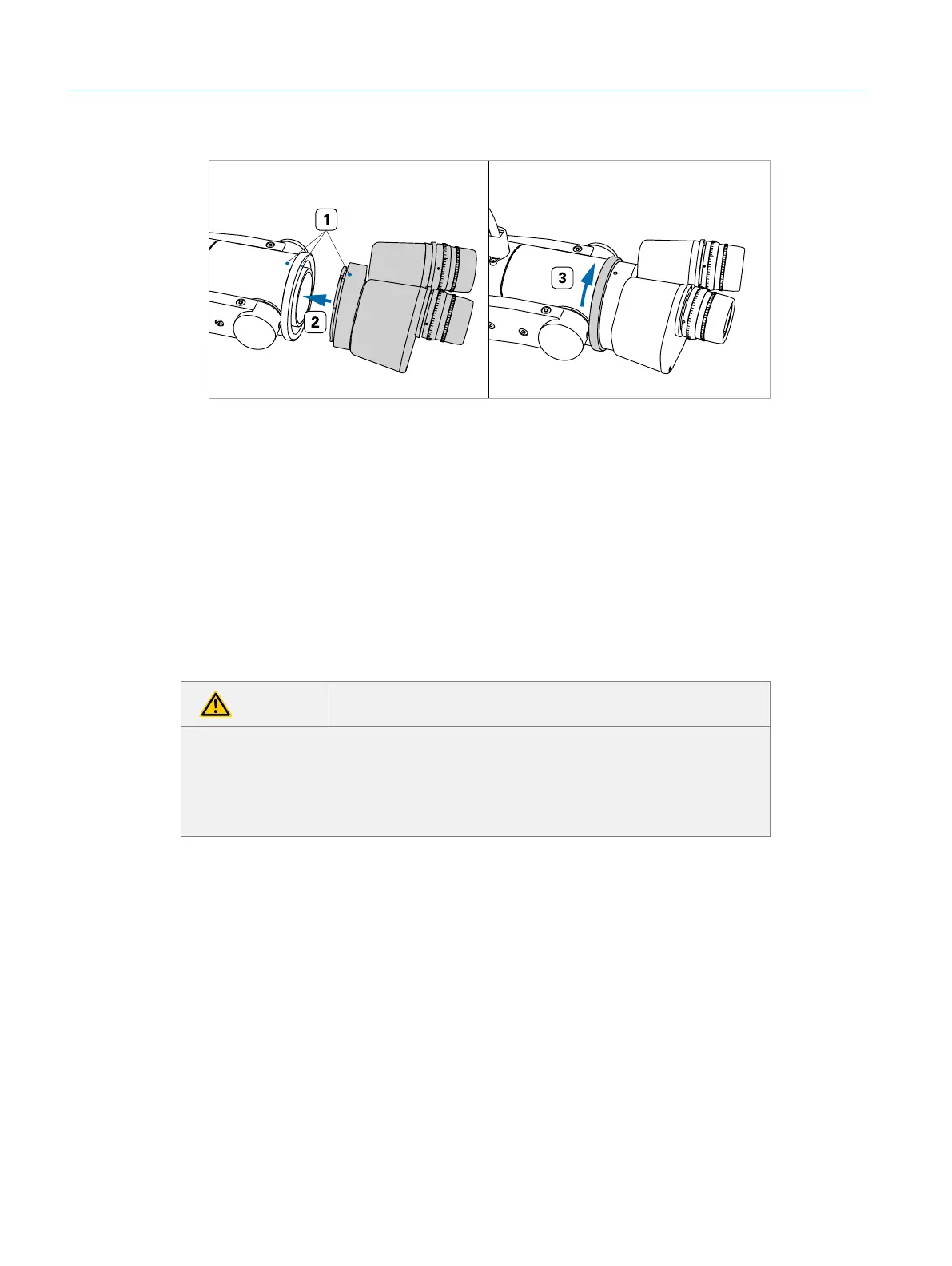
Fig. 16: Attaching the eyepieces
3. Slide the eyepiece unit into the microscope socket (ÂFig. 16 on page28,
#2).
4. Fasten the eyepiece unit by turning the knurled bayonet lock ring clockwise
(ÂFig. 16 on page28, #3).
4.9 Installing the Optional BIOM
Many simulators are equipped with an optional BIOM/SDI hardware mimic (if or-
dered). If your simulator is not equipped with a BIOM, please skip this section.
CAUTION Possible contusions due to moving parts of the BIOM
The BIOM has movable parts that could lead to contusions, especially when
pivoting the BIOM into the optical axis of the microscope.
f When adjusting the BIOM, be careful not to get your fingers caught be-
tween moving parts.
Installing the optional BIOM:
1. Position the BIOM underneath the mounting bracket of the microscope arm
and align the holes of the BIOM with the two slits in the mounting bracket
(ÂFig. 17 on page29).
Eyesi Surgical Simulator – Installation and Operating Guide
28
Installation



 To Next Page