5.7 Deactivating the BIOM for Cataract Training
Deactivating the BIOM for cataract training:
1. Deactivate the SDI by turning the black SDI switch clockwise until the SDI LED
goes out (ÂFig. 38 on page44).
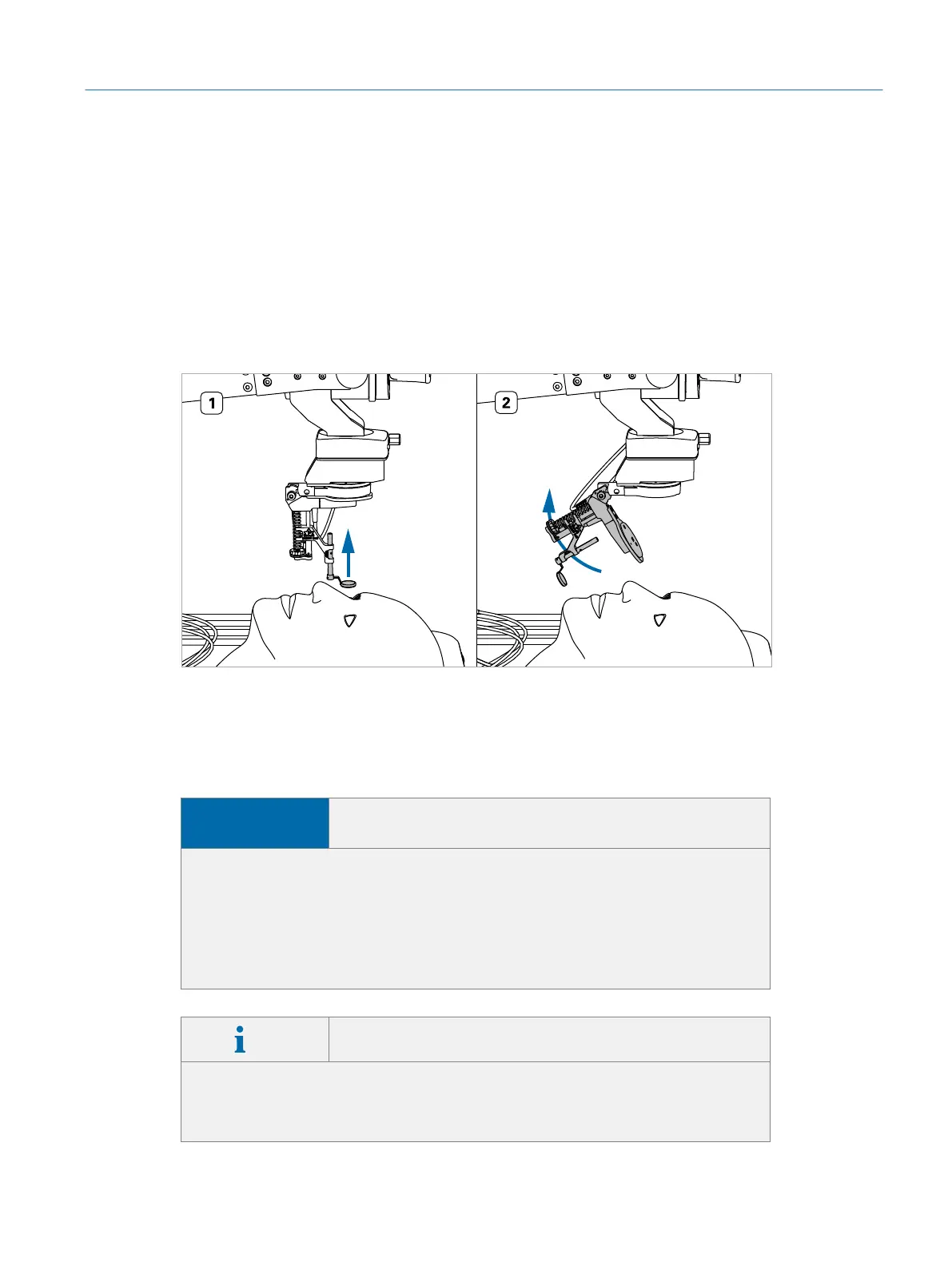
2. Push up the lens (ÂFig. 39 on page45, #1).
3. While holding up the lens, swing the BIOM optics away (ÂFig. 39 on
page45, #2).
Fig. 39: Deactivating the BIOM
5.8 Working with the Touch Screen
NOTICE
Possible damage to touch screen surface through
excessive pressure
The screen’s touch-sensitive surface might be damaged by wrong handling.
f Never touch the screen with hard or sharp-edged objects (e.g. a ball-point
pen).
f Do not press hard on the screen.
f Only tap the screen with your fingers using slight pressure.
Info Touch screen is delivered with optimal settings
The touch screen settings are set to factory defaults before shipping. Apart
from the sound volume, the monitor settings do not need to be adjusted. Al-
teration of the default settings may lead to reduced image quality.
45
Operation
Eyesi Surgical Simulator – Installation and Operating Guide



 To Next Page