Replacing the fuses above the main power inlet:
1. Disconnect the simulator from power.
2. The two fuses of the main power inlet are located in the voltage selector
switch directly above the main power inlet (ÂFig. 19 on page30).
3. Take out the two fuses as described in Âsection4.11 on page31. However,
do not take the voltage selector out of the voltage selector switch. Leave the
selected voltage as is.
4. Replace the fuse(s) with the same type of fuse (T 6.3 A L 250 V).
5. Insert the voltage selector switch again as described in step 9 of Âsec-
tion4.11 on page31.
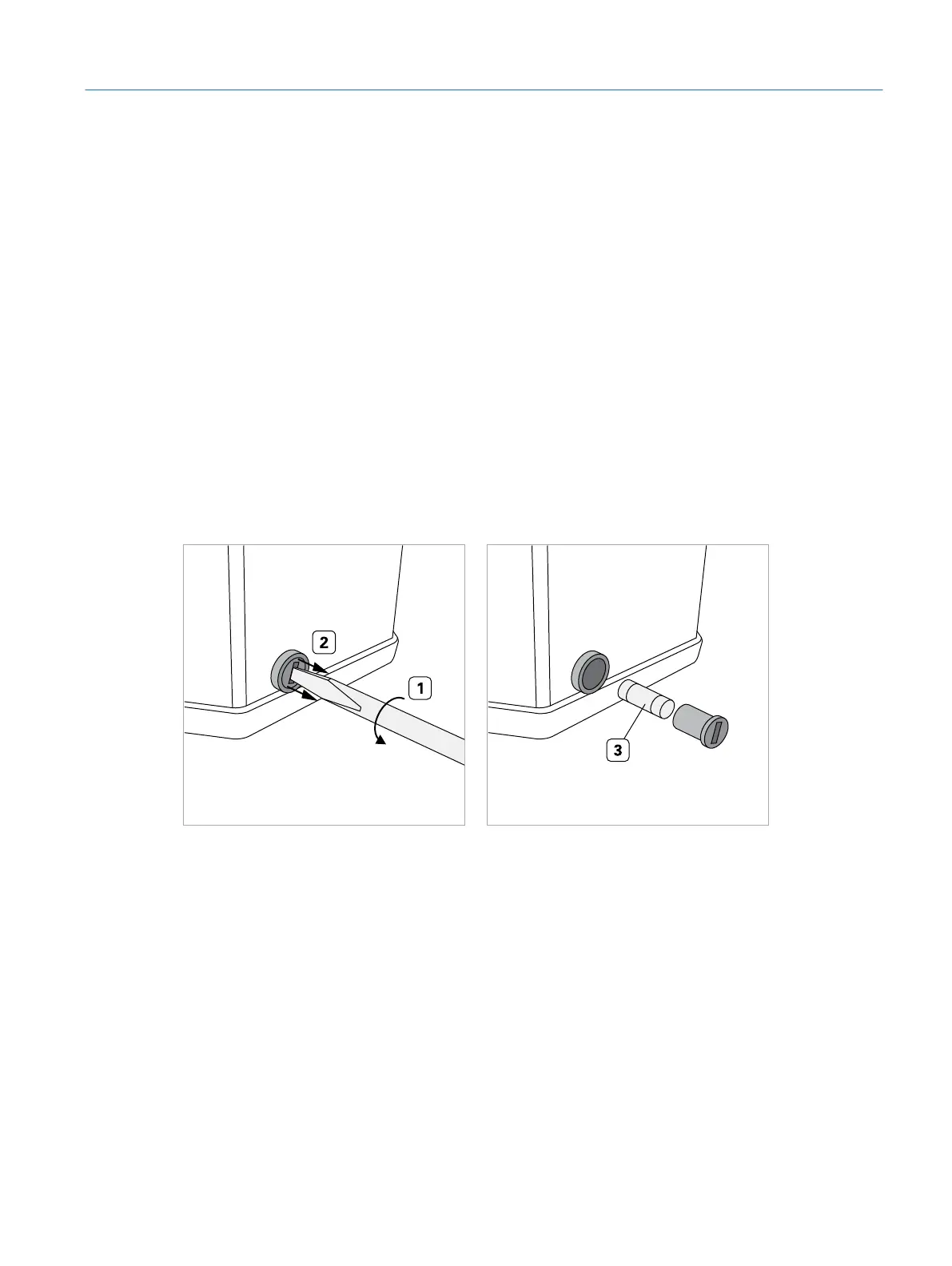
Replacing the fuse on the right side of the lifting column:
1. Disconnect the simulator from power.
2. Standing in front of the simulator, look at the bottom of the right side of the lift-
ing column. A black screw containing the fuse is located there.
Fig. 44: Changing the fuse
3. Turn the black screw approx. 90° in anti-clockwise direction (1) using a large
slotted screwdriver.
▷ The screw including the fuse should come out some millimeters (2).
4. Fully pull out the screw.
5. Replace the fuse (3) with the same type of fuse (T 6.3 A L 250 V).
6. Insert the screw again and fasten it by turning it in clockwise direction.
57
Cleaning, Maintenance, and Disposal
Eyesi Surgical Simulator – Installation and Operating Guide



 To Next Page