44
W&T The W&T USB Port Redirector
5.3 The inventory list
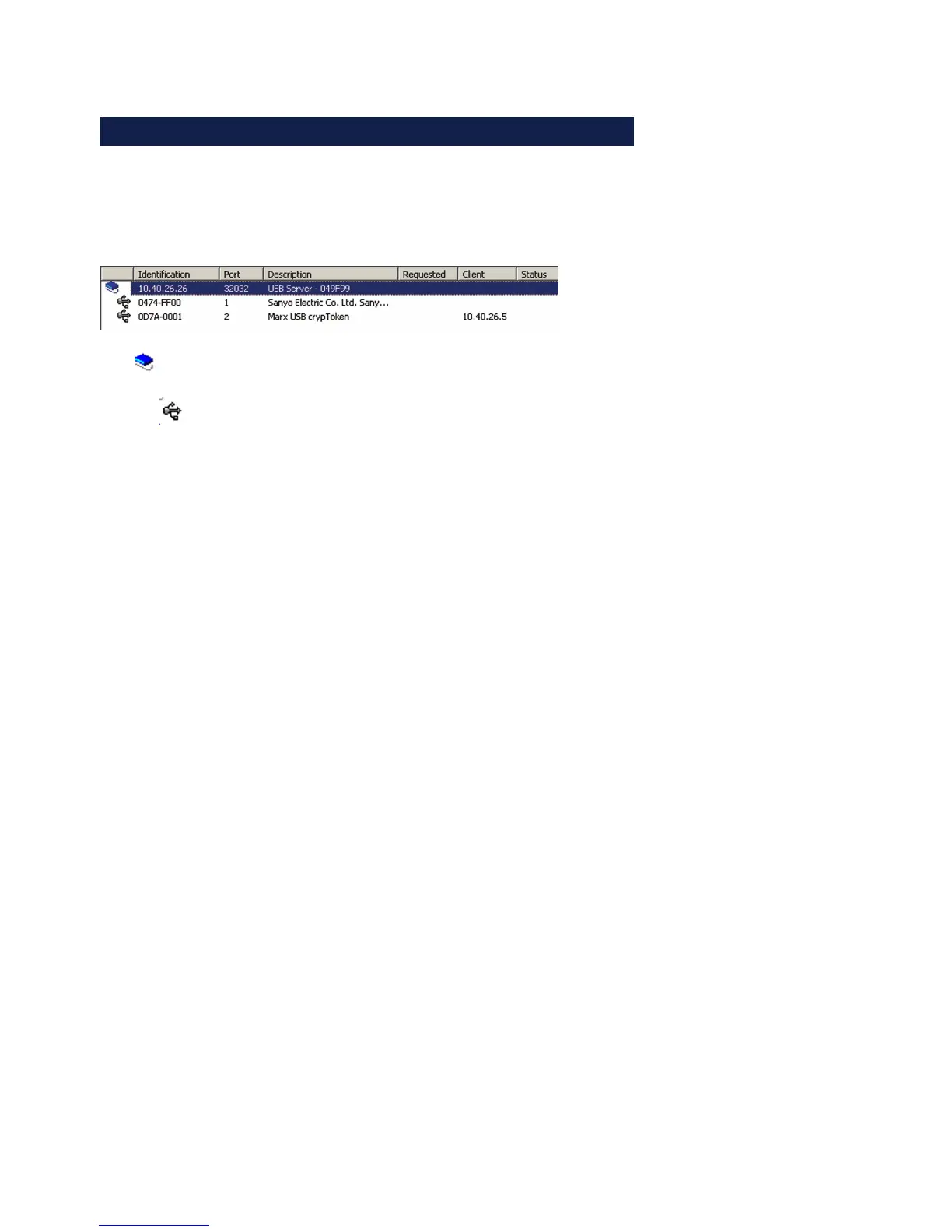
The inventory lists in the configuration tool represent the
required and available W&T USB-Servers with the connected USB
devices along with additional information in a tree structure.
•
Icon for USB-Server
•
Icon for a USB device. This is connected to the first USB-
Server shown above.
• Identification
For USB-Servers you enter here the IP address. For USB
devices the vendor and product ID are shown.
• Port
For USB-Servers the TCP port used for USB data exchange is
shown (factory setting = 32032). For USB devices which of
the two physical USB ports on the USB-Server the device is
connected to is shown.
• Description
For USB-Servers the system name is indicated here. This is
configurble using Web Based Management and is factory set
to usbserver- followed by the last three places of the MAC
address (e.g.. usbserver-040506). For USB devices the
description read out via USB is shown..
• Requested
Indication whether and, if appropriate, how long USB devices
are connected on the resepctive computer.
• Client
IP address of the computer on which the USB device is
connected. To open a coinnection to this USB device this
column must be blank.
• Status
Error and status messages for the respective USB device..



 To Next Page