13
Subject to errors and modifications
W&T Quickstart
Step 6: Connecting to a USB device
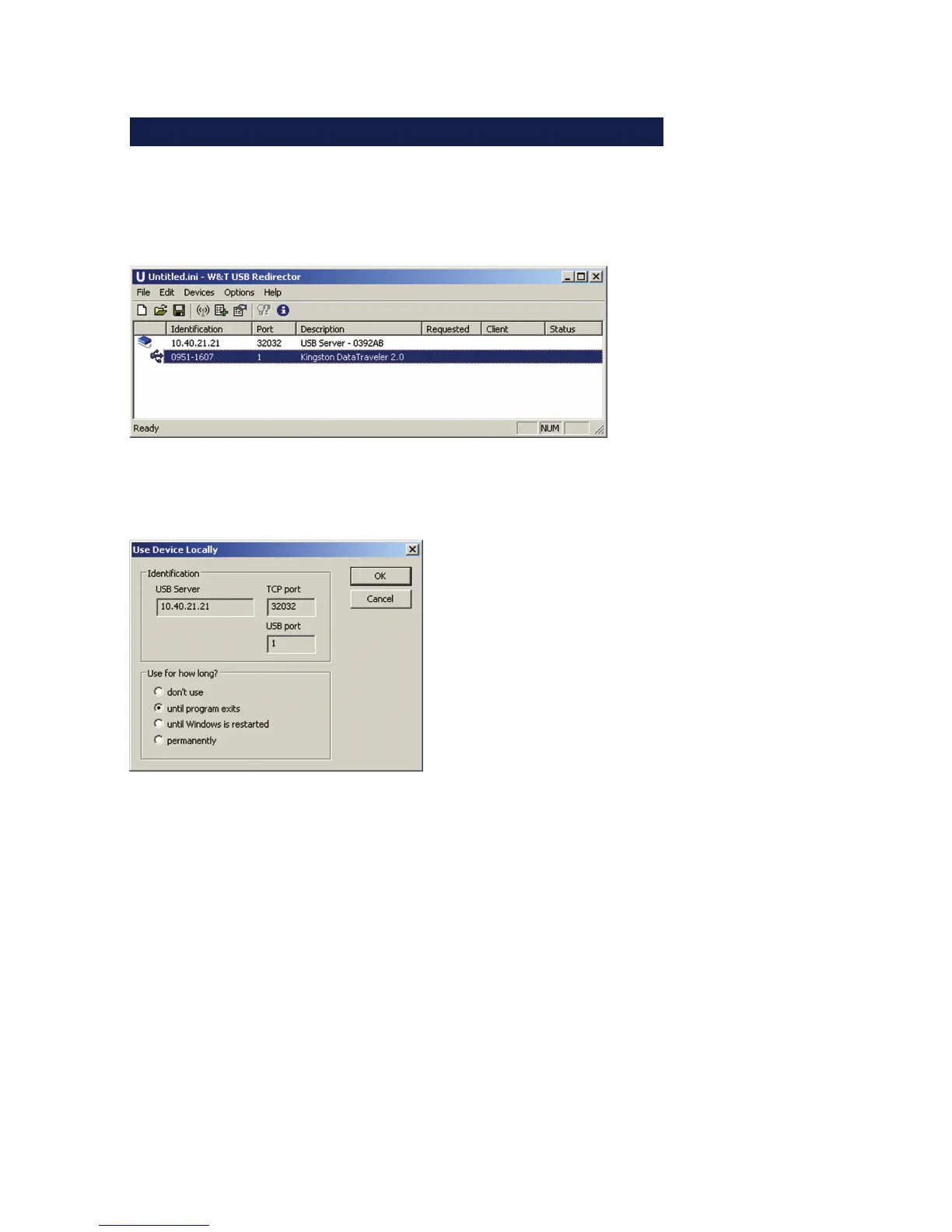
The configuration tool is started from the new program group
W&T USB Port Redirector. The local subnet is automatically
searched for by W&T USB Servers and connected USB devices.
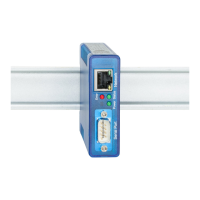
Double-clicking on the desired device results in the following
dialog.
In addition to the three options for duration, any existing
connection can also be closed here.
• Dont’ use
Quits any existing connection to a USB device so that it can
be used by other systems.
• Until program exits
The USB device remains logged on in the system until the
configuration tool is closed.
• Until Windows is restarted
The USB device remains logged on in the system even after
the configuration tool is closed. It is not logged off until
Windows is restarted. D



 To Next Page