M3 × 10 screw (4)
Flat washer (4)
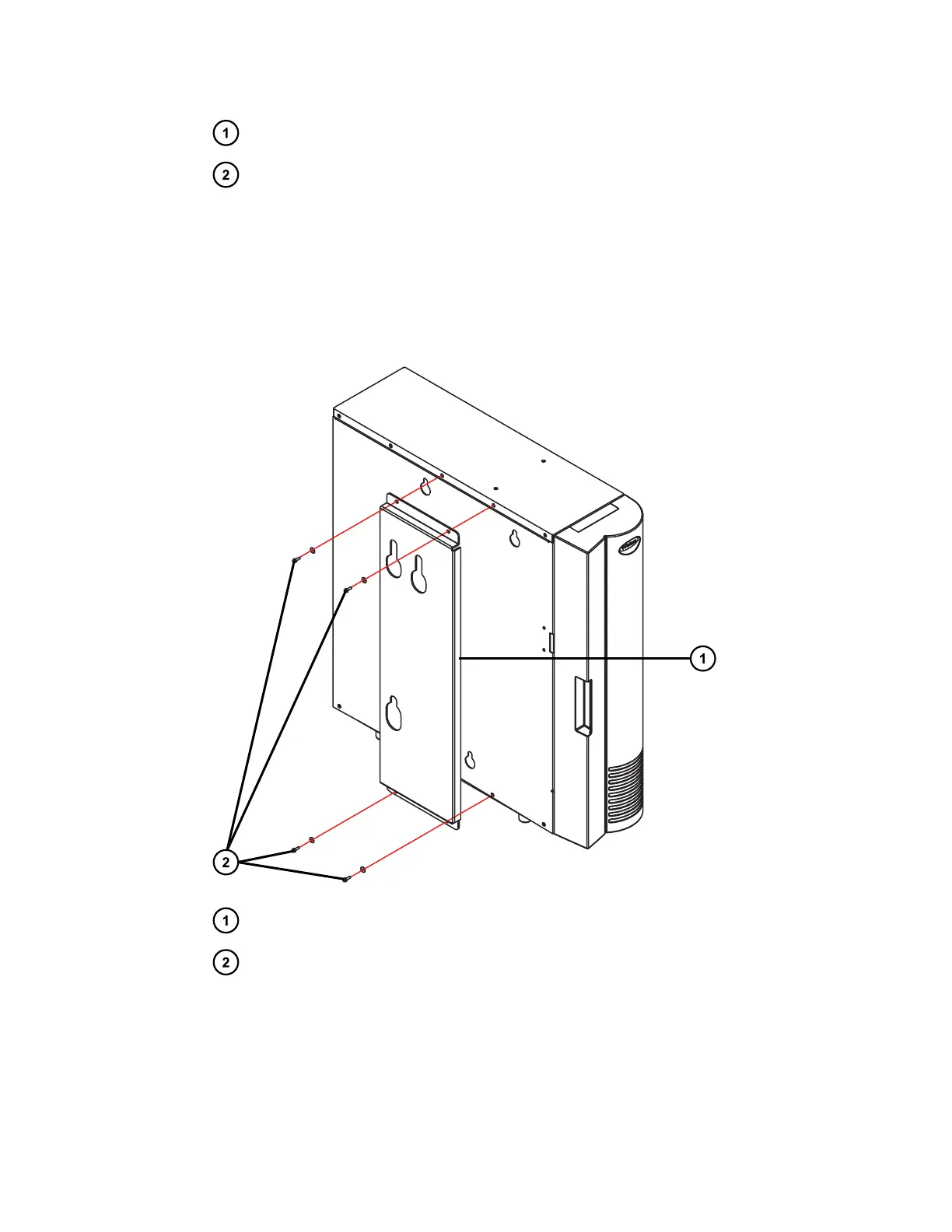
4. Position the adaptor bracket with its key-hole slots facing upwards and its four holes
aligned with the four threaded holes in the left-hand side of the column-compartment
chassis.
5. Using the 4, M3 × 10 screws with flat washers from the startup kit, attach the bracket to the
column compartment.
Figure 2–4: Attaching the adaptor bracket to the column-compartment chassis
Column-compartment adaptor bracket
4, M3 × 10 screws with flat washers used to attach adaptor bracket
6. Using the T10 TORX driver, tighten each of the 4, M3 × 10 screws, to secure the bracket to
the column compartment.
December 5, 2017, 715004751 Rev. C
Page 24











 To Next Page