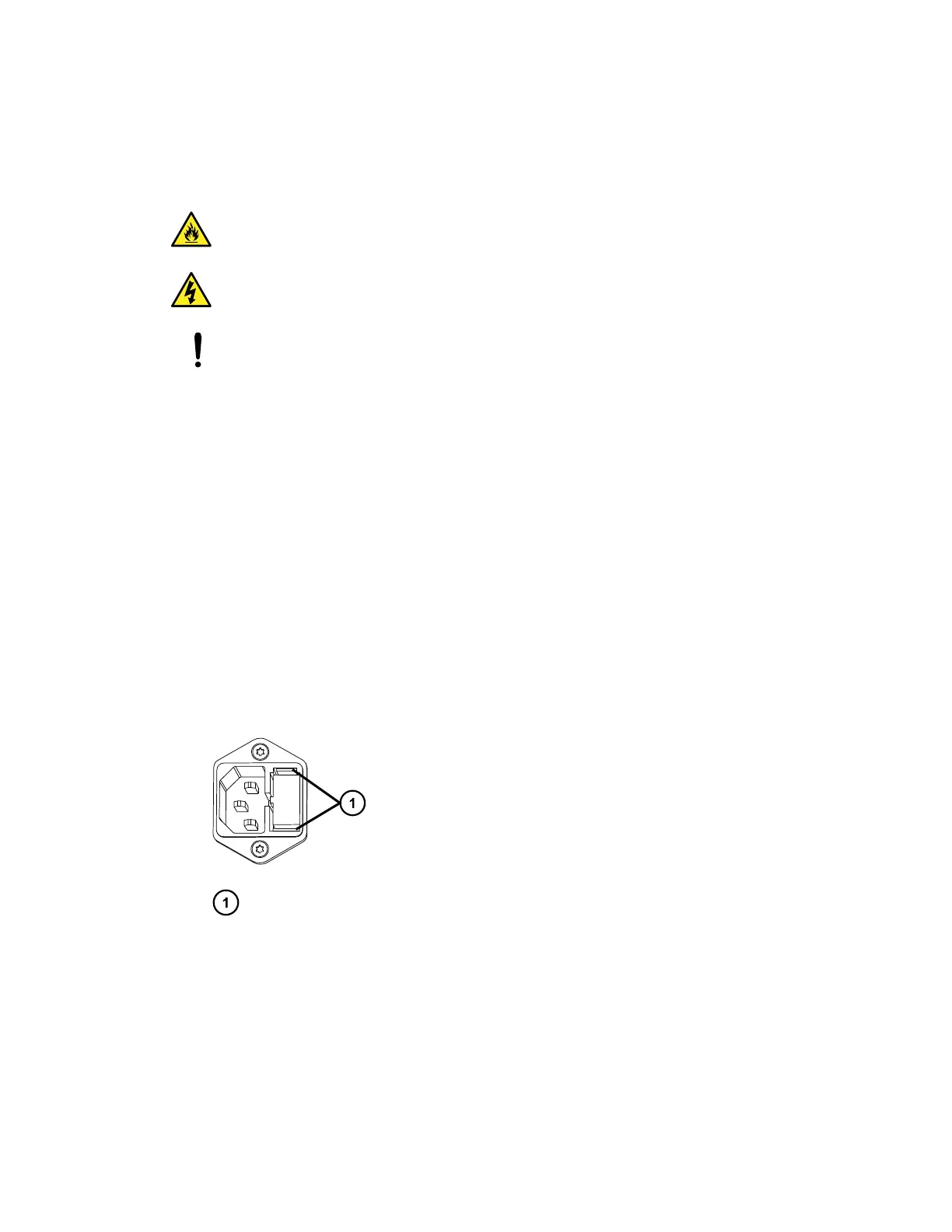
The 30-cm CHC module has these fuse ratings:
• Two fuses
• 3.15 A, 250V Fast-blow, 5 × 20 mm (IEC 60127-2)
Warning: To avoid electrical fire, ensure that replacement fuses comply with the
ratings affixed to the rear panel of the module.
Warning: To avoid electrical shock, before removing a fuse, power-off the module,
and then remove the power cord from the receptacle on the back of the module.
Notice: To avoid damaging system modules, before replacing an opened fuse,
determine the cause of the fuse's failure. It is possible that a serious underlying problem
requires attention. Contact Waters Technical Service for assistance.
Required tools and materials
• Properly rated replacement fuses
To replace the fuses in the 30-cm CHC module:
1. Move the 30-cm CHC module's power switch to the "off" (0) position, and remove the
power cord from its rear panel.
2. Locate the power-entry module on the 30-cm CHC module's rear panel.
3. Insert your fingers into the fuse-holder slots on the power-entry module.
4. Exerting a minimum pressure, pull on the spring-loaded fuse holder tabs, and remove it
from the module.
Figure 3–10: Removing fuse holder
Tabs on spring-loaded fuse holder
5. Remove and discard the old fuse.
6. Insert a new, properly rated fuse into the fuse holder.
7. Insert the fuse holder into the receptacle, and gently push until it locks into position.
8. Connect the power cord to the rear panel power-entry module.
9. Move the 30-cm CHC module's power switch to the "on" (I) position.
December 5, 2017, 715004751 Rev. C
Page 63











 To Next Page