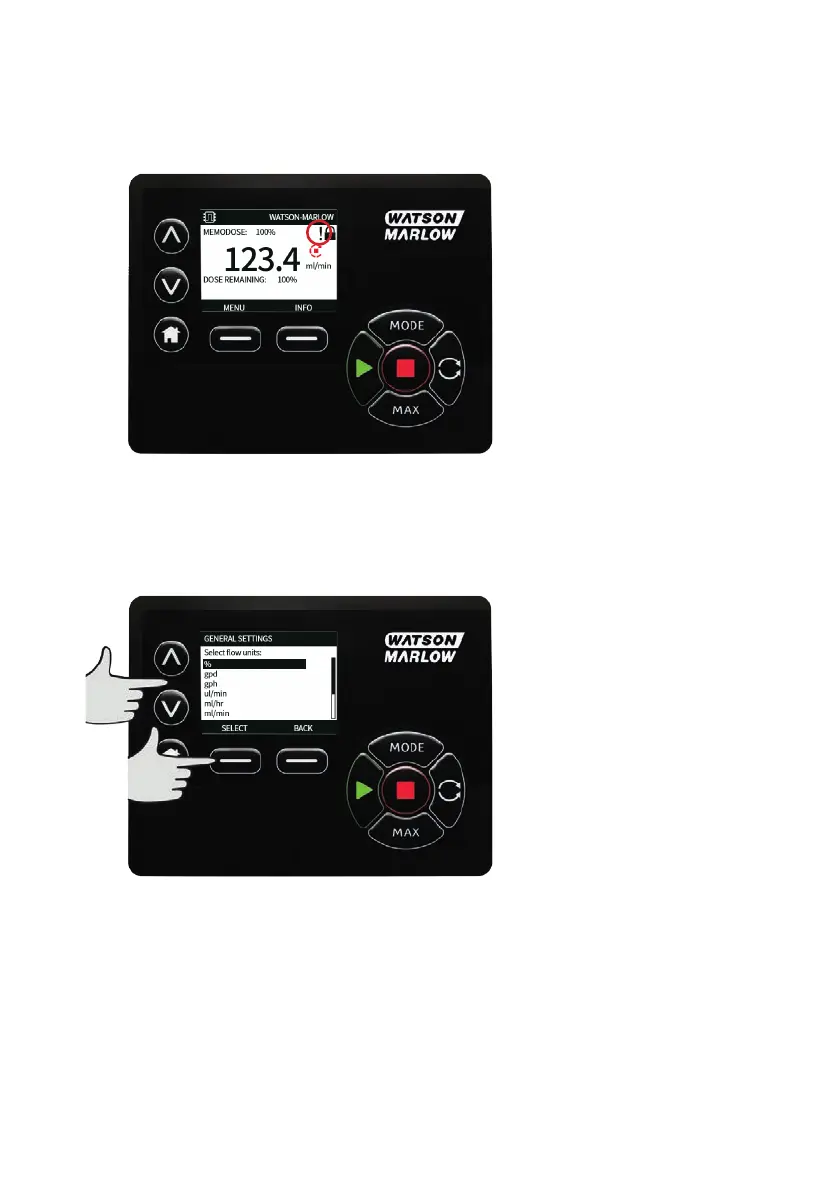
The ! symbol is a warning that the pump could remotely activate at any time. It will always be displayed
when the pump is in any remote control mode (analog and network mode). It will also be displayed
when auto restart has been enabled as the pump could activate after a power cycle, (auto-restart applies
to manual mode, network mode and memodose).
Flow units
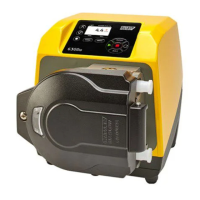
The current chosen flow unit is displayed on the right hand side of the screen. To change flow units
move the selection bar over the flow unit menu entry and press SELECT.
Use the ∧ /∨ keys to move the selection bar over the required flow unit, then press SELECT. All flow rates
displayed on screens will now be in the chosen units.
142 m-630un-en-08









 To Next Page