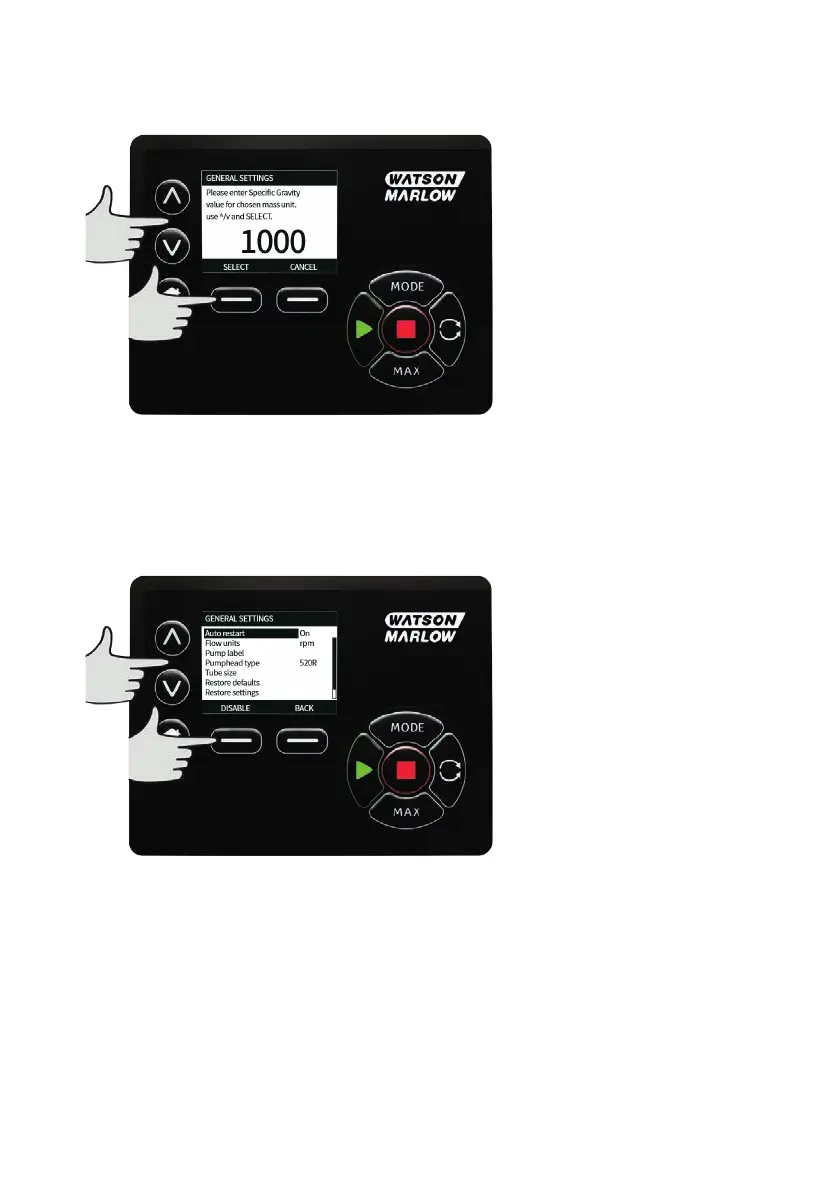
If a mass flow unit is selected, the specific gravity of the fluid must be entered. The following screen is
displayed.
Use the ∧ /∨ keys to enter the value of the specific gravity, and press SELECT.
Pump label
The pump label is a user defined 20 digit alphanumeric label which is displayed in the header bar of the
home screen. To define or edit the pump label, move the selection bar over the Pump label menu entry
and press SELECT. If a pump label has been previously defined, this will be displayed on screen to allow
editing, otherwise it will display the default label “WATSON-MARLOW".
m-630un-en-08 143









 To Next Page