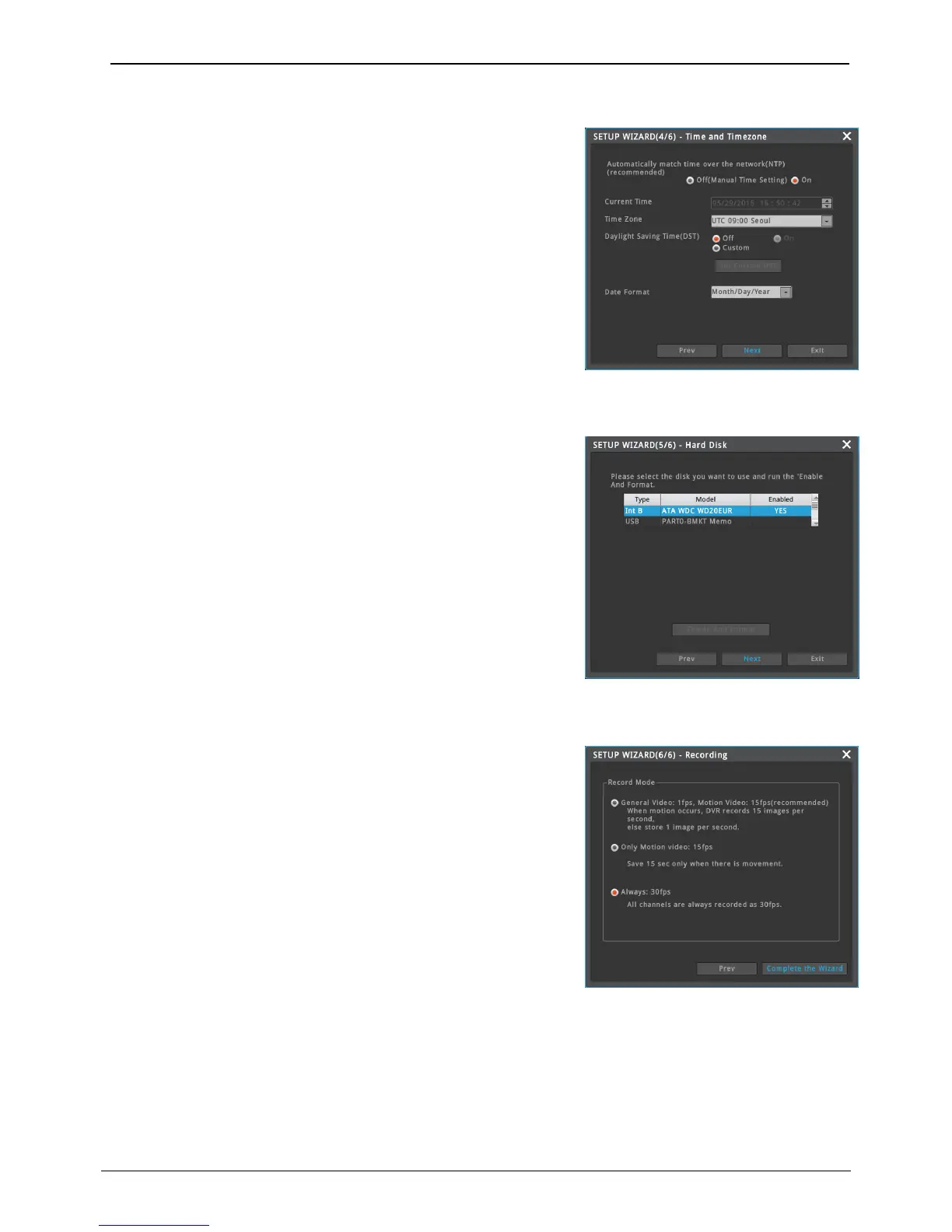
Setup time, standard time zone and daylight saving time (DST).
Network(NTP) autotime synchronizing
1) In case NVR is connected to internet – In use
2) In case NVR is not connected to internet – Not in use
Daylight saving time(DST, summer time)
1) DST saving time is used – In use
2) DST saving time is not used – Not in use
Connected hard disk is searched automatically and shown as
inventory.
Select hard disk to use and run “Enable and format” to format and
enable (start record) selected hard disk.
Enable (Start record)
1) Hard disk starting record – Yes
2) Hard disk connected to NVR but not starting record – No
There are 3 type of record modes.
1) Normal image 1fps, Motion image 15fps (recommended)
- If there’s no movement 1 frame per second, if there’s movement,
15 frames per second will be recorded.
2) Record 15fps only moving image
- It doesn’t record anything, If there’s no movement, while it record
15 frames per second if there is movement.
3) Always record 30fps
- All channels, always record 30fps.



 To Next Page