Setup Wizard
Setup Wizard can help user setup “language, network, DDNS, time, harddisk, record mode” with ease.
It runs automatically when NVR boots initially. User can run Setup Wizard on “Menu > System > Tool > Setup
Wizard”.
Start
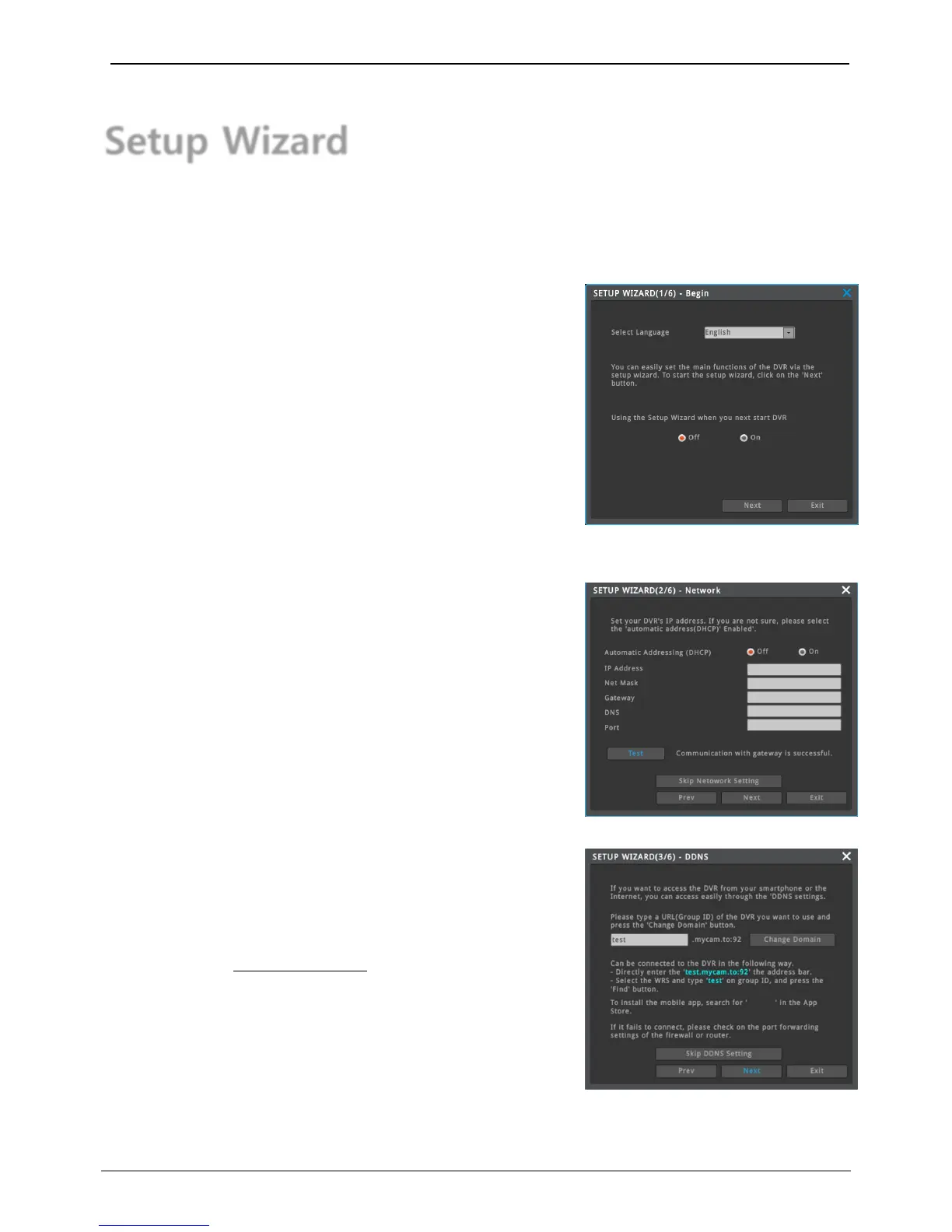
Select language and choose whether to use Setup Wizard or not.
Set up IP address of NVR or skip network setup.
Press “Test” button to check if there’s problem in network
communication or not.
1) Network normal - “Communication with Gateway is successful.”
2) Network abnormal - “Communication with Gateway is failed.”
Setup DDNS of NVR or skip DDNS setup.
Enter domain name to use then press “domain change” to create
domain name.
Connection method after Domain “test” created
1) Browser - Enter http://test.mycam.to in address bar
2) Mobile application – test.mycam.to
3) Exclusive software Control Center – test.mycam.to
Domain change message
1) Domain change normal – Success
2) Domain change fail – Domain can not be used



 To Next Page