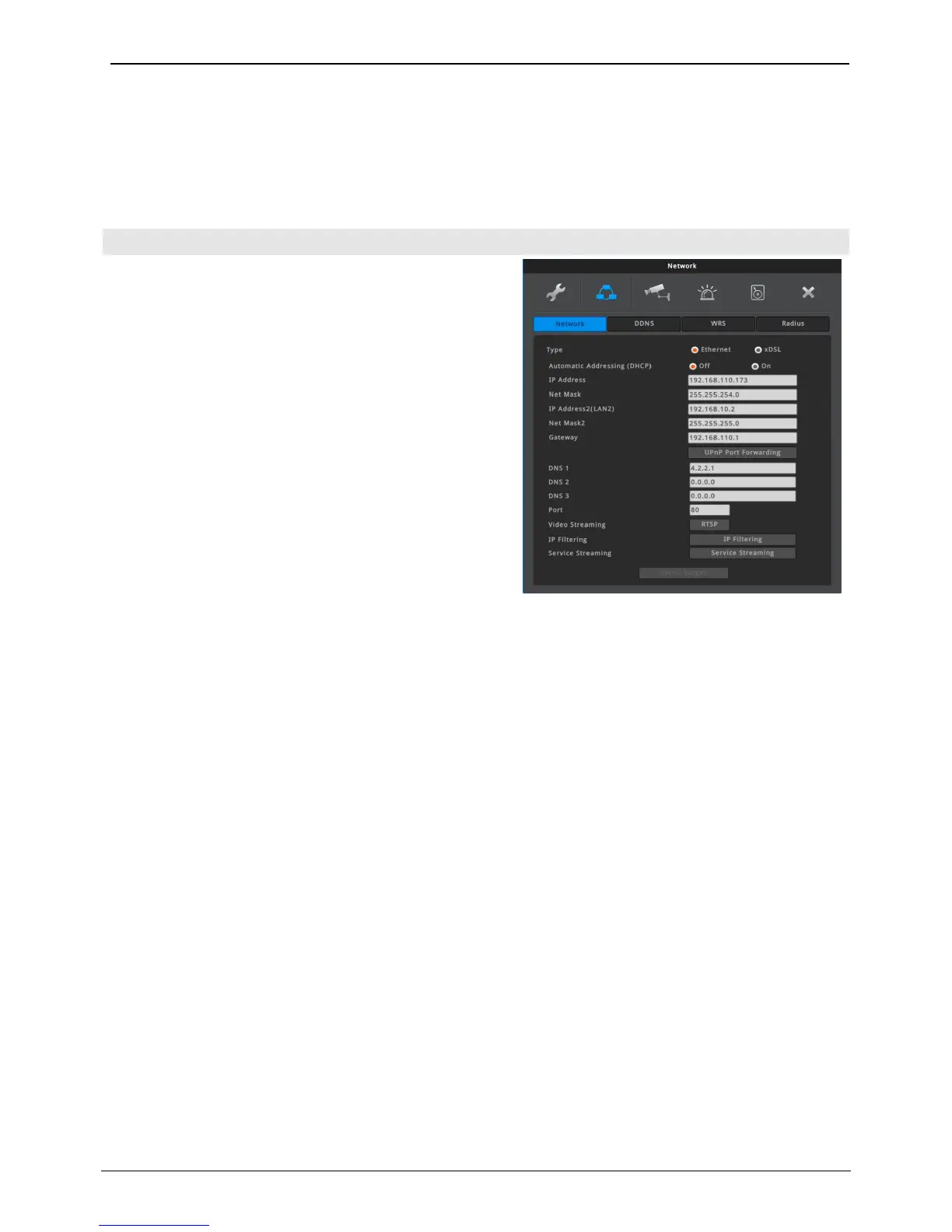
Select NVR’s network type between Ethernet Or XDSL.
Ethernet
Select ‘Ethernet’ when the NVR is connected with dedicated
line, cable modem or LAN environment.
xDSL
Select ‘xDSL’ when the NVR is connected with xDSL line
which uses PPPoE. But, if the xDSL is not using PPPoE, it
should be selected as ‘Ethernet’.
Automatic Addressing (DHCP)
1) Off: If NVR’s network does not have DHCP server, please
select ‘Off’. User should manually enter a specific IP
address which is given by network administrator.
2) On: If NVR’s network has DHCP server, user can select
‘On’. If DHCP is enabled, DHCP server will assign NVR’s
IP address automatically.
IP Address
IP address is used for the communication between NVR and Control Center, and it is used for Webviewer to
connect NVR. IP address should be assined by the network administrator. Also Netmask, Gateway addresses
given fromt the network administrator should be properly configured. (When DHCP is enabled, this item will
be disabled)
Net Mask
Net Mask defines the communication range of IP address. This information should be given from the
network administrator. (When DHCP is enabled, this item will be disabled)
IP Address2
(LAN2) – for 64 CHANNEL NVR
64 CHANNEL NVR has two LAN ports, and IP address2 (LAN2) is IP address for 2nd LAN (LAN2) port. IP
Address2 (LAN2) must be set different subnet from NVR’s IP Address and should be assigned by the
network administrator. Also, DHCP can not be used, and external network which requires Gateway can not
be connected through LAN2.
(PoE) – for 36 CHANNEL PoE NVR
IP Address2 (PoE) is IP address for communicating with IP cameras, PC, etc. which are connected to PoE port.
IP Address2 (PoE) must be set different subnet from NVR’s IP Address. All IP addresses of IP cameras
connected to PoE port must be set same subnet with IP Address2 (PoE). Also, DHCP can not be used, and
external network which requires Gateway can not be connected through PoE ports.
Net Mask2
Net Mask2 is for IP Address2. Net Mask2 defines the communication range of IP address. This information
should be given from the network administrator.



 To Next Page