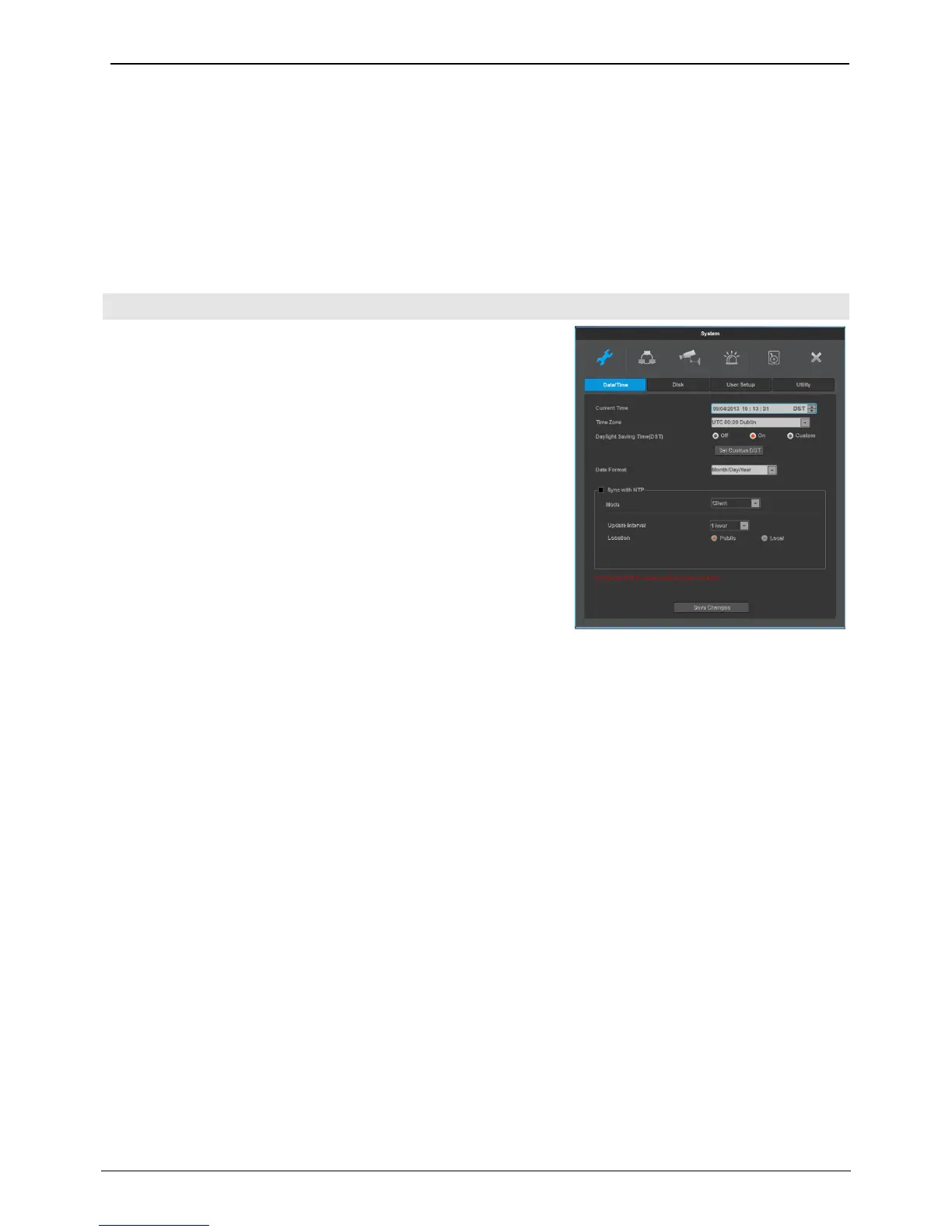
Before recording setting, NVR has proper time information.
NVR has ‘UTC +09:00 Seoul’ as default time zone.
<Note>
1. To search NVR’s recording data properly, NVR should have exact time
zone information. If NVR has wrong time zone information, user may get
wrong recording data during Search, copy, etc.
2. Please note that if user changes NVR’s time information, recording
data’s time stamps in hard disks will be changed at the same time. NVR’s
system log has record for NVR’s time change.
<Note>
Under recording, if a user changes time when it is already recording (saved in HDD), it will change the time of the
previously recorded videos. Moreover, there will be a history of a time change on the system log.
Standard time zone
Set the timezone to the location a product is used in
daylight saving (DST)
This menu is synchronized with time zone configuration menu. It means only when daylight saving area is on,
this function works. Daylight saving applicable area is the same as with Microsoft Windows time zone. Users
can select whether to apply daylight savings or not when NVR is installed in Daylight saving applied zone
Date format
Date display settings. Select one of “yy/mm/dd”, “mm/dd/yy”, “dd/mm/yy.
Save changes
To apply the canges made for date/time, click “date/time apply” button.
<Warning>
Other configurations except date/time save automatically, but “date/time”
Configuration doesn’t save automatically since it can critically affect HDD recording file system.
To apply the changed value, user must click [date/time apply] button



 To Next Page