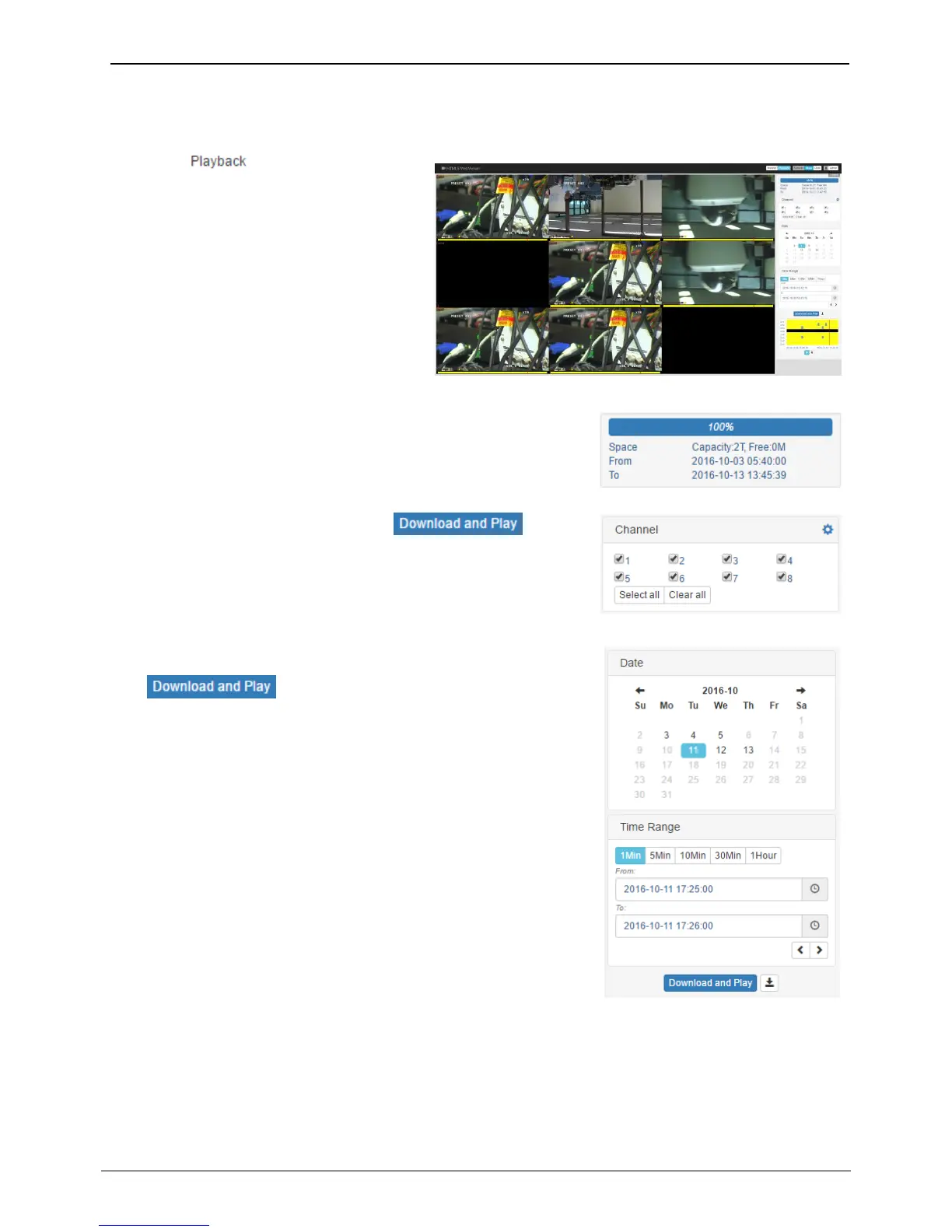
By clicking icon at the top, user can
playback the NVR’s recorded video. Note that
only authorized users for playback/search can
use playback function.
At initial playback page, all video channels
will be shown with the maximum division.
The number of video channels will be depend
on the NVR model.
Status for the recording duration and capacity
This status menu shows the used space and remaining space of HDD.
Also, it shows the recording start time and shows the last recording
time.
Select the channels to playback and click .
Then HTML5 Webviewer will playback that channels.
Recorded date is enabled in black color, and others unrecorded date
disabled in grey.
Click after selecting date & time, then HTML5
webviewer will playback the video recorded at that date & time.
<Note>
Audio is not supported.



 To Next Page