EasyManua.ls Logo

WebGate UHN1600-H2 - Remote Monitoring & Control

WebGate UHN1600-H2
95 pages
Print Icon
To Next Page IconTo Next Page
To Previous Page IconTo Previous Page
Loading...
30
Remote monitoring & control
Users can connect NVRs, control and monitor it remotely by using Control Center (CMS program)
Installation of Control Center
Execute “Control Center Setup vx.x.x.exeto install the Control Center.
Start of Control Center
After installation is completed, click “Control Center Monitor icon and execute it.
(ID: admin / Password: admin)
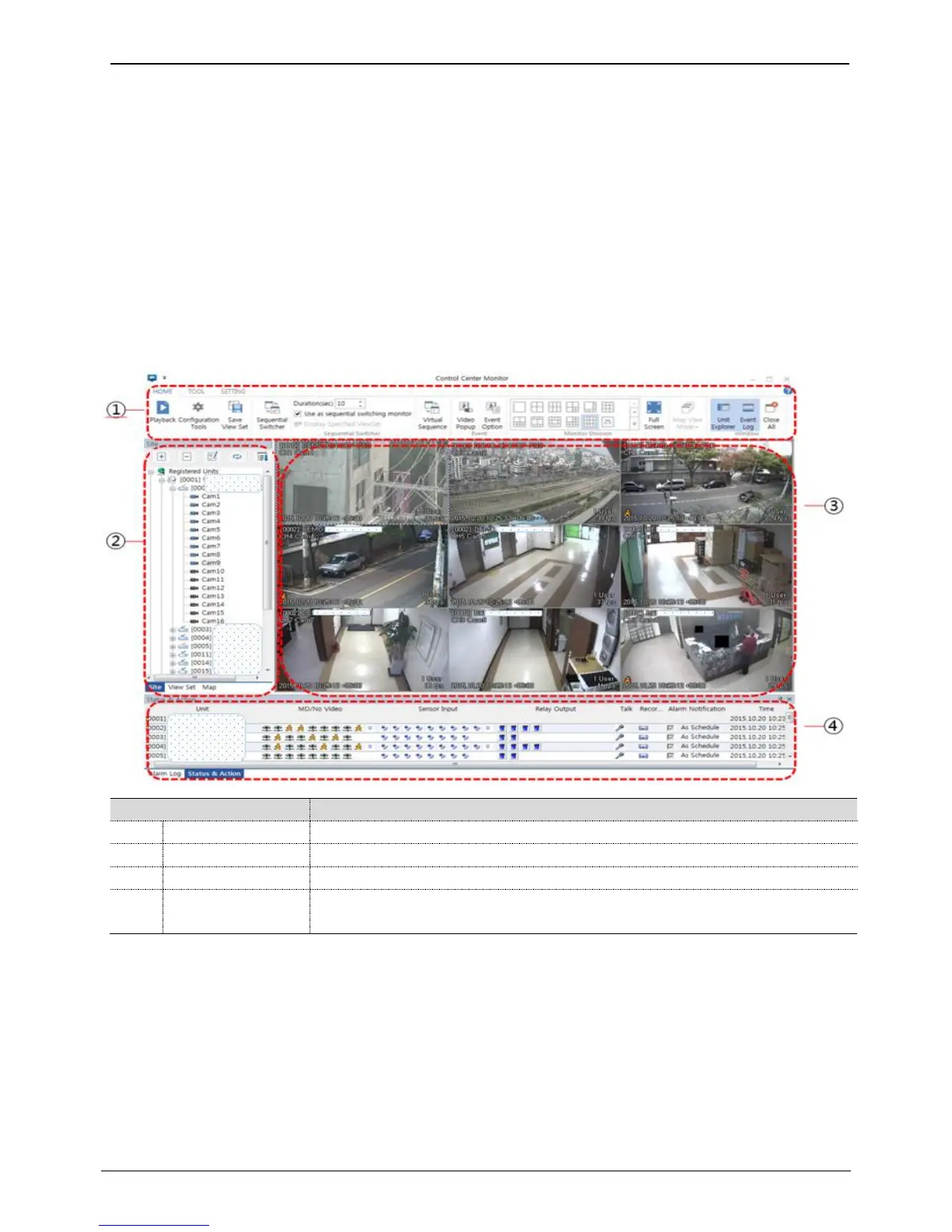
Screen configuration of Control Center

Item
Description
1
Menu/Toolbar
This is menu and function button used in program
2
Unit list window
This indicates unit/viewset/map registered in program. User can click on the list to show image
3
Image window
This indicates live monitoring image
4
Status & Action
window
This indicates status of unit, event information and alarm log

Related product manuals