Patrol On
Select the patrol number and click “On”.
Patrol Off
Refer the patrol status and select the patrol number which you want to off. And click “Off”.
<Note>
Focus may not be controlled for Onvif IP camera channel.
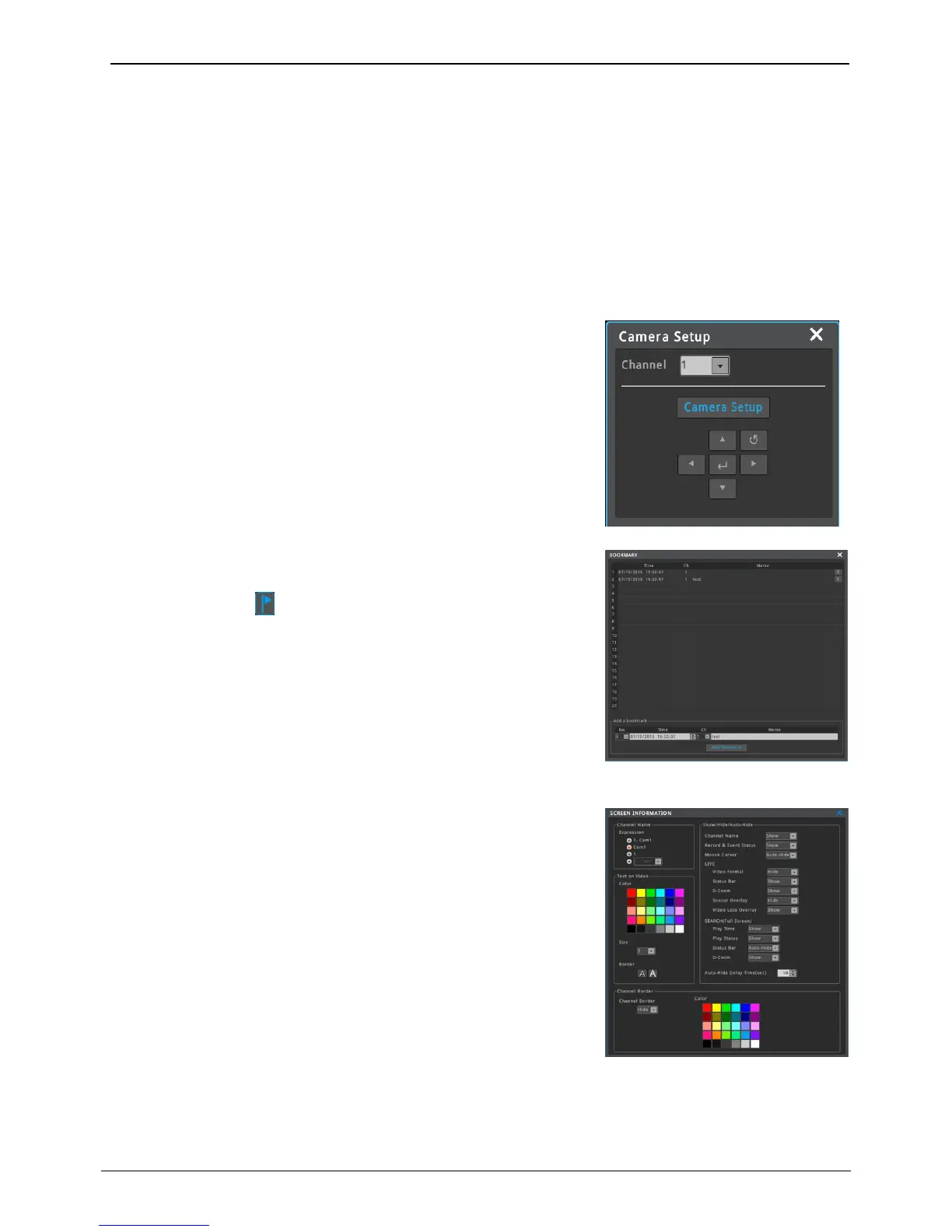
This menu is used to enter the OSD menu of connected camera. Please
control camera menu using up, down, left, right.
<Note>
OSD can not be controlled for Onvif IP camera channel.
Please use webpage of IP camera to control OSD.
Add / Edit bookmark No, Time, Channel and Memo in [Tool-Bookmark]
of FUNC menu while live or playback.
Run bookmark icon “ “in Search, Copy, Thumbnail to load saved
bookmarks.
Screen properties can be set by clicking [FUNC menu – Information –
Screen]. User can change the expression of channel name, text color,
font size, status bar, etc.
It is possible to show or hide the channel border line. Also, the color of
border line can be set.
The expression of channel name can be ‘channel number and channel
name’, ‘channel name’, ‘channel number’ or ‘channel navigator’.
It is possible to locate any channel you want on any position of multi-
division screen you want if the expression of channel name is 'channel
navigator'.



 To Next Page