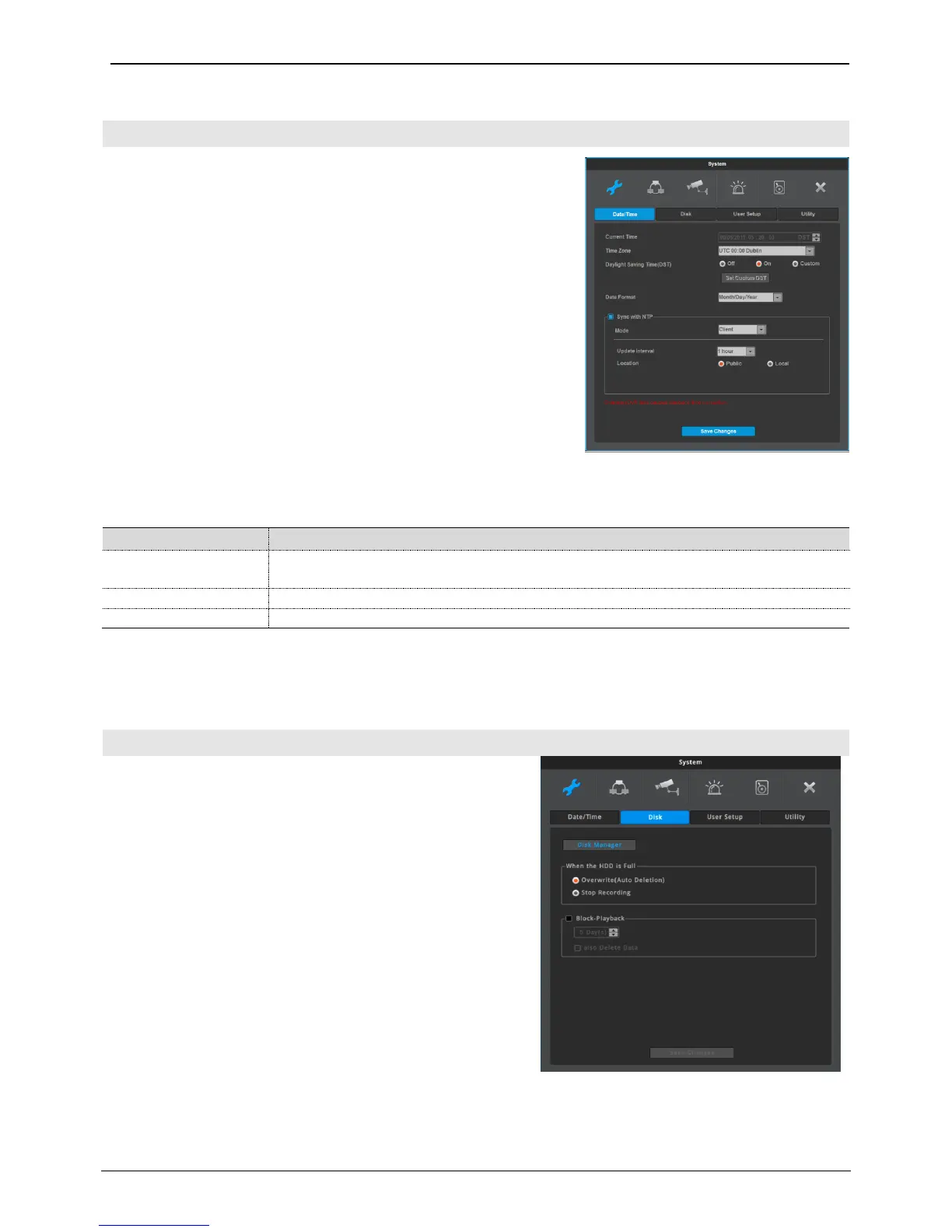
Menu System Date/Time Sync with NTP
NTP (Network Time Protocol) synchronizes the time of all connected
device. To set NVR time to standard time open server which offers
standard time on the network and client which is connected to
open server to receive time and synchronize it with standard time.
Besides that NVR can be set as server to offer standard time to
other devices and can be set as both server and client as well.
NTP server location
Enabled when NTP mode is set as client/server. Select public or local
where NTP server is.
NTP local server IP
Enabled when NTP server is set as local and sets server IP address.
Enter NTP server IP address located in local network or NVR IP
address with NTP mode as a server.
NTP mode
Set NVR NTP mode to client, server or both.
Receives standard time from external or internal server and enable time
synchronization of NVR
Make NVR a NTP server and provide standard time to other NVR or devices.
use both client and server at the same time
Interval
Configure interval of time sync.
Disk
Internal, External HDD can be added, deleted or formatted.
Overwrite (Auto Deletion)
Image is recorded overwrittiing from the beginning of HDD
when HDD is full.
Stop Recording
Record stops when HDD is full.
Block Playback
This function allows only recordings of pre-assigned date to
be viewed. For example, after 10 days of recording(picture 1),
if playback block is set at 2 days(picture 2), then as shown in
the picture, only the last 2 days of the recordings can be played
back.



 To Next Page