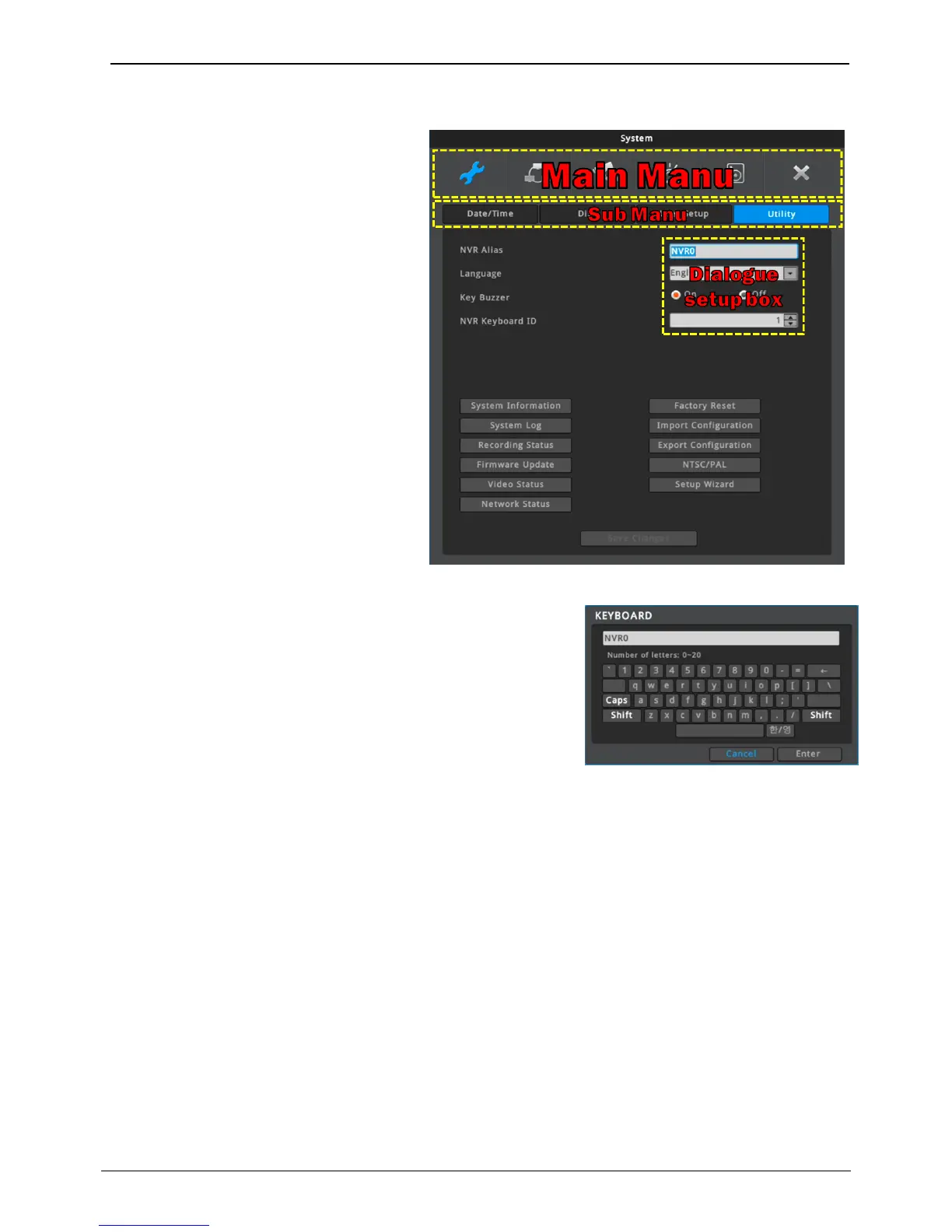
Press [MENU] key on front panel or click [Main
Menu] button under FUNC menu to enter the
setup menu. To exit menu, press “X”.
Main menu
The selected tab is shown in bright color
and the sub-menu box will show the chosen
Sub-menu
Selected sub-menu will disply the chosen item
and the related setting will be shown. To move
to the upper main menu, click the [Save
Changes] at the bottom of menu, or press “X”
button.
Set-up dialogue box
The selected tab is shown as orange, and to
move to the previous/next tab.
Dialogue box for string input is shown as follows. User can enter
words or numbers using a mouse or direction buttons.
Mouse to enter it. To delete the entered letter, press [] button, and
to enter a space, press [SPACE] button. To exit the dialogue, press
[ENTER] button to save string and exit or press [CANCEL] button to
cancel the string.



 To Next Page