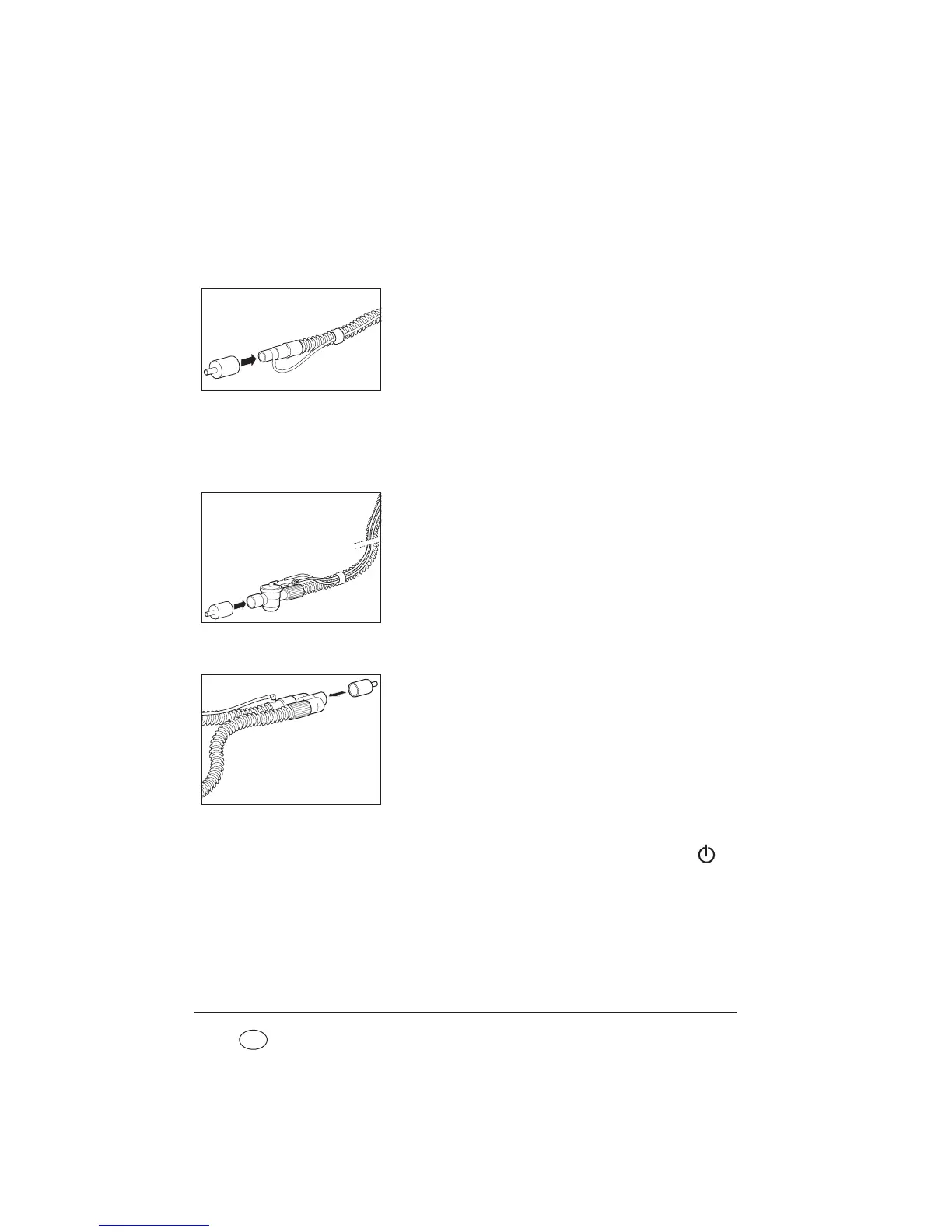
7.2.2 Check flow measurement and flow sensors/pressure sensors
(leakage ventilation with leakage adapter for standard
tapered connector)
1. Connect the patient circuit to the device.
2. Plug the test adapter supplied onto the patient
connection.
3. Perform the subsequent steps as descibed in “7.2.1
Check flow measurement and flow sensors/pressure
sensors (leakage ventilation)” from step 2.
7.2.3 Check flow measurement and flow sensors/pressure sensors
(valve ventilation)
Function check using a single patient circuit with patient valve
1. Connect the patient circuit to the device.
2. Plug the test adapter supplied onto the patient
connection.
3. The subsequent steps are described in “7.2.1 Check
flow measurement and flow sensors/pressure sensors
(leakage ventilation)” starting from step 2.
Function check using a double patient circuit with patient valve (VENTIlogic LS
only)
1. Connect the patient circuit to the device.
2. Plug the test adapter supplied onto the patient
connection.
3. The subsequent steps are described in “7.2.1 Check
flow measurement and flow sensors/pressure sensors
(leakage ventilation)” starting from step 2.
7.2.4 Alarms
The therapy device performs a self-test on the sensor system when the On/Off key is
pressed which also checks that the alarm system is working. If a fault occurs during the self-
test, an error message appears in the main screen (see also “8. Troubleshooting” on
page 81).
1. Check buzzer and LEDs:










 To Next Page