Installation and operating instruction
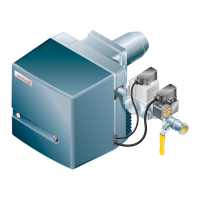
Oil burner WM-L20/2-A R (W-FM100/200)
7 Commissioning
83252902 1/2019-09 La
40-84
12. Check start behaviour
Restart burner in Manual operation.
Check start behaviour and if necessary correct ignition position.
If the ignition position has been altered:
Re-check start behaviour.
If the oil temperature has been altered:
Re-check start behaviour.
Restart each point and check combustion values.
13. Define partial load
Select LoadLimits.
Select MinLoad.
Define and set partial load whilst:
Maintain return pressure of 8 bar.
observing data provided by boiler manufacturer,
observing the burner capacity graph [ch.3.4.6].
14. Set burner to automatic operation
Exit level using the [esc] key.
Select Autom/Manual/Off.
Set Automatic.
Exit level using the [esc] key.
If necessary adjust load controller.
15. Carry out data backup
Exit level using the [esc] key.
Select Updating.
Select Param backup.
Select LMV → AZL .
Start data backup by pressing [ENTER] key.
The values have been backed up from the combustion manager to the ABE.
Exit level using the [esc] key.



 To Next Page
 Loading...