CMP100 User Guide
22
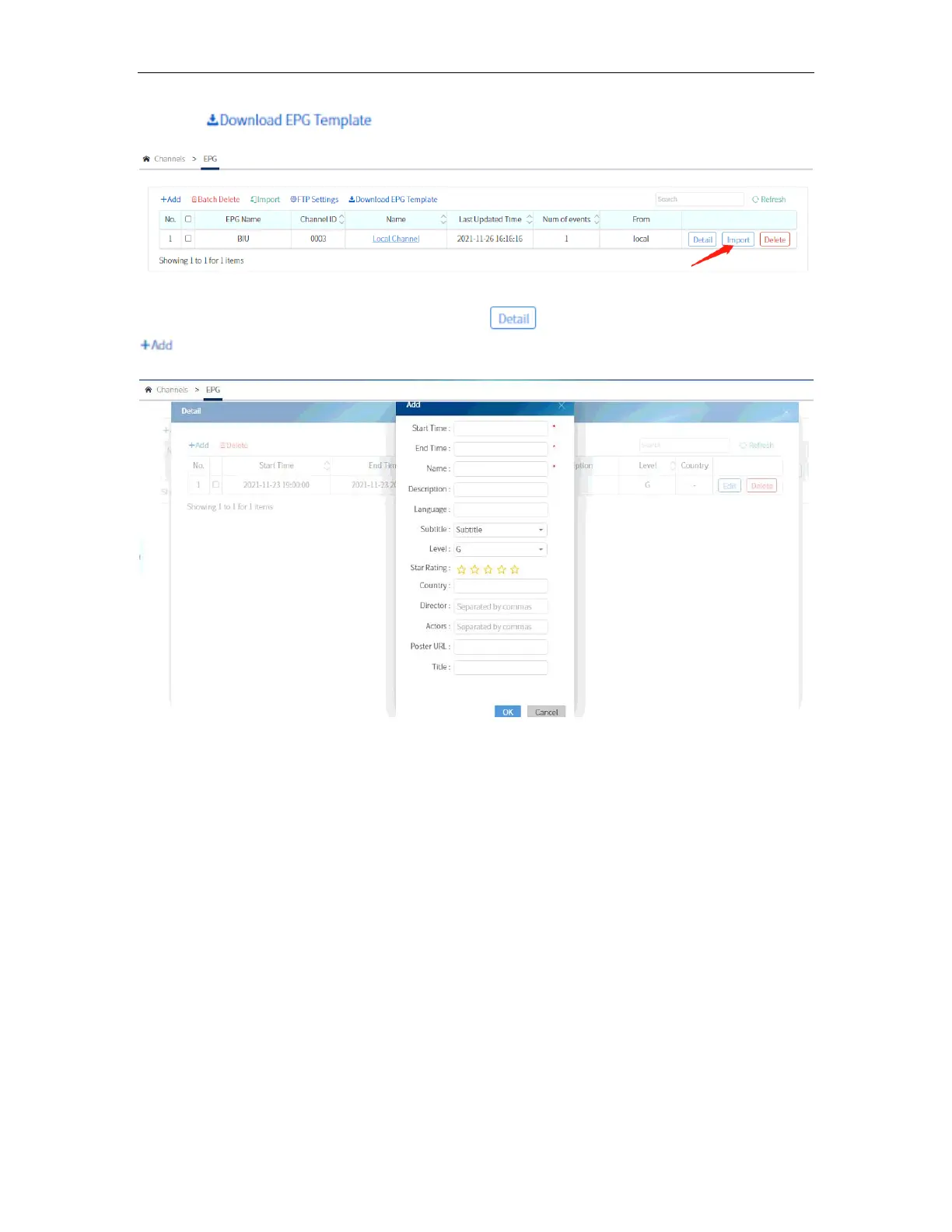
Clicking will download a template in .xml file from which you can
edit and assign to a program by clicking import, select the file and click OK.
You can edit manually the EPG by clicking the . A window will pop up and click
. After setting the parameter click OK.
The EPG that is set on a particular program will appear now on the TV Display.



 To Next Page