CMP100 User Guide
28
3.5.3 VOD Grouping
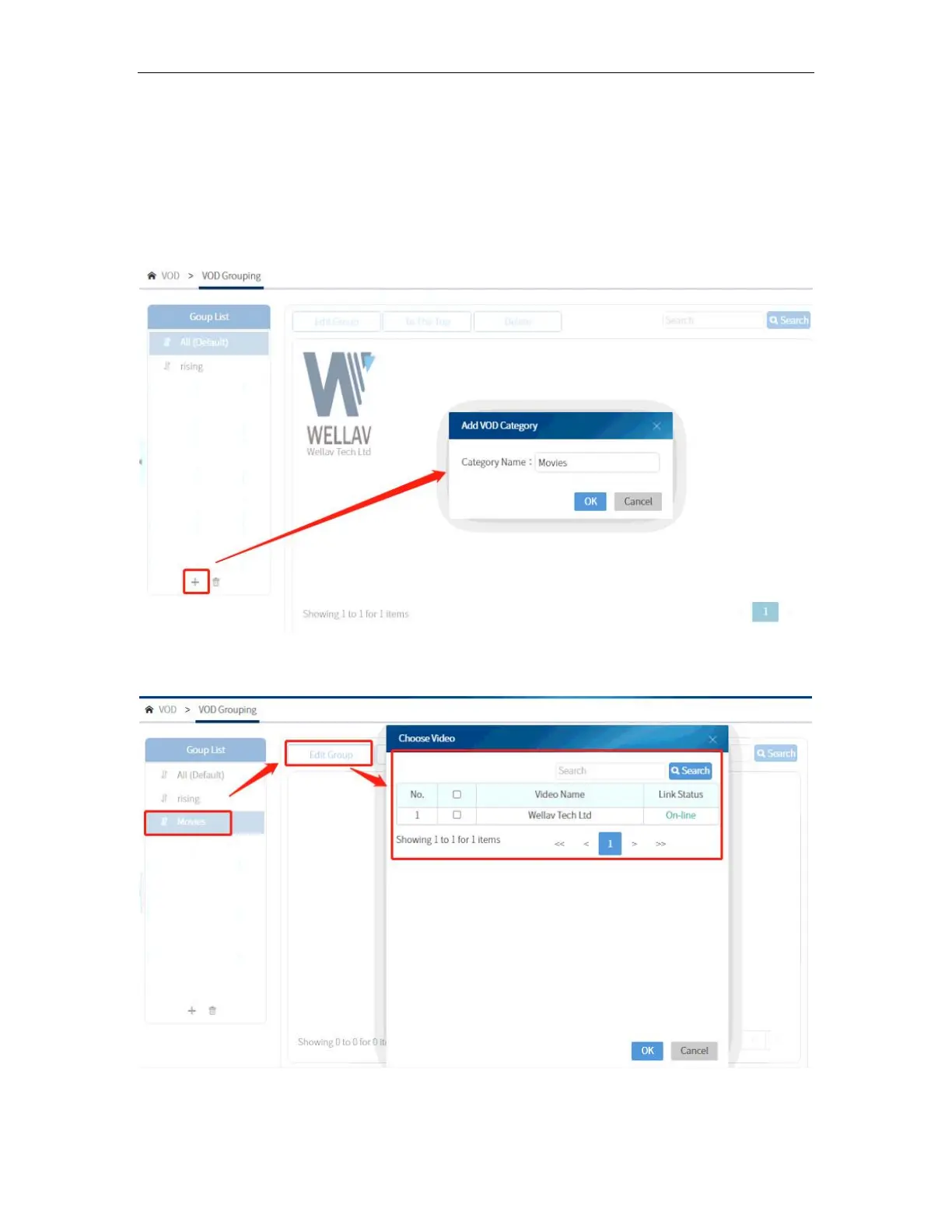
Category is for creating video categories based on their genre. Same with the Live
Channel Category, you can create a category like Action Movies, Music, and Kids and
assign programs to each category. To create a category, click on the “+” sign and input
the category name as shown in the picture below.
To add programs to the category, click on the category name, then click on Choose
Video. Choose the video to be included in the selected category.



 To Next Page