CMP100 User Guide
13
• IP Address: this shows the IP address on the port.
• MAC Address: this shows the unique MAC address on the port.
• Input/Output: this shows the settings of the Ethernet port, being used for input or
output.
• Model: this shows the settings of the Ethernet port, as DHCP or Static.
• Up Bytes: this shows the real-time traffic of the output data on the port.
• Down Bytes: this shows the real-time traffic of the input data on the port.
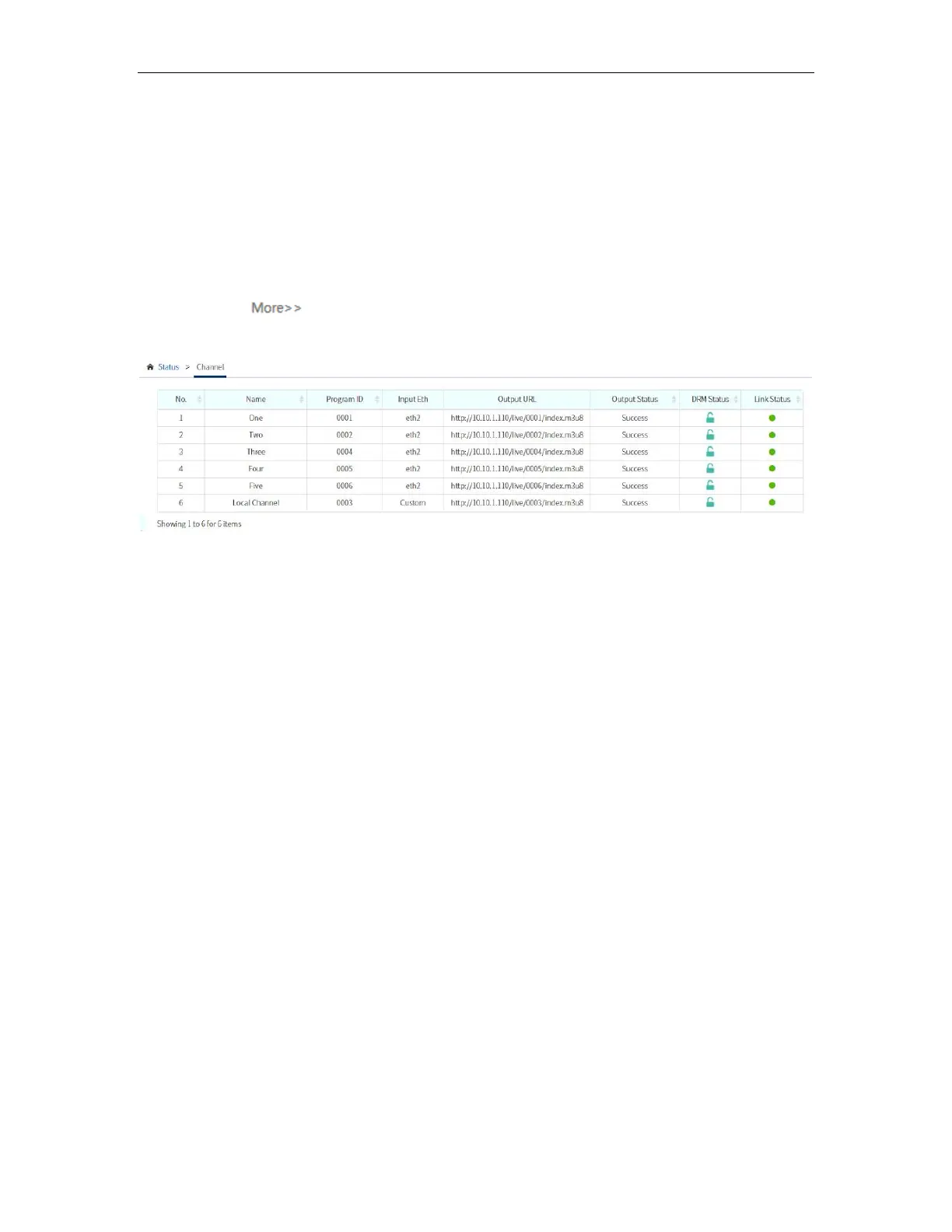
Channel status will display all enabled services with active and inactive video sources.
You can click to see more information of the channel, as shown in the picture
below.
After login, you will also see the Main Menu on the left side of the Web interface where
you can navigate to further configure the OMP150.
• Status
• Quick Start
• Channels
• VOD
• Overlays
• APK Settings
• Operation
• Cluster
• System Setting
• Tools
To continue the configuration on the unit, select the menu you want to navigate to.
3.3 Quick Start
This menu guides you for the following configuration steps:
• Network
• Time
• Channel List
• Status



 To Next Page