CMP100 User Guide
14
Network:
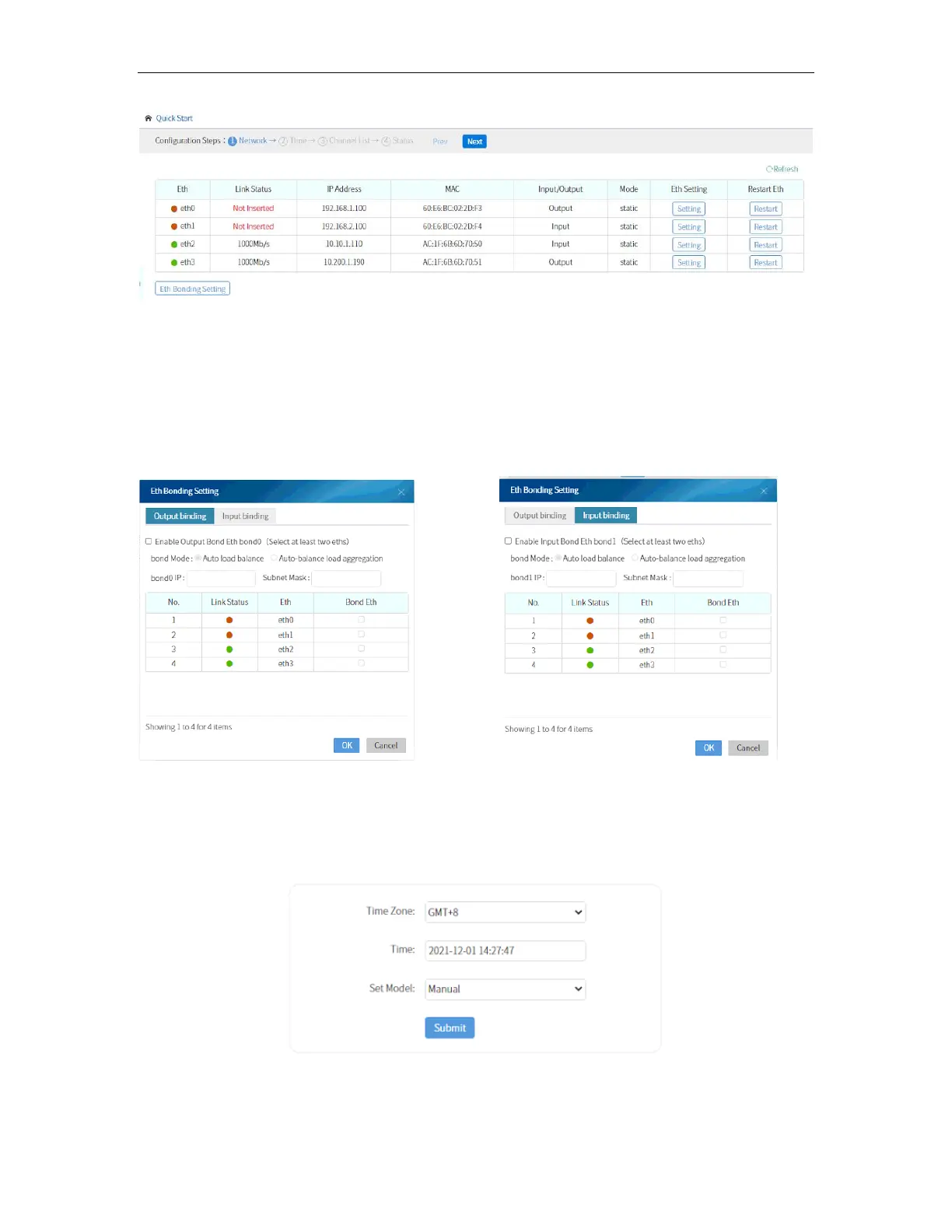
Network shows the Status, IP Address, MAC Address, and the setting on each Ethernet
port. You can change the IP address depending on your Network setup. You can also
bond (input/output bond) the Ethernet port on this page as shown in the picture below.
Bonded ports share the same IP address and can have data output of 2000 Mb/s.
Time:
This allows you to manually input the time.
or sync via NTP Address.



 To Next Page