CMP100 User Guide
19
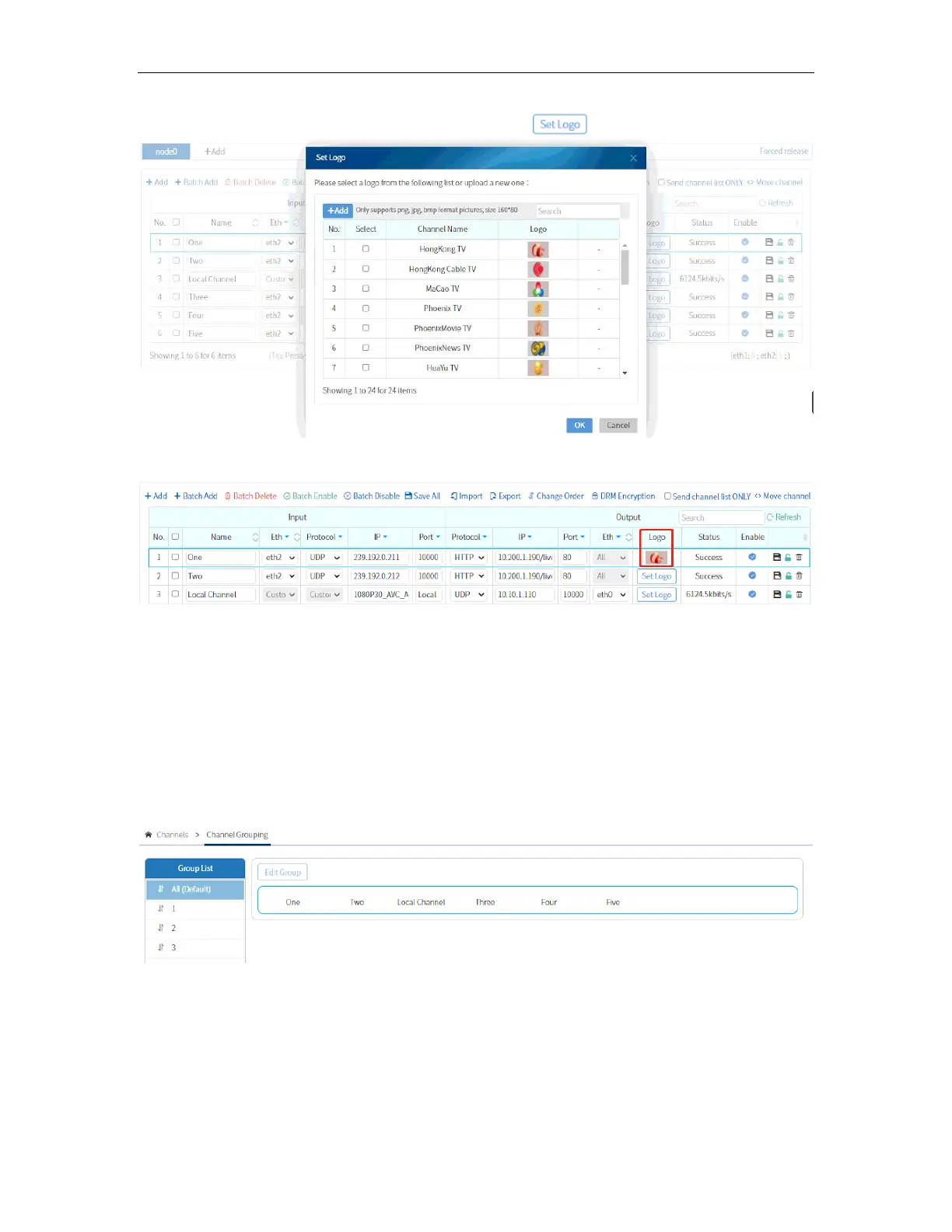
You can also add logo per Live Channel by clicking for each service.
After you set the logo, the logo should be displayed on the same line with the Service.
3.4.2 Channel Grouping
This allows you to create a channel group of services based on genre like Music, Movies,
Series, Kids, etc.You can customize categories and programs to help viewers to quickly
search the programs they want.
To create a channel group, go to Channels and click Channel Grouping. Click “+” under
Group List to add new a category.
You can add and delete channel group and manage channels based on the channel
group you created. To categorize the programs, select a channel group and click “Edit
Group”. Then there will be lists of all enabled programs from which you can select the
ones you want to be adding to the category. Select that program then click “OK”.



 To Next Page