CMP100 User Guide
34
3.6.3 Picture Overlay
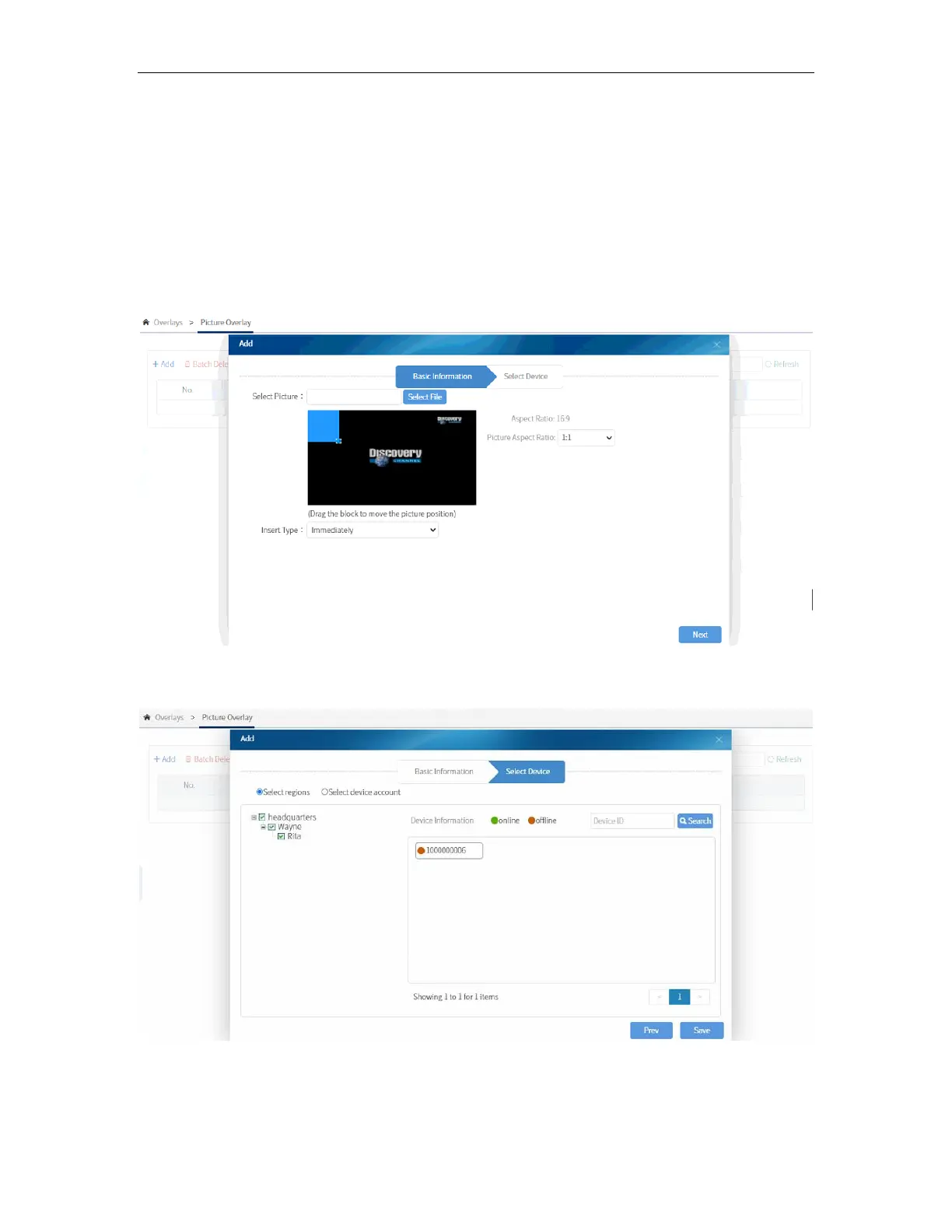
For the Picture Overlay, this is only applicable in the Live and the VOD Interface, unlike
Video and Subtitle Insertion that can display in all interfaces.
Steps of adding pictures to the video are almost same with those of Video and Subtitle
Insertion. Select the picture you want to display; select the Broadcast Type as
“Immediately” or “Scheduled” and select the aspect ratio as 1:1. 4:3, 16:9 or free stretch.
Last, you need to select the room(s) you want to display the picture in.
You can also disable/enable the configuration anytime to avoid configuring the
parameters again.



 To Next Page