CMP100 User Guide
33
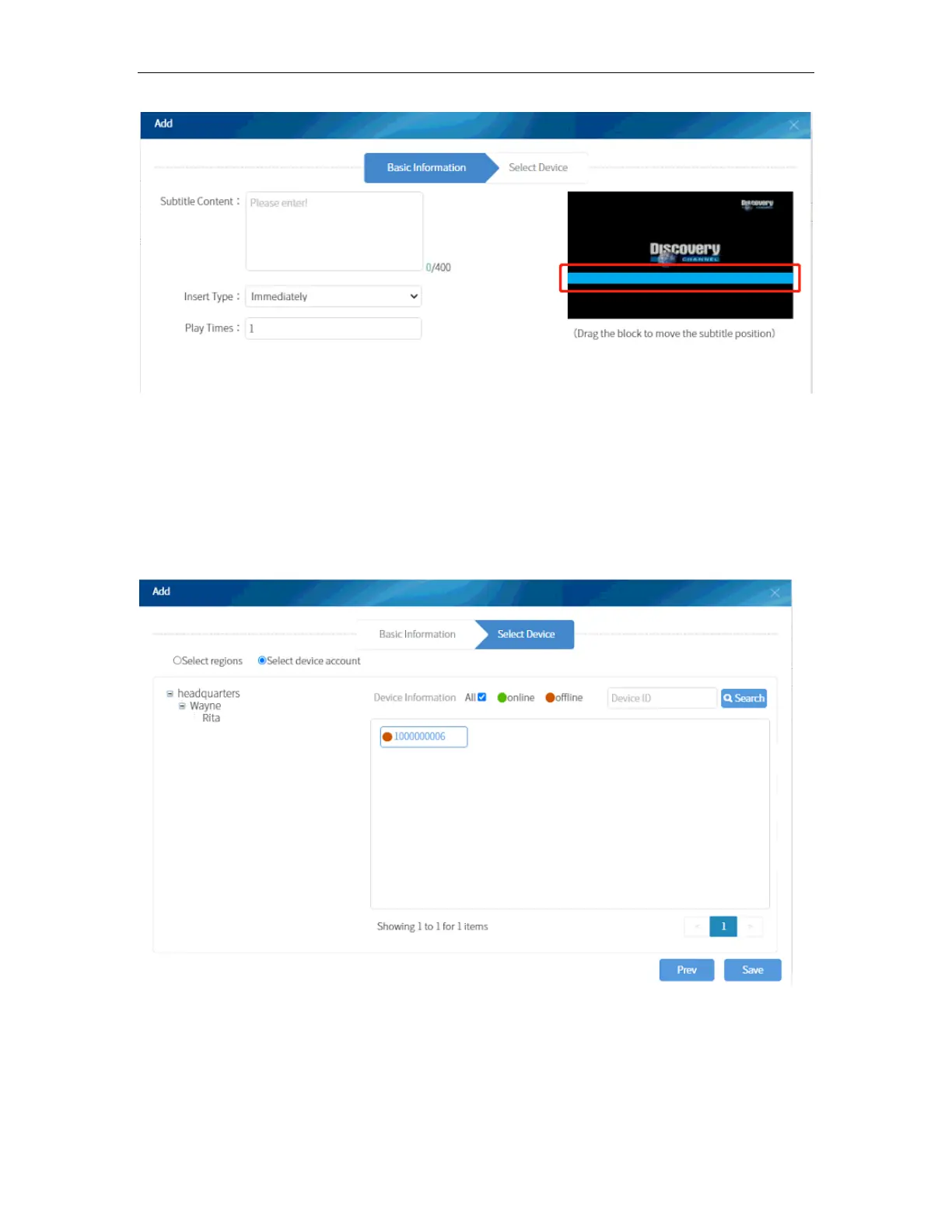
To add subtitles, go to Overlays and select Text Overlay. Click on ADD button and input
the subtitle content then fill in other parameters. You can move the orange bar in the
preview area to position the subtitle on the screen. There are no options for the font style
and size and displaying speed of the subtitle. Make sure the message is short and clear
for viewers to read.
Following the same steps of with Video Insertion, you can select the room or terminal to
display the subtitles.
You can select “All” for all rooms or select multiple rooms that can view the subtitle. You
can also disable/enable the configuration anytime to avoid configuring the parameters
again.



 To Next Page