CMP100 User Guide
51
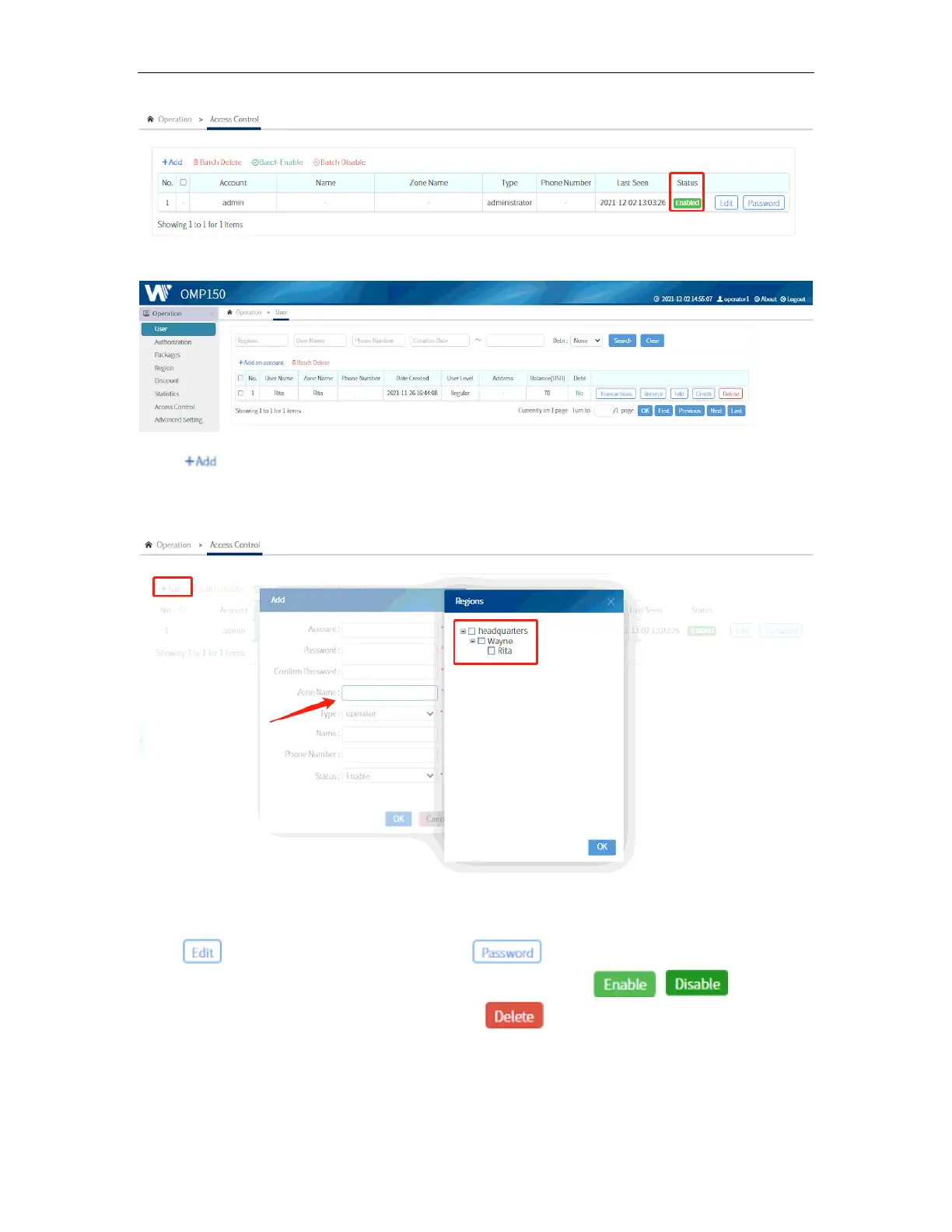
Note that only operator accounts can be made. Those operators can only access the
Operation Menu.
Click to add a new account. Upon selecting the Zone Name, another window will
appear. When a region is selected, that particular operator/account will only be able to
manage and authorize all the users under that particular region.
Click to modify each account and the to modify the password of an
account. An account can be enabled or disabled by clicking / . A
disabled account will not be accessible. Click to remove the account
permanently.



 To Next Page