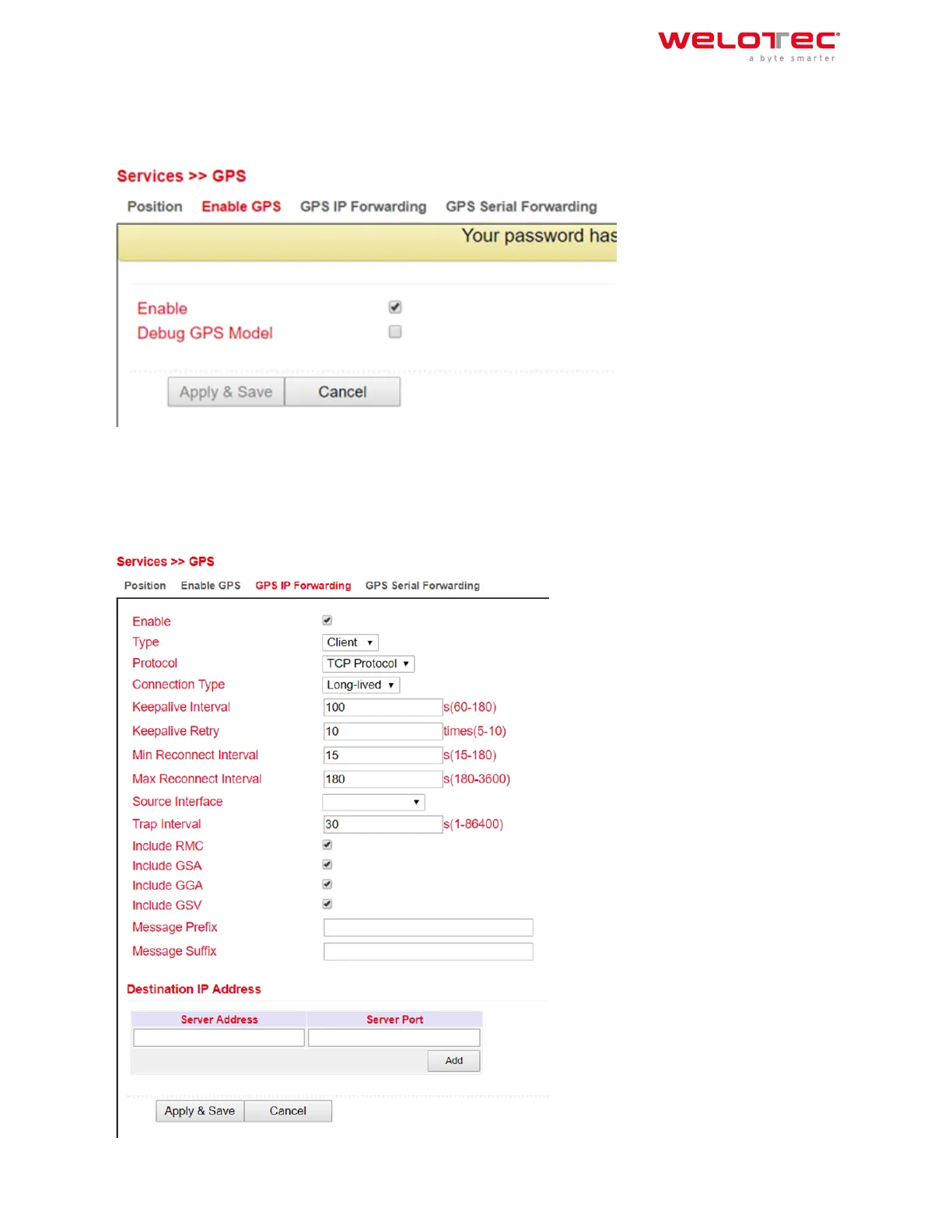
3.3.5.2. Enable GPS
To enable the GPS function of the router open the menu under Services > GPS > Enable GPS and click on the check‑
box Enable to switch on the function. With Apply & Save you save the settings and enable the GPS.
3.3.5.3. GPS IP Forwarding
Open the menu under Services > GPS > GPS IP Forwarding and click the Enable checkbox to turn on the function.
This function is only available if the Debug GPS Model (from the previous chapter) is disabled. Here you can now
make the appropriate settings. With Apply & Save you save the settings and activate them.
Welotec GmbH
Zum Hagenbach 7
48366 Laer
www.welotec.com
info@welotec.com
+49 2554 9130 00
Page 68



 To Next Page