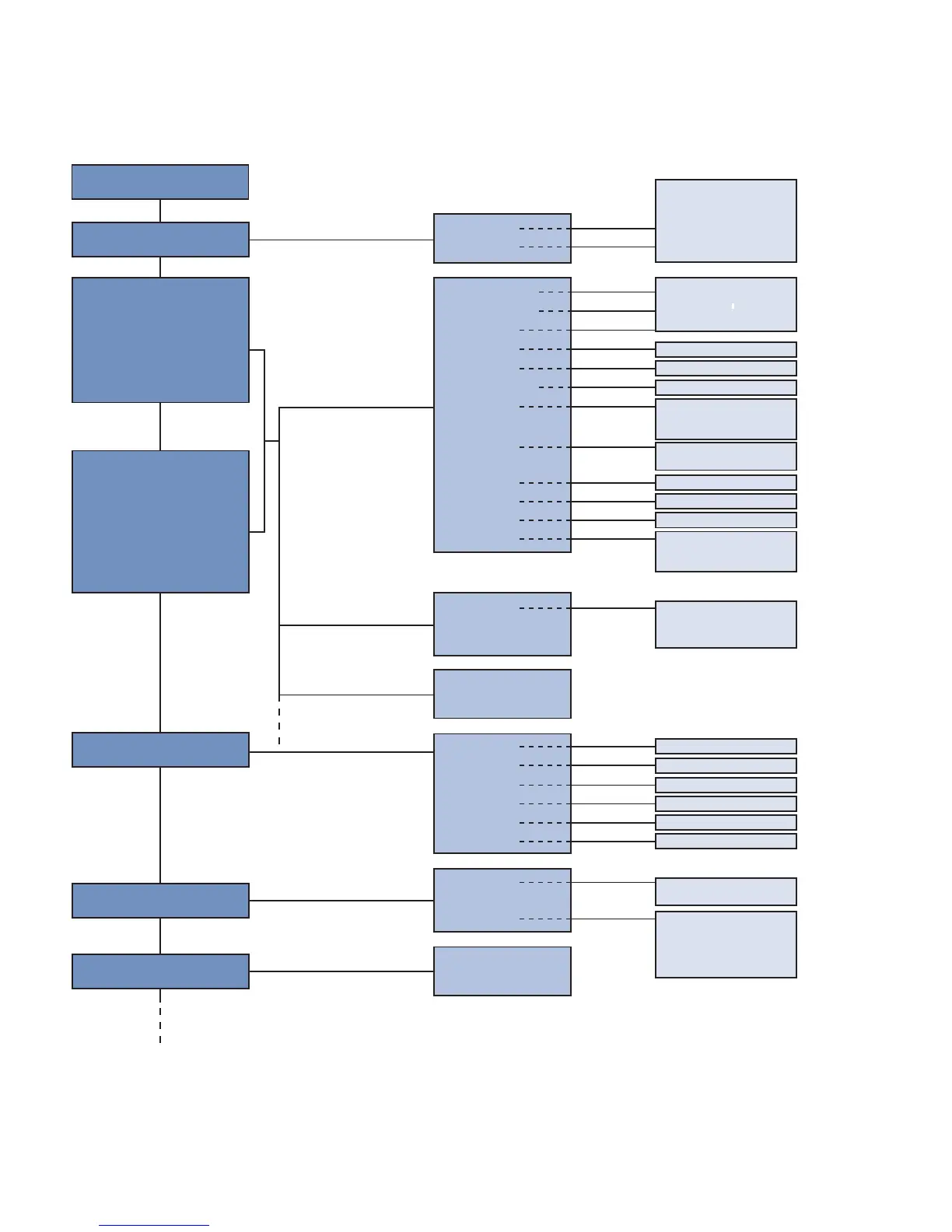
7. Functional Overview
Menu items that are presented in bold are always displayed in the menu.
The other menu items appear only when the Expert Menu is activated.
* Visibility depends on the selected settings (see details in the respective section)
** can only be selected for E/A2
Run
Pin Function
E/A1
E/A2
Ub active
Ub inactive
ON
OFF
Switch
Error
Contaminate
Analog**
Laser
Ext T Ax
PNP
NPN
Pushpull
PNP
NPN
Pushpull
T Foreground
T Background
T Window
Min
Normal
Max
Power save
Screensaver
NO
NC
Switch
Analog
Press <T>
for Teach-In
Value in mm
Value in mm
Value in ms
Value in ms
Value in ms
Value in mm
Value in mm
Value in mm
Select U or I
Measuring Range Teach-In
Value in mm
Value in mm
NPN/PNP
NO/NC
Mode
Rotate
Intensity
Mode U/I
Teach-In
At 0 V*
At 10 V*
At 4 mA*
At 20 mA*
T Foreground
T Background
T Window
Poti
Hysteresis
Window size*
NPN/PNP
NO/NC
ON Delay
OFF Delay
Impulse
T Extern
Analog
Display
Expert Menu
Depends on pin function E/A1:
A1 Switch
A1 Error
A1 Contaminate
E1 Laser
E1 Ext T A2
Depends on pin function E/A2:
A2 Switch
A2 Error
A2 Contaminate
A2 Analog
E2 Laser
E2 Ext T A1
If Switching Output
If analog Output*
If Input
If Error Output or
Contamination Output












 To Next Page