EasyManua.ls Logo

Whirlpool RF196LXK - User Manual

Whirlpool RF196LXK
72 pages
Print Icon
To Next Page IconTo Next Page
Loading...
CONSUMER SERVICES TECHNICAL
EDUCATION GROUP PRESENTS
KR-31
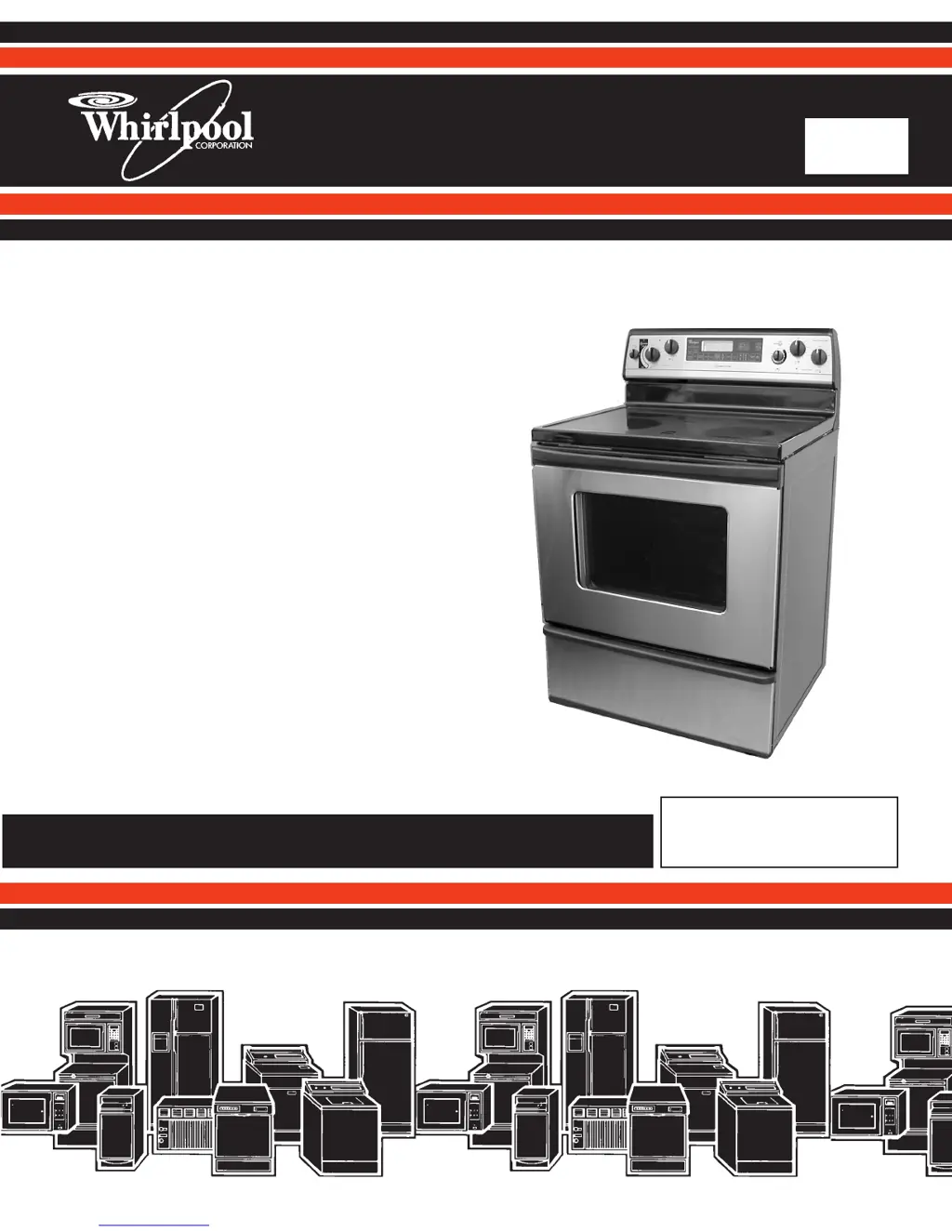
JOB AID
Part No. 8178042
30 FREESTANDING
SELF-CLEANING
ELECTRIC RANGE

Table of Contents

Other manuals for Whirlpool RF196LXK

Questions and Answers

  • J
    Jessica SimpsonJul 31, 2025
    What to do if the door latch is not operating on my Whirlpool Ranges?
    • H
      Howard NelsonJul 31, 2025
      To troubleshoot a door latch that is not operating on your Whirlpool Range: 1. First, verify the error code by pressing and holding the CANCEL/OFF key for 5 seconds, then momentarily press CANCEL again to remove the error code display. 2. Next, program and start the Clean mode to see if the door locks. If it doesn't, check the locking mechanism from the solenoid to the latch pawl and door to identify the problem. Note that if the door doesn't lock, the F5 E1 code will reappear one minute after starting the Clean mode; press CANCEL to clear it. 3. After fixing any mechanical issues, start a Clean cycle again to ensure the door lock operates correctly, canceling it immediately afterward to check the door unlock function.
  • J
    Jamie TravisAug 6, 2025
    What to do if the door switches do not agree on Whirlpool RF196LXK?
    • W
      wgonzalezAug 6, 2025
      If the door switches on your Whirlpool Ranges don't agree, here's what you can do: 1. Disconnect power from the unit. 2. Inspect the wires and connectors from the control to the door switch, and from the door switch back to the control. 3. If there's no damage to the wires or connectors, replace the door switch. 4. Re-apply power. 5. Press CANCEL PROGRAM and start the clean mode, and observe for one minute to ensure that operation is normal.
  • C
    Christopher KennedyAug 12, 2025
    What to do if there's a shorted key on Whirlpool RF196LXK Ranges?
    • W
      wilsonanthonyAug 12, 2025
      If you suspect a shorted key on your Whirlpool Ranges, take these steps: 1. First, verify the failure (if it's not already displayed) by pressing the CANCEL/OFF key for 5 seconds. 2. Then, disconnect the power. 3. If applicable, make sure the membrane tail is properly seated in the connector on the back of the control. 4. Re-apply power and observe for more than 1 minute. 5. If the issue persists, disconnect the power again and replace the control.
  • J
    Julia YoungAug 19, 2025
    How to fix an open oven sensor (top) on Whirlpool RF196LXK Ranges?
    • J
      Joseph WaltersAug 19, 2025
      To address an open oven sensor (top) in Whirlpool Ranges: 1. Measure the sensor value (between connector pins). It should be between 1000 Ohms at 32 °F and 2697 Ohms at 900 °F (room temperature should be around 1080 Ohms). If the measurement doesn't match the actual temperature, disconnect power and replace the sensor. Also, check for shorts by measuring from the sensor connector to the sensor casing. 2. Trace the wires and connectors from the control to the sensor and back. If the connections are good and there's no wire damage: * Disconnect power for more than 30 seconds. * Re-apply power and observe for more than 1 minute. 3. If the problem continues, disconnect power, replace the control.
  • E
    Edward PhillipsAug 25, 2025
    What to do if I get an EEPROM communication error on Whirlpool RF196LXK Ranges?
    • M
      Melissa JonesAug 25, 2025
      To troubleshoot an EEPROM communication error on Whirlpool Ranges: 1. Verify the error, if not displayed, by pressing and holding the CANCEL/OFF key for 5 seconds until the last error code appears. 2. Disconnect power for more than 30 seconds. 3. Re-apply power and observe for longer than 1 minute. 4. If the error persists, disconnect power and replace the control.

Summary

FORWARD

Purpose of the Job Aid

Provides technicians with information on operation and service for the electric range.

Goals and Objectives

Details enabling technicians to diagnose malfunctions and perform repairs on the Whirlpool electric range.

DIAGNOSIS & TROUBLESHOOTING

Failure;Error Codes

Lists error codes, their likely failure conditions, and suggested corrective actions for troubleshooting.

WIRING DIAGRAMS & STRIP CIRCUITS

Wiring Diagram

Electrical schematic illustrating connections for the appliance's components and systems.

Strip Circuits

Detailed circuit diagrams for various surface unit configurations and oven functions.

TECH TIPS

Duo Cooking System Flow Chart

Visual guide for diagnosing and understanding the operation of the Duo Cooking System.

GENERAL INFORMATION

Important Safety Information

Crucial safety warnings and precautions for operating and servicing the appliance.

MODEL & SERIAL NUMBER DESIGNATIONS

Model Number Breakdown

Explains the coding system used for Whirlpool model numbers, including product groups and features.

MODEL & SERIAL NUMBER LABEL AND TECH SHEET LOCATIONS

Label and Tech Sheet Placement

Illustrates where to find the model/serial number label and the tech sheet on the appliance.

SPECIFICATIONS - GENERAL & COOKTOP

General Information & Dimensions

Details general specifications, dimensions, and weight for various Whirlpool electric range models.

Cooktop Features

Outlines cooktop types, burner configurations, sizes, and power ratings for different models.

OVEN AND PANEL SPECIFICATIONS

Oven Features and Door

Lists oven types, capacity, dimensions, elements, and door features across various models.

Lower Panel;Drawer & Literature

Details drawer specifications, connected load, and available literature for different models.

SPECIFICATIONS - MODEL COMPARISON

Model Specific Features

Compares oven features, door types, and panel specifications across RF378, RF388, RF390, GR460, GR470, GR475, GR450 models.

WHIRLPOOL ELECTRIC RANGE WARRANTY

Warranty Coverage Details

Explains what Whirlpool will pay for and what is excluded under the limited one and five-year warranties.

THEORY OF OPERATION

AccuBake vs. AccuBake Duo Systems

Compares the AccuBake and AccuBake Duo cooking systems, highlighting differences in sensors and operation.

COOKING CYCLES AND MODES

Regular Bake Cycle

Describes the operation of the bake and broil elements during the regular bake cycle in AccuBake systems.

Choice Bake and Warm Modes

Explains the Choice Bake feature to eliminate top heat and the default operation of the Warm feature.

ACCUSIMMER BASIC OPERATION

AccuSimmer Controls and Circuitry

Details the AccuSimmer infinite switch, its dual burner control, and internal circuitry for single and dual positions.

KEEP WARM ELEMENT

Function and Operation

Describes the fifth element used to keep food warm, its temperature range, and power requirements.

WARMING DRAWER

Warming Drawer Operation and Sensors

Explains how the warming drawer operates via the electronic control and its temperature sensor.

SOFT CLOSE DOOR

Door Hinge Mechanism

Details the soft-close door feature, including the oil-filled cylinder and its dampening action.

COMPONENT ACCESS

Component Locations Overview

Illustrates the internal layout and identifies the locations of various components within the range.

SINGLE ELEMENT INFINITE SWITCH REMOVAL

Removal Procedure

Step-by-step instructions for safely removing and replacing a single element infinite switch.

NORMAL BURNER;ACCUSIMMER SWITCH REMOVAL

Removal Procedure

Detailed steps for safely removing the Normal Burner/AccuSimmer switch from the appliance.

DUAL ELEMENT INFINITE SWITCH REMOVAL

Removal Procedure

Step-by-step guide for safely removing the dual element infinite switch.

KEEP WARM SWITCH REMOVAL

Removal Procedure

Instructions on how to safely remove the Keep Warm switch.

INDICATOR LIGHT REMOVAL

Procedure for Indicator Light

Steps to remove an indicator light from the appliance, including disconnection of wires.

CONTROL POWER SUPPLY & OVEN CONTROL REMOVAL

Removal of Control Components

Instructions for disconnecting and removing the control power supply and the electronic oven control board.

ELEMENT & LIMITER REMOVAL

Cooktop Element and Limiter Removal

Procedures for removing cooktop elements and their associated limiters.

HOT SURFACE INDICATORS REMOVAL

Removal of Indicator Assemblies

Steps for removing the hot surface indicator assemblies and their wiring.

DOOR LATCH & DOOR SWITCH REMOVAL

Removal of Door Latch and Switch

Detailed instructions for removing the oven door latch and door switch.

BROIL & BAKE ELEMENTS REMOVAL

Element Removal Procedures

Step-by-step guide for removing the broil and bake elements from the oven.

OVEN LIGHT SOCKET ASSEMBLY REMOVAL

Removal of Oven Light Socket

Instructions for safely removing the oven light socket assembly and its wiring.

LATCH DRIVE ASSEMBLY REMOVAL

Latch Drive Removal Steps

Procedures for disconnecting and removing the oven door latch drive mechanism.

OVEN TEMPERATURE SENSORS & THERMAL FUSE REMOVAL

Sensor and Fuse Removal

Steps for removing oven temperature sensors and the thermal fuse.

WARMING DRAWER ELEMENT & SENSOR REMOVAL

Warming Drawer Component Removal

Instructions for removing the warming drawer element and its temperature sensor.

OVEN DOOR REMOVAL

Oven Door Removal and Reinstallation

Detailed steps for removing and reinstalling the oven door, including hinge mechanisms.

OVEN DOOR HANDLE & GLASS REMOVAL

Door Handle and Glass Removal

Procedures for removing the oven door handle, glass panels, and liner.

OVEN DOOR GASKET REMOVAL

Oven Door Gasket Replacement

Instructions for removing and installing the oven door gasket.

SIDE PANEL REMOVAL

Procedure for Side Panel Removal

Step-by-step guide to safely remove a side panel of the appliance.

COMPONENT TESTING

General Testing Precautions

Essential checks and precautions before testing components, including safety and tool requirements.

Door Switch Testing

Steps to test the door switch using an ohmmeter, checking for continuity and open circuits.

Warming Drawer Element Testing

Procedure for testing the warming drawer element resistance with an ohmmeter.

Bake Element Testing

How to test the bake element's resistance using an ohmmeter.

Broil Element Testing

Steps to test the broil element's resistance with an ohmmeter.

Latch Drive Motor Testing

Procedure for testing the latch drive motor resistance.

Temperature Sensor Testing

How to test oven and warming drawer temperature sensors using an ohmmeter at specified temperatures.

Thermal Fuse Testing

Procedure for testing the thermal fuse for continuity.

Infinite Switch Testing

Steps for testing single and dual element infinite switches using an ohmmeter.

Keep Warm Switch Testing

How to test the Keep Warm switch for continuity across various positions.

Normal Burner;AccuSimmer Switch Testing

Procedure to test the Normal Burner/AccuSimmer switch in different positions.

Surface Elements & Limiters Testing

Procedures for testing surface elements and their limiters, including resistance and temperature-dependent checks.

WIRING DIAGRAMS & STRIP CIRCUITS

Wiring Diagram Overview

Presents the main wiring diagram for the appliance, showing power supply, controls, and elements.

Strip Circuits Analysis

Detailed strip circuit diagrams for surface units, broil, bake, and clean functions.

Oven Control and Lighting Circuits

Illustrates wiring for clock display, oven light, and quick-disconnect plugs for power supply and control.

PRODUCT INFORMATION SOURCES

Contact Information for Support

Provides phone numbers for product specifications, warranty, and technical assistance in the US and Canada.

Whirlpool RF196LXK Specifications

General IconGeneral
BrandWhirlpool
ModelRF196LXK
CategoryRanges
LanguageEnglish

Related product manuals