The 2D/1D Barcode Reader is optional for M101H Tablet PC and is not re-workable
by the end user. To use this feature, please make sure the tablet PC is built-in
barcode reader before use, or contact our sales contact window for more details.
To enable the Barcode Reader feature, perform the following procedure:
1. Open Hottab utility by pressing (Menu) Button located on the front panel, OR
launching Hottab Utility application.
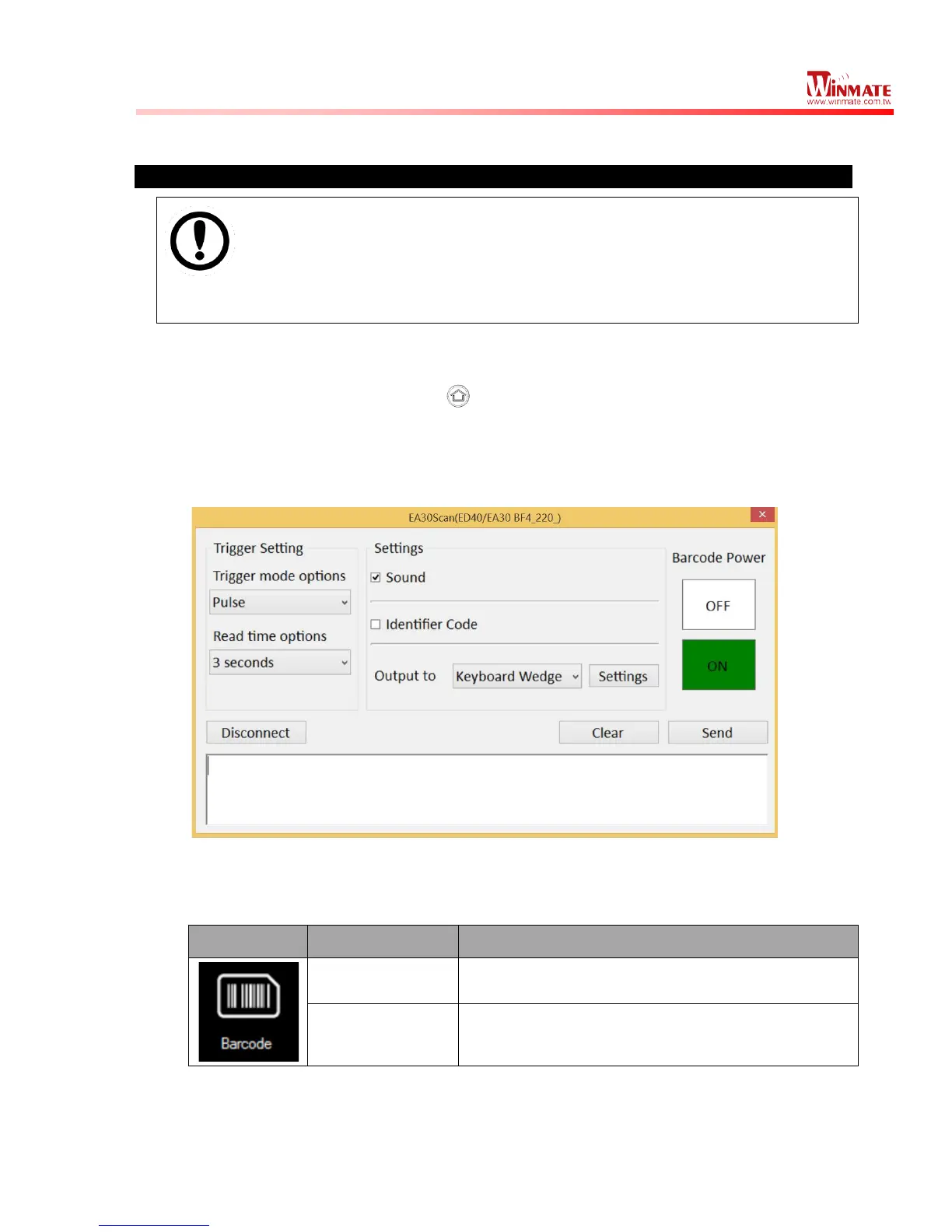
2. Choose “Device ON/OFF” and click on “Barcode”, and the setting utility will show
up as below:
3. Tap on the ON button.
4. Check the status color of the ON button is green, and the status color of the
Barcode icon on the Hottab menu is orange at the same time.
5. Open the application where barcode reader will be displaying the scanned barcode.
6. Trigger the barcode reader by pressing Fn2 function key.



 To Next Page