50 M101H Series User Guide
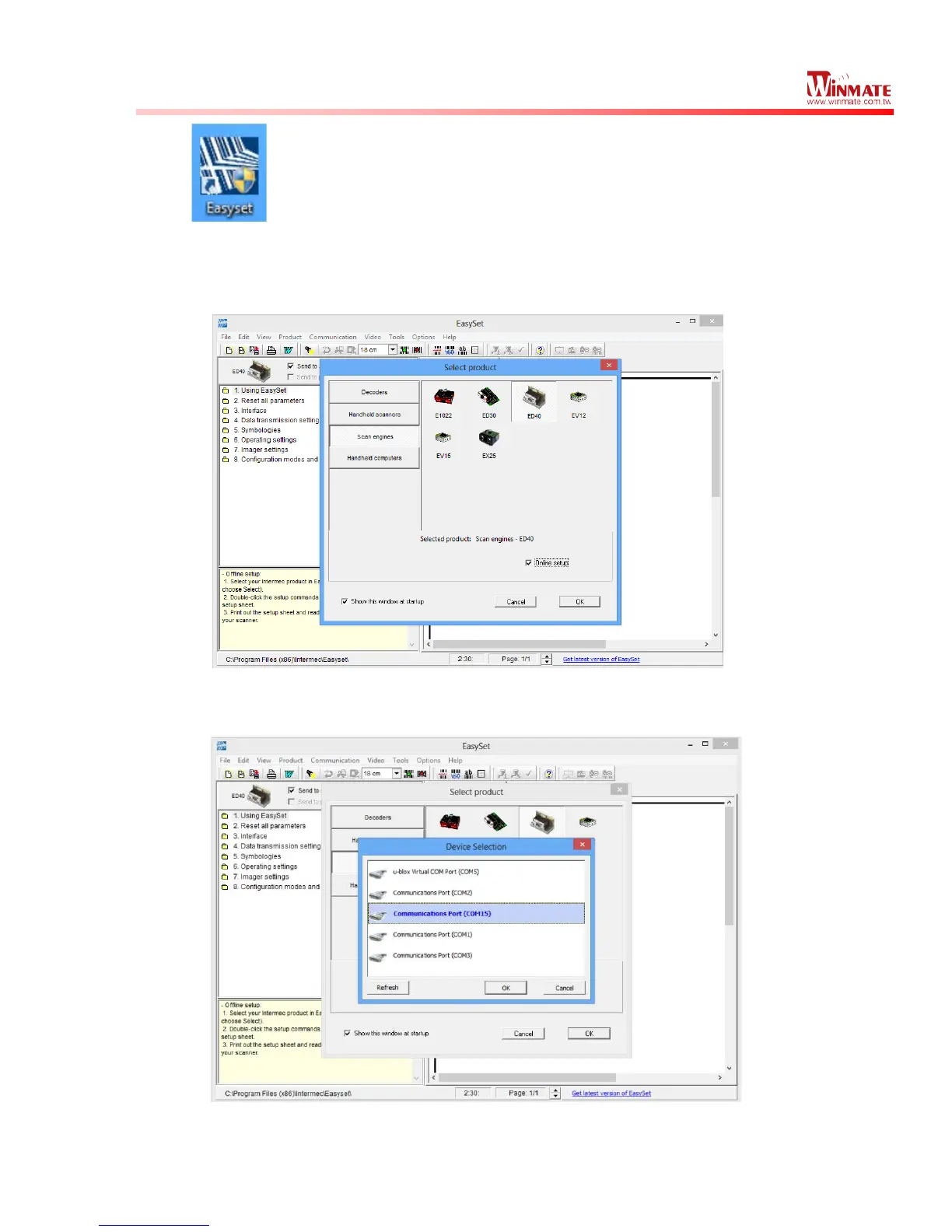
(3) When “Easyset” application launches, a “Select product” on-screen prompt will show
up. Select “Scan engines” and pick “ED40”. Make sure the “Online setup” option is
checked, and select “OK” as shown in the screen capture below:
(4) Another “Device Selection” on-screen prompt will show up. Select “Communications
Port (COM15)” and select “OK” as shown in the screen capture below:
(5)
User can select Barcode code type of interest by pressing “5. Symbologies”. in the
navigation pane, and it will show its configuration options
.



 To Next Page